 Stack

OmniFocus 4
A task manager sold both ways, as a $74.99 or $149.99 universal licence and as a $99.99 yearly subscription, with the arithmetic favouring the licence
Scored on the published rubric, from documentation, pricing and verified user reports.
Best for: A heavy planner on Apple devices who wants custom perspectives and review cycles, will keep the app for more than two years, and can live without the web companion or will pay $49.99 a year for it.
Verdict
This is a documentation review. It rests on the Omni Group's buy page, its trial, refund, licensing and education support pages, its features page and the US App Store listing, all read on October 10, 2026. Nobody here has graded the app in use.
On those pages OmniFocus 4 is one of the few serious task managers still sold as a perpetual licence, and the vendor prices both routes side by side. The v4 Standard licence is $74.99, the Pro licence $149.99, and each is a universal purchase covering Mac, iPhone, iPad, Apple Watch and Vision Pro with every 4.x update. The subscription is $99.99 a year and includes Pro plus the web app.
By the editors' arithmetic the Pro licence costs less than the subscription from the eighteenth month onward, and the Standard licence from the tenth. The trial is 14 days and fully functional. Standalone licences carry a 30-day return guarantee; subscriptions carry none.
The limits are also printed. Web access is a separate $49.99 a year for licence owners. Focus mode, custom perspectives and automation are Pro only. And the next major version is a paid upgrade whose discount the vendor does not fix in advance.
Visit OmniFocus 4
We have no affiliate relationship with this vendor. Link goes to the official site.
Where it is strong
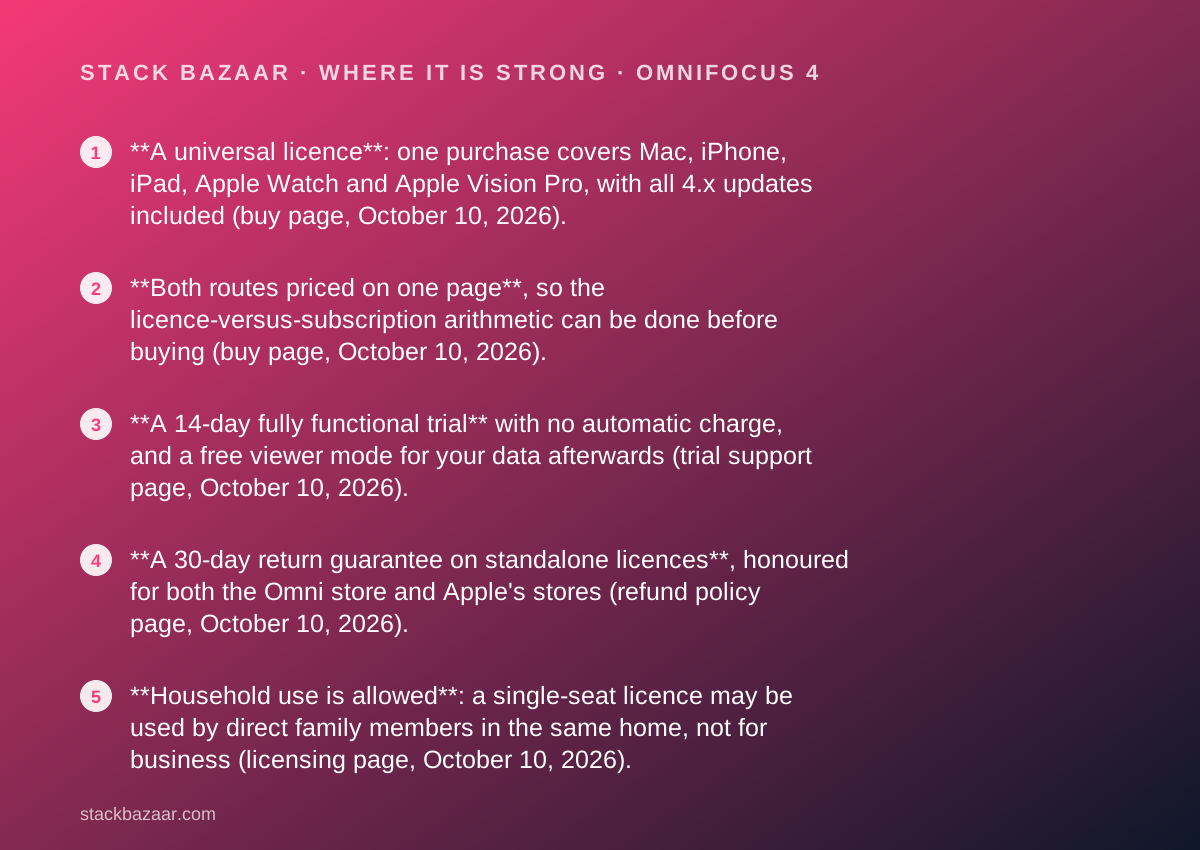
- **A universal licence**: one purchase covers Mac, iPhone, iPad, Apple Watch and Apple Vision Pro, with all 4.x updates included (buy page, October 10, 2026).
- **Both routes priced on one page**, so the licence-versus-subscription arithmetic can be done before buying (buy page, October 10, 2026).
- **A 14-day fully functional trial** with no automatic charge, and a free viewer mode for your data afterwards (trial support page, October 10, 2026).
- **A 30-day return guarantee on standalone licences**, honoured for both the Omni store and Apple's stores (refund policy page, October 10, 2026).
- **Household use is allowed**: a single-seat licence may be used by direct family members in the same home, not for business (licensing page, October 10, 2026).
- **Upgrade paths are priced in the App Store**: $37.49 from v1 to v3 to Standard, $74.99 to Pro, $74.99 from Standard to Pro (App Store listing, October 10, 2026).
Where it falls short
- **Web access is not in the licence.** Licence owners pay the web subscription, $4.99 a month or $49.99 a year, to use OmniFocus on a PC or Android browser (buy page, October 10, 2026).
- **Pro doubles the price.** Focus mode, custom perspectives, the Forecast tag and automation require the $149.99 licence (features and buy pages, October 10, 2026).
- **Major versions are paid.** The buy page promises upgrade discounts for future versions without stating a percentage (October 10, 2026).
- **Demanding system requirements**: macOS 15.2, iOS and iPadOS 18.2, visionOS 2.2 and watchOS 11.2 or newer (App Store listing, October 10, 2026).
- **Education pricing excludes subscriptions and App Store purchases**, and the discount percentage is not published on the support page (October 10, 2026).
At a glance
| Starting price | $74.99 one-time, v4 Standard licence, universal across Apple devices (buy page, October 10, 2026) |
|---|---|
| Pricing note | $74.99 once for the v4 Standard licence or $149.99 for Pro, each covering Mac, iPhone, iPad, Apple Watch and Vision Pro with all 4.x updates; or $99.99 a year for the subscription including Pro and web access (buy page, checked October 10, 2026) |
| Pro licence | $149.99 one-time; adds Focus mode, custom perspectives, Forecast tag and automation |
| Subscription | $99.99 per year, includes Pro and OmniFocus for the Web; no major version upgrade cost |
| Web access | $4.99 per month or $49.99 per year, web app only; required by licence owners who want browser access |
| Licence scope | Per person or per computer, whichever is smaller; a single-seat licence on multiple Macs for one individual; direct family in the same household |
| Platforms | macOS 15.2+, iOS and iPadOS 18.2+, visionOS 2.2+, watchOS 11.2+; web app for other platforms |
| Update policy | All 4.x updates included in a licence; future major versions discounted, percentage not stated |
| Trial | 14 days, fully functional, Mac, iOS and web; free viewer mode afterwards |
| Refund window | 30-day return guarantee on standalone licences; none on subscriptions |
| Education discount | Mac apps only via the educational store; not for subscriptions or App Store purchases; percentage not published |
| App Store upgrade prices | $37.49 v1 to v3 to Standard; $74.99 v1 to v3 to Pro; $74.99 Standard to Pro |
Why a $149.99 app belongs in a deals magazine
OmniFocus is here because its buy page does something most vendors avoid: it prices the perpetual licence and the subscription on the same screen and lets you do the division.
That is the exact exercise set out in how lifetime software deals actually work. A licence is only a deal if you can see the subscription it replaces, and here you can.
It is the second review in our pay-once productivity cluster, after Things 3 and before iA Writer, and the head-to-head is in Things vs OmniFocus. Everything below was read from the Omni Group's pages and the US App Store on October 10, 2026. None of it describes what planning a week in the app is like.
What OmniFocus 4 is
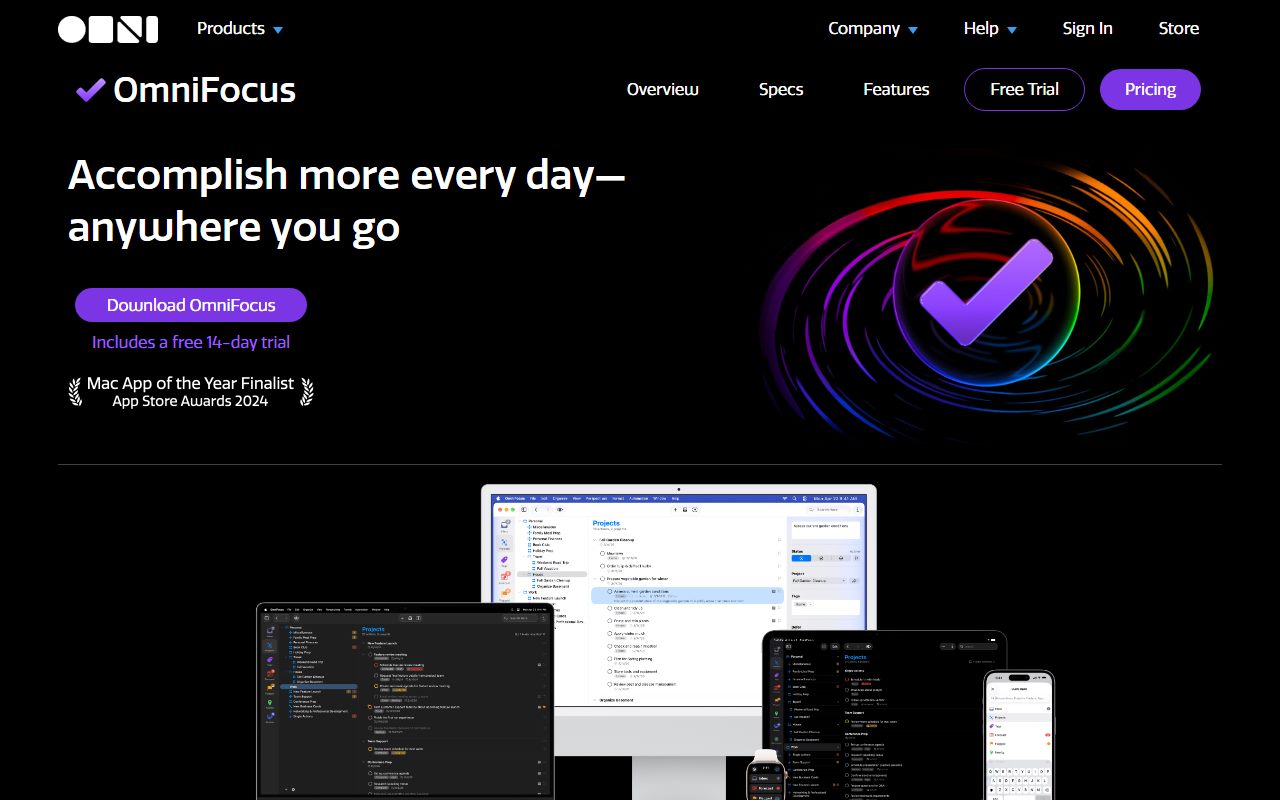
OmniFocus 4 is a task manager for Apple devices from the Omni Group in Seattle, with a web companion for everything else. The US App Store listing on October 10, 2026 shows version 4.9.3 as a free download with in-app purchases, requiring macOS 15.2, iOS and iPadOS 18.2, visionOS 2.2 or watchOS 11.2 or newer.
The product page says a purchase gives full access on Mac, iPhone, iPad, Apple Watch and Apple Vision Pro, and that OmniFocus is available on Android or PC through OmniFocus for the Web. The web app is a separate line on the buy page, which matters below.
It is a local app with the vendor's own free encrypted sync, listed among the Standard features. There is no account tier to buy for sync. For a licence you intend to keep, that is the right shape, as what happens after you pay once explains.
What the buy page sells, as of October 2026
Four products on one page, read October 10, 2026.
- v4 Standard licence, $74.99 USD once: universal purchase for Mac, iPhone, iPad, Apple Watch and Vision Pro, all 4.x updates, future major versions discounted.
- v4 Pro licence, $149.99 USD once: the same coverage plus the Pro features.
- OmniFocus subscription, $99.99 USD per year: Mac, iPhone, iPad, Watch, Vision and Web, always the latest Pro version, no major version upgrade cost, auto-renews until cancelled.
- OmniFocus for the Web subscription, $4.99 USD per month or $49.99 per year: the web app only, listed as the web companion access for perpetual licence owners.
How the pricing is structured, and the arithmetic that follows
The licence is the cheaper route for anyone who stays, and the buy page gives enough to prove it.
By the editors' arithmetic from the October 10, 2026 figures: the $99.99 subscription costs more than the $74.99 Standard licence before its first year is out, and more than the $149.99 Pro licence partway through its second. Over four years the subscription is $399.96; a Pro licence plus one discounted major upgrade would need to exceed that to lose.
The web app changes the sum. A licence owner who needs a browser every working day adds $49.99 a year, so Pro plus web is $199.98 in year one and $249.97 by the end of year two, against $199.98 for two years of the subscription. For a Windows-at-work, Mac-at-home buyer the subscription is close to even for two years and only loses afterwards.
The App Store listing adds the upgrade ladder: $37.49 to move from v1 to v3 to Standard, $74.99 to move to Pro, and $74.99 to step from Standard to Pro later. Standard first and Pro later costs the same $149.99 as Pro outright, so there is no penalty for starting small.
Against the cluster: Things is $79.97 for a Mac, iPhone and iPad set, and Sublime Text is $99 on every operating system. The Standard licence sits between them.
Who it is best for
The Pro feature list and the universal licence decide who this suits.
- A consultant or manager juggling dozens of projects who needs saved views across them, which is what custom perspectives are.
- Anyone who runs a weekly review and wants the app to schedule it, since Review is a Standard feature.
- A buyer with a Mac, an iPhone, an iPad and a Watch who wants one purchase to cover all four at once.
- A planner who will keep the same system for years, where the licence beats the subscription by a widening margin.
- A household with two serious planners, since the licensing page allows direct family members in the same home to use a single-seat licence.
Who should skip it
Three profiles the pages argue against.
- Anyone who wants a short list and a daily view and nothing else; Things is cheaper to enter and simpler by design.
- Anyone who must use a browser at work every day, unless they accept the $49.99 yearly web line or the full subscription.
- Anyone whose Mac or phone is too old for macOS 15.2 or iOS 18.2, which the current build requires.
Standard or Pro: what the extra $75 buys
The features page, read October 10, 2026, draws the line clearly.
Standard includes quick entry, quick open, inbox, projects, tags, flags, dates, repeat schedules, notes, Forecast, Nearby, Review, customisable views, batch editing, notifications, widgets, Apple Watch, free encrypted syncing and universal app licensing.
Pro adds four things: Focus mode, which hides everything but the projects you select; custom perspectives, which filter and group projects and tags into saved views; additional Forecast features, which show items carrying a designated Forecast tag; and automation through cross-platform Omni Automation plug-ins or Mac-only AppleScripts. The page also notes that some customisation options within views and Quick Open need Pro.
For a buyer the test is custom perspectives. If you cannot name the saved view you would build, Standard at $74.99 is the purchase, and the $74.99 upgrade is there if the need appears.
The trial is 14 days and fully functional
The trial support page, read October 10, 2026, describes a 14-day fully functional trial with the same features as a paid licence.
It begins automatically when you sign in with an Omni account, and covers the Mac and iOS apps and OmniFocus for the Web. Mac builds come from the vendor's site or the Mac App Store; iOS builds only from the App Store. If you do not buy, you are not charged automatically. Your data stays on the device and can be read in a free viewer mode.
Two weeks is shorter than Things's 15 days of calendar time and much shorter than Scrivener's 30 days of use, but it covers every platform, which neither of those does. The sequence in how to read a software deal before you pay applies: finish the trial before the first purchase, and buy Standard before Pro.
Refunds: 30 days on licences, none on subscriptions
The refund policy page, read October 10, 2026, offers a 30-day return guarantee for standalone Mac and iOS products.
It applies to purchases from the Omni store and from Apple's App Store and Mac App Store, which is unusual: most vendors, including Cultured Code and iA, hand App Store refunds back to Apple. You contact sales within 30 days with an order number or licence key, or for Apple purchases a receipt or a purchase-history screenshot showing your Apple ID. Refunds are paid through PayPal.
Subscriptions are excluded. The page states that refunds are not available for subscriptions. That asymmetry is one more reason the licence is the safer first purchase.
Licence scope: per person, with a household clause
The licensing page, read October 10, 2026, is written for Omni's whole catalogue and applies here.
Licences cover a number of computers or a number of people, whichever is smaller; they are not floating. A single-seat licence bought from the Omni store may be used on multiple Macs by one individual for personal use, and may be used by direct family members living in the same household, but not for business.
The buy page's universal purchase statement adds the cross-device scope: one v4 licence unlocks the Mac, iPhone, iPad, Watch and Vision apps. That is broader than Scrivener, which sells Mac and Windows separately, and far broader than TablePlus, which is per device.
Value: what the score is built from
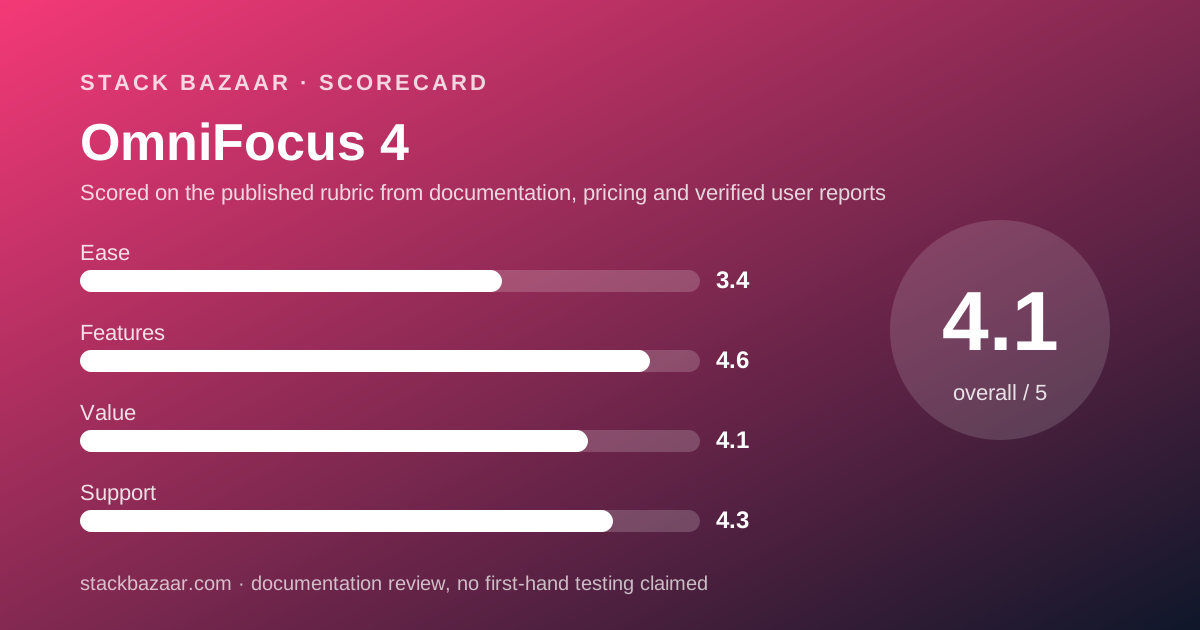
A 4.1, built from the arithmetic above and from the return guarantee.
The case for the score is that the licence is a genuine alternative to the subscription rather than a decoy. It is cheaper within a year, it covers every Apple device, and it carries a 30-day return window that the subscription does not.
The first deduction is the web app. Charging licence owners $49.99 a year for browser access makes the licence a poor fit for anyone with a PC at work. The second is Pro pricing: $149.99 is twice Standard for four features. The third is the unpublished discount on the next major version; the App Store's half-price upgrade from v3 is the only evidence of the vendor's habit.
The cluster ranking, with the licence-versus-subscription sums for each product, is in the best pay-once productivity apps.
Features and ease of use: what the scores are built from
The features score is the highest in this cluster, built from the breadth the vendor documents: perspectives, Forecast, Review, tags, automation, a Watch app, a web app and encrypted sync, across five Apple platforms.
The ease score is the lowest of the four pillars. It is drawn from the structure the vendor describes rather than from any test: two tiers to choose between, a web app sold separately, and an App Store listing whose in-app purchase list runs to eight lines. The US App Store average of 4.0 from 341 ratings on October 10, 2026 is also well below Things's 4.8 and 4.9, and we treat that gap as evidence.
We have not graded either in use. A score here is a reading of documents and public ratings, not a test result.
Support: what is actually promised
A 4.3, the highest support score in this cluster, and it comes from the paper trail.
The Omni Group publishes a trial page, a refund policy, a licensing page and an education page, each answering the question in its title. The refund policy names a 30-day window and the documents needed to claim it. The trial page says what happens to your data after day 14. The licensing page says who in your house may use the app.
No phone line, chat or response time was found on the pages we read, so the score is for the written commitments, not for service we have not received.
What verified users report
On October 10, 2026 the US App Store showed 341 ratings for OmniFocus 4 with an average of 4.0 out of 5. Apple does not publish the star split on the listing, so no distribution is reported here.
Trustpilot's page for omnigroup.com showed no reviews at all on the same day. G2 and Capterra were not opened for this review.
A sample of 341 is thin next to the tens of thousands behind Things, and a 4.0 average is respectable rather than strong. It is reported as exactly that.
Alternatives
Choose Things 3 if you want the simpler app, a cheaper $9.99 iPhone entry, and Family Sharing through Apple rather than a household clause. Otherwise choose OmniFocus if you need perspectives, review cycles, automation or a browser companion; the trade is set out in Things vs OmniFocus.
Choose iA Writer if your planning happens in documents and you need Windows; it is pay-once on Mac, Windows and iOS. Otherwise choose OmniFocus for dated, repeating, tagged tasks.
For developer and writing tools sold the same way, see the best pay-once software for freelancers.
What we could not verify
Four gaps, stated rather than filled.
The Omni store's own upgrade prices from version 3 were not readable; the $37.49 and $74.99 figures come from the App Store's in-app purchase list only.
The education discount percentage is not published on the support page, which refers readers to the educational store.
We did not run the trial, so we cannot confirm how the viewer mode behaves after day 14 or how the web app performs.
And a Standard-versus-Pro feature table with every row was not on the pages we read; the four Pro features are the ones the features page names.
Bottom line
On its published terms OmniFocus 4 is the rare task manager where the perpetual licence is priced to be chosen. $74.99 covers every Apple device with all 4.x updates and a 30-day return window, and it undercuts the $99.99 subscription inside a year.
The costs are a web app sold separately at $49.99 a year, a Pro tier that doubles the price for four features, and a next major version at an unannounced discount.
Run the 14-day trial, buy Standard, and pay the $74.99 Pro upgrade only when you can name the custom perspective you are missing.
Sources
Every figure above was read on October 10, 2026 from the following pages.
- OmniFocus buy page: omnigroup.com/omnifocus/buy
- OmniFocus product page: omnigroup.com/omnifocus
- OmniFocus features page: omnigroup.com/omnifocus/features
- Trial versions: support.omnigroup.com/trial-versions
- Our refund policy: support.omnigroup.com/our-refund-policy
- About our software licenses: support.omnigroup.com/about-our-software-licenses
- Educational pricing: support.omnigroup.com/sales-educational-pricing
- OmniFocus 4 on the US App Store (in-app purchase list, ratings)
- Trustpilot listing for omnigroup.com (no reviews on the day)
Buy it if
- You will keep the app for two years or more, which is where the Pro licence pulls ahead of the $99.99 subscription by the editors' arithmetic.
- You want one purchase for every Apple device, rather than the per-platform pricing of Things.
- You need custom perspectives, a review cycle or automation, and will pay the $149.99 Pro price to get them.
- You want a real return window: 30 days on a standalone licence, from either store.
Skip it if
- You need OmniFocus in a browser every day. Web access is $49.99 a year on top of the licence, which erodes most of the saving against the subscription.
- You want the simplest possible to-do list. The Pro feature set and the Standard-versus-Pro decision are the opposite of simple.
- Your devices do not meet macOS 15.2 or iOS 18.2, which the current build requires.
Frequently asked
Is OmniFocus 4 a one-time purchase?
It can be. The buy page, checked October 10, 2026, sells a v4 Standard licence at $74.99 and a v4 Pro licence at $149.99, each a universal purchase for Mac, iPhone, iPad, Apple Watch and Vision Pro with all 4.x updates. A $99.99 yearly subscription is sold beside them.
Which is cheaper, the OmniFocus licence or the subscription?
The licence, if you stay. By the editors' arithmetic from the buy page on October 10, 2026, the $99.99 yearly subscription overtakes the $74.99 Standard licence within the first year and the $149.99 Pro licence during the second. Add $49.99 a year if you also need web access.
Does the OmniFocus licence include the web app?
No. The buy page, checked October 10, 2026, lists web access for perpetual licence owners as the OmniFocus for the Web subscription at $4.99 a month or $49.99 a year, requiring an existing Mac, iPad, iPhone or Vision Pro setup. Only the full $99.99 subscription bundles web access.
What does OmniFocus Pro add over Standard?
Per the features page on October 10, 2026: Focus mode, custom perspectives, additional Forecast features using a designated Forecast tag, and automation through Omni Automation plug-ins or Mac-only AppleScripts. Some view customisation options also require Pro. The App Store lists the Standard-to-Pro upgrade at $74.99.
How long is the OmniFocus free trial?
Fourteen days, fully functional, per the trial support page checked October 10, 2026. It begins when you sign in with an Omni account, covers Mac, iOS and the web app, and does not charge you automatically when it ends. Your data stays on the device in a free viewer mode.
Can I get a refund on OmniFocus?
Yes, on a standalone licence within 30 days. The refund policy page, checked October 10, 2026, describes a 30-day return guarantee for purchases from the Omni store and from Apple's stores, paid out through PayPal with proof of purchase. Subscriptions are not refundable.
What does upgrading from OmniFocus 3 cost?
The US App Store listing on October 10, 2026 shows in-app purchases of $37.49 to upgrade to v4 Standard from v1 to v3 and $74.99 to upgrade to v4 Pro, half the full licence prices. The Omni buy page itself says only that upgrade discounts are available.
Sources
- OmniFocus buy page (licence, subscription and web prices, universal purchase, 30-day guarantee) - checked October 10, 2026
- OmniFocus product page (14-day trial, platforms, web for Android and PC) - checked October 10, 2026
- OmniFocus features page (Standard vs Pro features) - checked October 10, 2026
- Omni trial versions support page - checked October 10, 2026
- Omni refund policy (30-day return guarantee, subscriptions excluded) - checked October 10, 2026
- About our software licenses (per person or per computer, household use) - checked October 10, 2026
- Educational pricing support page - checked October 10, 2026
- OmniFocus 4 on the US App Store (in-app purchase prices, 341 ratings at 4.0) - checked October 10, 2026
- Trustpilot listing for omnigroup.com (no reviews) - checked October 10, 2026
Update history
- October 10, 2026 - First published. Prices read from the Omni buy page and the US App Store; trial, refund, licence and education terms from the vendor's support pages.
Visit OmniFocus 4
We have no affiliate relationship with this vendor. Link goes to the official site.