 Stack

Scrivener
A long-form writing app sold as a perpetual, per-platform licence that covers every computer in your household
Scored on the published rubric, from documentation, pricing and verified user reports.
Best for: A novelist, academic or long-form freelancer who writes on one operating system and wants to buy the tool once rather than rent it.
Verdict
This is a documentation review. It rests on Literature & Latte's store, licensing, FAQ and upgrade pages and on the Mac App Store listing, all read on October 10, 2026, not on paid use of the software.
On those pages Scrivener is one of the most generous perpetual licences we have read. One licence is a household licence: it covers every computer you own on that platform, plus the machines of family members living with you. Minor updates within a major version are free. There is a 30-day trial that counts days of actual use, and a 30-day refund window on the vendor's store.
The limits are also printed plainly. A licence covers one platform only, so Mac and Windows are two purchases or a discounted bundle. A future major version is a paid upgrade, offered at a discount. And the vendor's store shows prices in local currency, so the USD figure we can cite with certainty is the Mac App Store's $59.99.
Nothing here describes what writing in it is like.
Visit Scrivener
We have no affiliate relationship with this vendor. Link goes to the official site.
Where it is strong
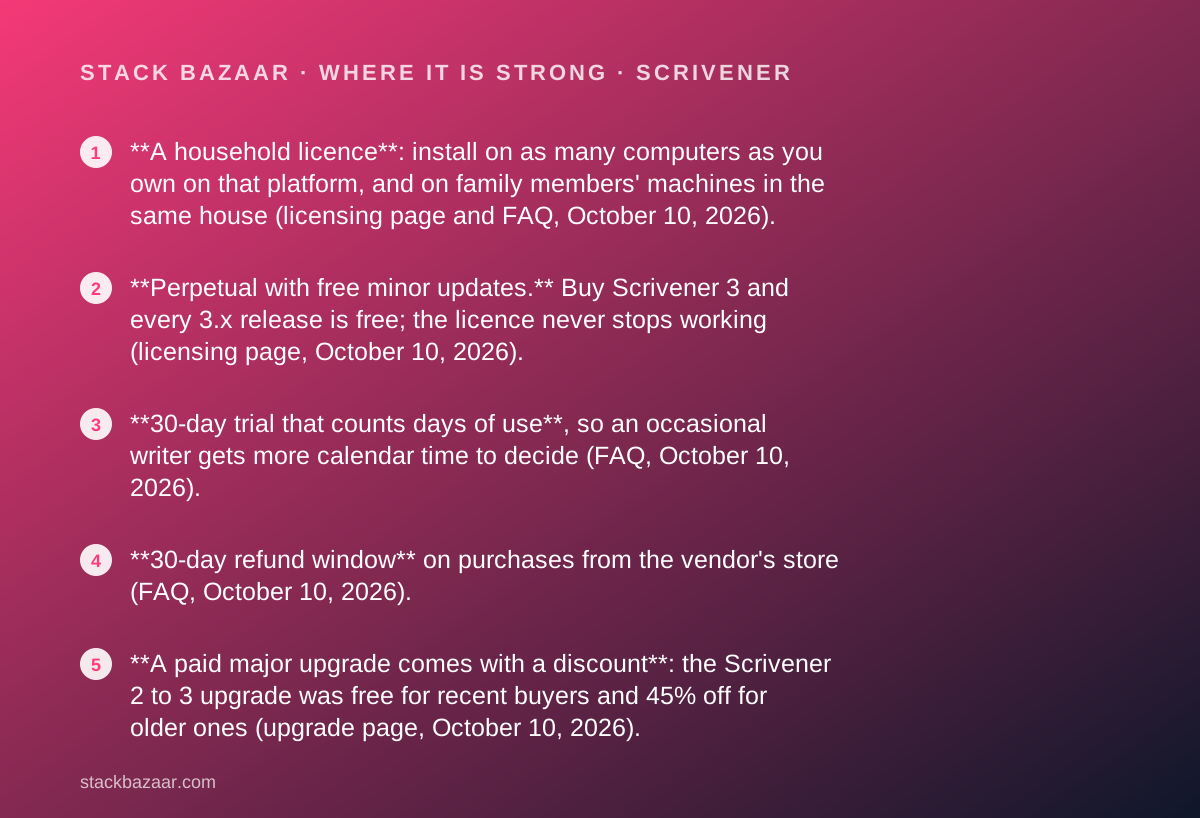
- **A household licence**: install on as many computers as you own on that platform, and on family members' machines in the same house (licensing page and FAQ, October 10, 2026).
- **Perpetual with free minor updates.** Buy Scrivener 3 and every 3.x release is free; the licence never stops working (licensing page, October 10, 2026).
- **30-day trial that counts days of use**, so an occasional writer gets more calendar time to decide (FAQ, October 10, 2026).
- **30-day refund window** on purchases from the vendor's store (FAQ, October 10, 2026).
- **A paid major upgrade comes with a discount**: the Scrivener 2 to 3 upgrade was free for recent buyers and 45% off for older ones (upgrade page, October 10, 2026).
- **$59.99 USD on the Mac App Store** for the current version 3.5.2, with no subscription anywhere in the offer (App Store listing, October 10, 2026).
Where it falls short
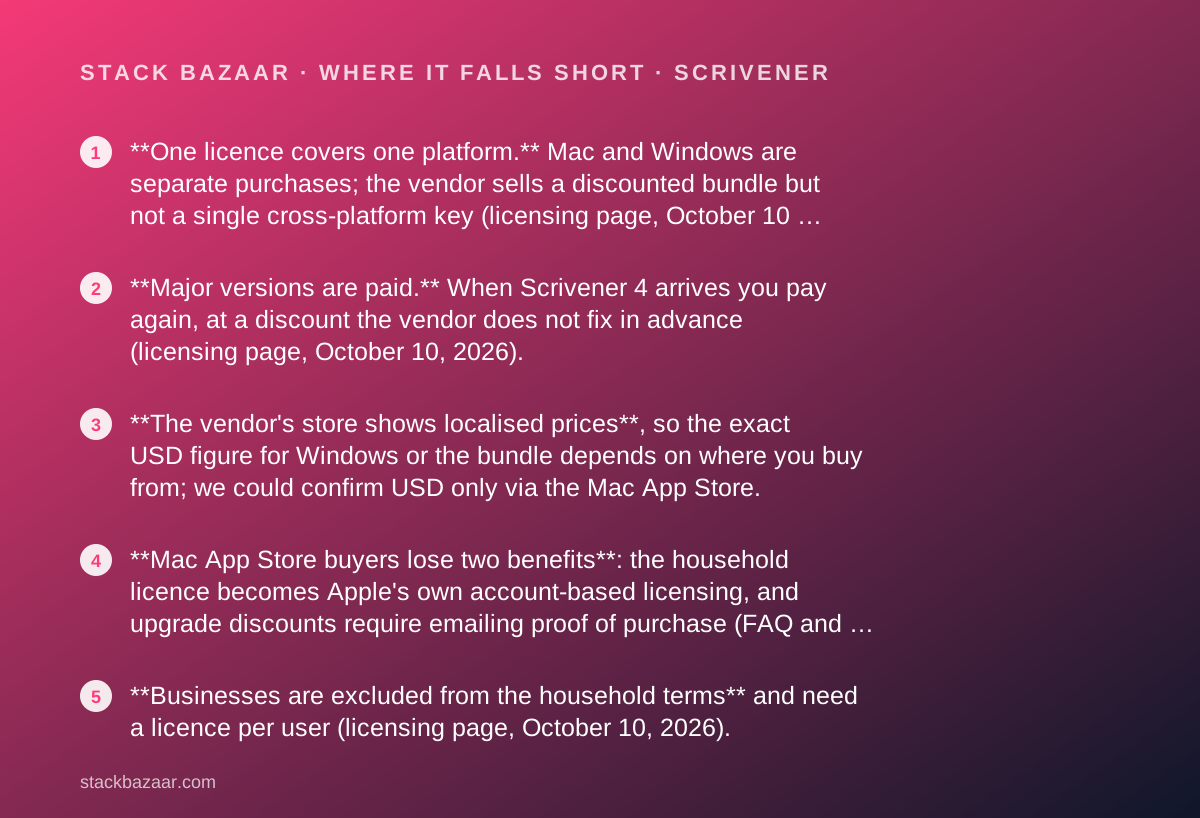
- **One licence covers one platform.** Mac and Windows are separate purchases; the vendor sells a discounted bundle but not a single cross-platform key (licensing page, October 10, 2026).
- **Major versions are paid.** When Scrivener 4 arrives you pay again, at a discount the vendor does not fix in advance (licensing page, October 10, 2026).
- **The vendor's store shows localised prices**, so the exact USD figure for Windows or the bundle depends on where you buy from; we could confirm USD only via the Mac App Store.
- **Mac App Store buyers lose two benefits**: the household licence becomes Apple's own account-based licensing, and upgrade discounts require emailing proof of purchase (FAQ and upgrade page, October 10, 2026).
- **Businesses are excluded from the household terms** and need a licence per user (licensing page, October 10, 2026).
At a glance
| Starting price | $59.99 USD one-time, macOS, Mac App Store listing |
|---|---|
| Pricing note | $59.99 USD once for macOS on the Mac App Store; the vendor's own store shows a localised price per platform and a Mac+Windows bundle (checked October 10, 2026) |
| Vendor store price | Shown in local currency; one figure per platform and a lower Mac+Windows bundle figure (store page, October 10, 2026) |
| iOS price | $23.99 USD, sold separately |
| Licence scope | Household: all computers you own on one platform, plus family in the same house |
| Platforms | macOS 11+ (3.5.2), 64-bit Windows 10+ (3.1.6), iOS 11+ (1.2.4); separate licence each |
| Update policy | Minor updates free within a major version; major versions paid with a discount |
| Trial | 30 days of actual use, macOS and Windows; none on iOS |
| Refund window | 30 days from purchase on the vendor's store; Apple handles App Store refunds |
| Educational licence | Offered for students and academics with institutional affiliation; price not readable on our visit |
| Payment processor | Paddle (vendor store) |
Why a writing app with no discount belongs in a deals magazine
Scrivener has no sale on. It is here because its licence page answers, in writing, the questions most deal pages dodge: how many computers, which platforms, what happens at the next major version, and how long you have to change your mind.
Those are the questions set out in how lifetime software deals actually work, and Scrivener is a clean worked example because the vendor has published a page titled How Our Licensing Works and meant it.
It also sits alongside Sublime Text and TablePlus in our pay-once cluster, and the three licences differ in instructive ways. Sublime Text covers every machine you use for three years of updates. TablePlus covers one device for one year. Scrivener covers your whole household for the life of a major version.
Everything below was read from the vendor's pages and the Mac App Store on October 10, 2026. None of it describes what drafting a book in the app is like.
What Scrivener is
Scrivener is a desktop writing application for long documents, sold by Literature & Latte Ltd. The overview page, checked October 10, 2026, lists three current builds: Scrivener 3.5.2 for macOS 11 or later, Scrivener 3.1.6 for 64-bit Windows 10 or later, and Scrivener 1.2.4 for iOS 11 or later.
The Mac App Store listing gives the same macOS version, 3.5.2, with a release date of December 19, 2025, and a download size of 99.6 MB. The seller is named as Literature & Latte Ltd.
It is a local application rather than a hosted service. There is no account that the vendor can close to stop your copy working, and the FAQ explains that a licence is unlocked with a serial number sent by email. For a pay-once purchase that is the right shape, for the reasons laid out in what happens after you pay once.
What a licence covers, as of October 2026
The licensing page, checked October 10, 2026, describes every licence as perpetual, per-platform and per-version. You buy, for example, Scrivener 3 for macOS, and you can use it for as long as you run a compatible operating system.
Three promises are printed on that page and repeated in the FAQ.
- No subscription fee: you do not pay again to keep using the version you bought.
- Free updates for as long as the vendor develops that major version: Scrivener 3 owners receive 3.1, 3.2, 3.3 and so on at no charge.
- A household licence: install on as many computers as you own, provided they run the platform you bought and the only users are you and family members living with you.
What a licence does not cover
The same page lists the two exclusions, which is more candour than most pay-once vendors manage.
One licence does not cover more than one operating system. A Mac licence will not unlock the Windows build, and the FAQ says single-platform licences are how the vendor keeps prices down for people who need only one.
A licence does not cover major version upgrades. When Scrivener 4 is released, Scrivener 3 owners will need a new licence, offered at a discount, and are under no obligation to buy it. The old version keeps working.
Businesses are outside the household terms. The licence agreement summary states that businesses require separate licences for each user and that site licences can be arranged.
How the pricing is structured, and why the USD figure needs a footnote
The vendor's store sells one standard and one educational licence for each of macOS and Windows, a Mac+Windows bundle, and the iOS app.
The store page renders prices in the visitor's local currency. On our visit on October 10, 2026, it showed one figure for a single platform, a figure for the bundle equal to roughly 1.6 times a single licence by our arithmetic, and the iOS app at US$23.99. The educational price failed to render on that visit, so we cannot quote it.
The USD figure we can state with confidence is the Mac App Store listing: $59.99 for Scrivener 3 on macOS, checked the same day. Readers in the United States should expect the vendor's own store to show a USD price in the same region, but we have not seen it and will not guess.
The bundle is delivered as two separate licences, one per platform, per the store page. That is the only route to running Scrivener on both operating systems under one purchase.
Who it is best for
The household licence, not the feature list, decides who this suits.
- A novelist or non-fiction author who drafts on a desktop and a laptop, both on the same platform, and wants one purchase to cover both.
- An academic writing a thesis or a monograph over several years, who benefits from free minor updates for the life of the version.
- A freelance writer who bills clients and would rather expense a one-time licence than another monthly line.
- A family where more than one person writes, since the household clause explicitly covers relatives in the same house.
- An occasional writer who wants a trial measured in days of actual use rather than a calendar month that expires unused.
Who should skip it
Two groups should read the platform and upgrade clauses before paying.
- Writers who move between Mac and Windows every day, who face two licences or the bundle and two different version numbers.
- Anyone who hears perpetual and expects every future version free; major upgrades are paid, and the discount is not fixed in advance.
The trial counts days of use, and the refund window is 30 days
Two clauses make Scrivener unusually safe to evaluate, and both are on the FAQ page checked October 10, 2026.
The trial is the full version and lasts for 30 days of use. The FAQ spells out the consequence: open it every day and it stops after 30 days; open it every other day and it lasts 60. There is no iOS trial because Apple's store does not permit one.
Refunds are provided within 30 days of purchase on the vendor's store. The FAQ adds that every product has a 30-day trial, so you are expected to try before you buy. App Store purchases are refunded by Apple, and the vendor has no access to those sales records.
Set against TablePlus's seven-day window, this is the difference between a refund policy you might actually use and one that exists mainly on paper. The order of operations in how to read a software deal before you pay applies: trial first, purchase second.
Upgrade policy: what the last transition actually cost
A perpetual licence is a bet on how the vendor behaves at the next major version, so the record matters more than the promise.
The upgrade page for Scrivener 3 on macOS, checked October 10, 2026, states that the update was free for anyone who bought Scrivener 2 on or after August 20, 2017, and that earlier Scrivener 2 buyers could buy version 3 at a 45% discount. The fee was the same for regular and educational licences.
Two conditions apply. The discount is offered only to buyers from the vendor's store or from resellers that activate through it, such as Amazon. Mac App Store customers are invisible to the vendor because Apple does not share purchase records, so they must email proof of purchase to receive a coupon for the vendor's store.
The vendor has not announced a Scrivener 4 or a price for it on the pages we read. What the record shows is one major transition in which recent buyers paid nothing and older buyers paid roughly half.
Value: what the score is built from
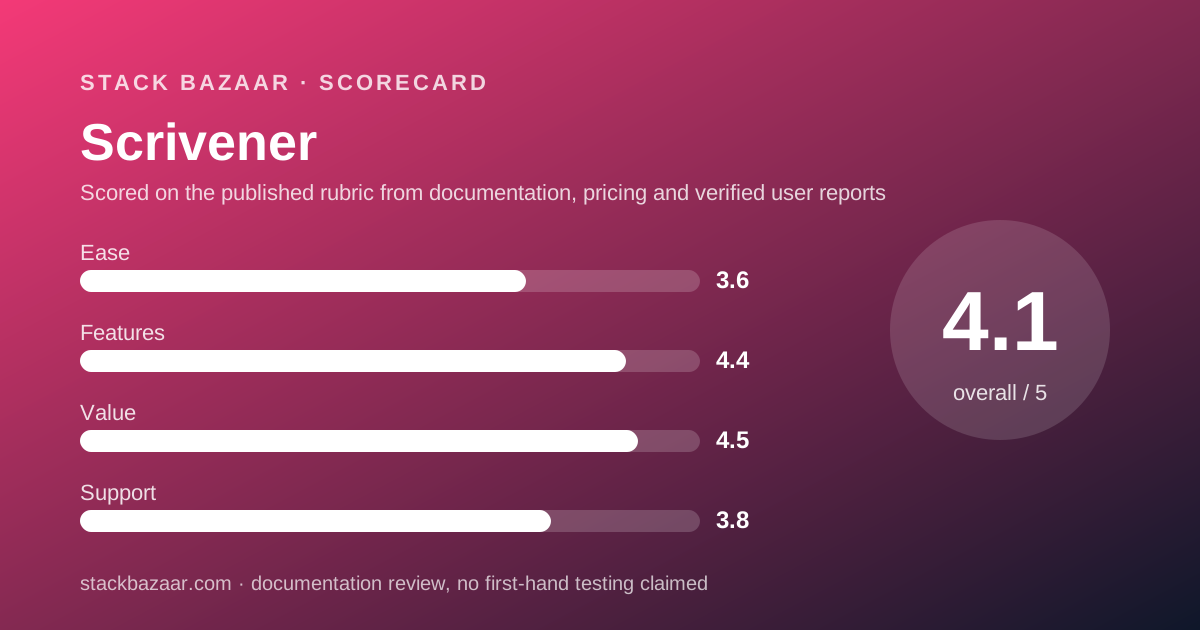
Our value score is the highest of the four pillars, and it is built from published scope rather than from a low sticker price.
The household clause is the main reason. Sublime Text covers every machine where you are the primary user; Scrivener goes further and covers your relatives' machines too. TablePlus covers one computer per seat. For a two-computer writer, Scrivener's single purchase does what TablePlus charges $129 for.
The second reason is the update policy. Minor updates are free for the life of the version with no clock, where TablePlus stops after one year and Sublime Text after three.
The deduction is the per-platform rule and the certainty of a paid major version at an unannounced price. The wider ranking, including developer tools, is in the best pay-once software for freelancers.
Features and ease of use: what the scores are built from
The features score reflects the breadth the vendor documents: a current build on three platforms, a long release history for version 3, and an upgrade mechanism that checks eligibility inside the trial window itself, per the upgrade page.
The ease score is the lowest of the four, and it is drawn from what verified reviewers say rather than from the vendor's claims. The Trustpilot sample, described below, names the learning curve as its most common criticism, and the vendor's own emphasis on tutorials and video lessons suggests it knows this.
We have not graded the editor in use. A score here is a reading of documents and public reports, not a test result, and we would rather say so than imply otherwise.
Support: what is actually promised
Support is scored on commitments, and the commitments are modest but concrete.
The FAQ routes licence problems to self-service first: a serial number retrieval page, a legacy downloads page for older versions, and an invitation to email if those fail. The site has a Learn & Support section with tutorials. No phone line, chat or response time is published on the pages we read.
What lifts the score slightly above TablePlus is the paper trail. Trial terms, refund terms, household scope and upgrade eligibility are all written down, which is the part of support a pay-once buyer leans on years later.
What verified users report
On October 10, 2026, Trustpilot listed 23 reviews for literatureandlatte.com with a TrustScore of 4.3, none of them posted in the previous twelve months. The split was 44% five-star, 13% four-star, 13% two-star and 30% one-star.
The praise clusters around support staff responsiveness, the project organisation tools and the learning resources. The complaints cluster around the learning curve, formatting, a Windows build that reviewers describe as lagging the Mac build, and slow responses about licence keys.
Twenty-three reviews with none in the last year is a thin and dated sample, and we are reporting it as such. We could not read the G2 or Capterra listings on the same day because both returned access errors, so we have no aggregate rating to add from them.
Alternatives
Choose Final Draft if you write screenplays and need industry-standard script formatting; it is a pay-once licence for two computers at a higher price, and the Scrivener vs Final Draft comparison walks through the trade. Otherwise choose Scrivener for prose, research-heavy projects and anything where the household licence saves you a second purchase.
Choose Sublime Text if your long documents are code or plain-text notes; its $99 personal licence covers every machine you use. Otherwise choose Scrivener if you need manuscript structure, compile and export rather than a text editor.
For data rather than words, TablePlus is the pay-once pick in this cluster, with a stricter per-device licence and a shorter refund window than either writing tool.
What we could not verify
Four gaps, stated rather than filled.
We could not read a USD price on the vendor's store because it localises to the visitor's country. The $59.99 figure comes from the Mac App Store, where the licence terms are Apple's rather than the vendor's.
The educational licence price did not render on our visit, so we cannot say what students and academics pay.
We did not buy a licence, so we cannot confirm delivery of the serial number, the refund process in practice, or how the trial counts a day of use.
And the cross-grade terms between Mac and Windows sit in a collapsed section of the licensing page that we did not expand; we have not quoted them.
Bottom line
On its published terms Scrivener is the most generous perpetual licence in this cluster: one purchase covers every computer in your house on one platform, minor updates are free with no clock, the trial counts only the days you use it, and the refund window is 30 days.
The costs are a second licence if you need a second platform and a paid major version at some unannounced future date, discounted on the evidence of the last transition.
Buy it from the vendor's store rather than the App Store if the household licence and future upgrade discounts matter to you, and run the 30-day trial first. The vendor built the refund policy on the assumption that you will.
Sources
Every figure above was read on October 10, 2026 from the following pages.
- Scrivener store page: literatureandlatte.com/store/scrivener
- How Our Licensing Works: literatureandlatte.com/how-our-licensing-works
- Scrivener purchasing FAQ: literatureandlatte.com/scrivener/faqs
- Upgrade to Scrivener 3 for macOS: literatureandlatte.com/upgrade-to-scrivener-3-for-macos
- End-user licence agreement summary: literatureandlatte.com/end-user-licence-agreement
- Scrivener 3 on the US Mac App Store
- Trustpilot listing for literatureandlatte.com
Buy it if
- You write on one platform and want every machine in the house covered by one purchase.
- You want to buy, not rent. There is no subscription tier to be nudged into, and minor updates are free for the life of the version.
- You write intermittently and want a trial that counts the days you actually open the app rather than the calendar.
- You are buying from the vendor's store, where the household licence, the 30-day refund and future upgrade discounts all apply in full.
Skip it if
- You switch between Mac and Windows daily. You need two licences or the bundle, and projects synced between them run different version numbers.
- You expect every future version free. Major upgrades are paid; budget for one every several years.
- You need a formal support contract. The published support story is documentation, tutorials and email, with no response time stated.
Frequently asked
Is Scrivener a one-time purchase?
Yes. The licensing page, checked October 10, 2026, describes every licence as perpetual: you pay once for one version on one operating system and use it for as long as you run a compatible system. Minor updates are free. A future major version is a separate paid upgrade with a discount.
How much does Scrivener cost?
The Mac App Store listing, checked October 10, 2026, prices Scrivener 3 for macOS at $59.99 USD. The vendor's own store shows one localised price per platform and a lower figure for the Mac+Windows bundle; the iOS app is $23.99. The educational price did not render on our visit.
How many computers can I install Scrivener on?
As many as you own on that platform. The FAQ, checked October 10, 2026, calls it a household licence: any machine of which you are the primary user, plus computers belonging to family members living in the same house. Mac App Store copies instead follow Apple's account-based rules.
Does one Scrivener licence cover Mac and Windows?
No. The licensing page, checked October 10, 2026, states that one licence does not cover more than one operating system and that a separate licence is required for each platform. The store sells a discounted Mac+Windows bundle, delivered as two separate licences, one per platform.
How long is the Scrivener free trial?
Thirty days of use, not thirty calendar days. The FAQ, checked October 10, 2026, explains that if you open it every day it stops after 30 days, but if you use it every other day it lasts 60. The trial is the full version. There is no trial for iOS because Apple's store does not allow one.
Can I get a refund on Scrivener?
Within 30 days if you bought from the vendor's store. The FAQ, checked October 10, 2026, states refunds are provided within 30 days of purchase and reminds buyers that every product has a 30-day trial. App Store purchases are refunded by Apple, and the vendor has no access to those records.
Will I have to pay for Scrivener 4?
Yes, at a discount the vendor has not fixed in advance. The licensing page, checked October 10, 2026, says a major version is a new paid licence with a discount for existing owners. For the last transition, the upgrade page shows Scrivener 2 buyers from August 20, 2017 onward got version 3 free and earlier buyers paid 45% less.
Sources
- Scrivener store page (prices shown in local currency) - checked October 10, 2026
- How Our Licensing Works - checked October 10, 2026
- Scrivener purchasing FAQ (trial, household licence, returns, updates) - checked October 10, 2026
- Upgrade to Scrivener 3 for macOS - checked October 10, 2026
- Literature & Latte end-user licence agreement summary - checked October 10, 2026
- Scrivener 3 on the Mac App Store (US) - checked October 10, 2026
- Trustpilot listing for literatureandlatte.com - checked October 10, 2026
Update history
- October 10, 2026 - First published. Licence terms read from the vendor's licensing, FAQ, store and upgrade pages; USD price from the Mac App Store listing.
Visit Scrivener
We have no affiliate relationship with this vendor. Link goes to the official site.