 Stack
StackWhat Happens After You Pay Once for Software
Every deal page is written about the moment you pay. Almost none of them is written about the years afterwards, which is where a one-time licence either rewards you or quietly turns into a dead copy of something. This guide has no prices in it on purpose: it is the set of questions to settle before you buy, and the answers change per vendor and per month, so the only reliable number is the one on the vendor's own page on the day you read it.
The offer page stops at the payment. Ownership starts there
A deal page is a sales document, and it is honest about the thing it is selling: a price. What it is structurally unable to describe is the relationship you are entering, because that relationship is mostly made of things that happen later.
This guide is about those later things. It contains no prices and no deadlines, and that is deliberate. A figure written here would be wrong within weeks, and a wrong figure is worse than none. We have written separately about the mechanics of these offers in how lifetime software deals actually work and about reading the offer itself in how to read a software deal before you pay.
What follows is the part that decides whether a one-time purchase was clever or merely cheap.
There are two clocks, and only one of them is the licence
Almost every disappointment in this category comes from collapsing two separate promises into one word.
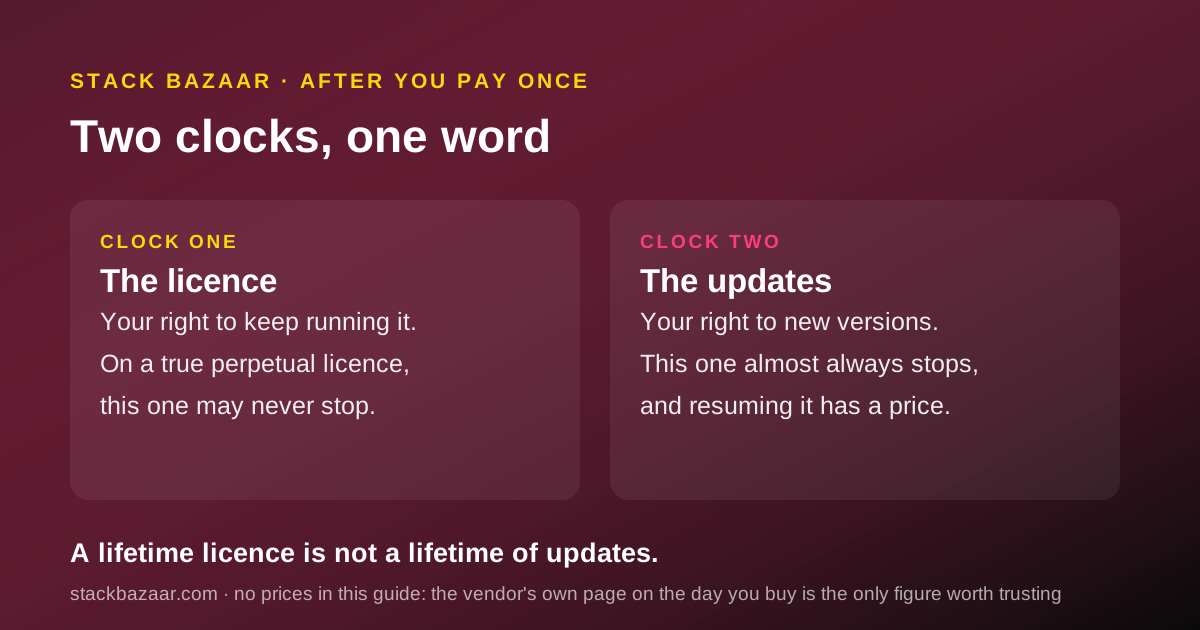
The first clock is the licence itself: your right to keep running the software. On a genuine perpetual licence, this one may never stop.
The second clock is the update entitlement: your right to receive new versions. This one almost always stops, and vendors are usually clear about it in the terms while being vague about it in the headline.
When those two clocks are different lengths, which is the normal case, the phrase lifetime licence is technically true and practically misleading. You keep something forever. You stop receiving something much sooner.
So the first question to a vendor is not how much. It is: what exactly keeps working after updates stop, and what does it cost to start receiving them again?
Ask what you keep running, and in which version
Get the answer in writing, because there is a meaningful difference between three arrangements that all get described as owning it.
In the best case, you keep running the newest version released inside your update window, forever, with no check-in and no server call. In the middle case, you keep running it but the licence must periodically validate against the vendor's servers, which means the vendor's continued existence is a dependency even for software you bought outright. In the worst case, what you bought expires with a subscription you did not realise you had.
The practical test is a question with only two acceptable answers: if your internet connection and the vendor both vanished tomorrow, does the copy on your machine still open?
- Does the software run offline, indefinitely, with no licence server check?
- Which version do you keep when the update window closes: the one current at purchase, or the newest one released inside the window?
- Is reinstalling possible years later, on a new machine, without the vendor's help?
- Is the licence tied to a person, a device, or an account you might lose access to?
- Can the licence be transferred or resold, or is it explicitly non-transferable?
Ask where your work goes if you stop
This is the question that separates a purchase from a trap, and it has almost nothing to do with price.
Software that produces files in a format other programs can open is cheap to leave. Your work survives the tool. Software that keeps your work in its own database, or exports only to its own archive format, has a leaving cost that no discount offsets.
The cost is real but invisible at checkout, because it is denominated in hours rather than dollars, and the hours are spent years later by a version of you who has forgotten why this seemed fine.
So test the exit before you commit to the entrance. Produce something real, export it, and open the export in a different program. If the export is lossy, incomplete or absent, you are not buying a tool. You are renting a room and leaving your furniture in it.
Ask what support means once the sale is closed
A one-time price buys a product. It rarely buys a relationship, and the honest vendors say so.
The thing to establish is not whether support is good, which nobody can tell you in advance, but what is actually promised. An email address is a promise. A response-time commitment is a stronger one. A community forum is not a promise at all, however useful it turns out to be.
None of this makes a forum-only product a bad buy. At a low one-time price it is often the correct trade, and pretending otherwise is how people end up paying subscription money for a product they use once a month.
It matters because the moment you discover the support model is the moment you have a problem, and that is the worst time to learn that the plan was to ask strangers.
The refund window is the only leverage you will ever have
Before you pay, the vendor wants something from you. After the refund window closes, they do not. Everything you can only learn by using the software should therefore be learned inside that window, on purpose, with a reminder set.
Most people spend the refund period admiring the interface. That is the least informative thing available to them. The informative work is deliberately unglamorous.
- Import your real data, not the sample project. Volume and mess are the whole test.
- Run one complete real task end to end, the kind you will do every month, including the boring last step.
- Export everything and open the export somewhere else.
- Contact support once with a genuine question and note how long the answer takes.
- Check it on every machine and operating system you actually use, including the old one.
- Find the one thing it refuses to do. Every tool has one, and discovering it after the window is how buyer's remorse is manufactured.
What a one-time price cannot buy
Be clear with yourself about what is not included, because none of it is a scandal and all of it is a surprise to somebody.
It cannot buy a guarantee that the product will still be developed. Development is funded by new sales, and a product whose customers have all already paid has a structural incentive problem that subscriptions, for all their irritations, do not have.
It cannot buy compatibility with an operating system that does not exist yet. A frozen version ages in two directions at once: it stops gaining features, and the platform beneath it eventually stops supporting it.
And it cannot buy the company's survival. Nothing can. A perpetual licence from a vendor that closes is worth exactly as much as the offline test above suggested it would be.
The question nobody asks: what if the vendor disappears?
Ask it anyway, because the answer is usually knowable from the architecture rather than from the vendor's optimism.
If the software runs locally and keeps your work in a readable format, the vendor's closure is an inconvenience. You keep working and you migrate on your own schedule. If the software needs a server to open your own files, the vendor's closure is a deadline you do not control.
There is no clause you can sign that fixes this. There is only the architecture, and the architecture is visible before you pay if you look for it.
That is the strongest argument for the kind of one-time purchase this magazine likes: software that lives on your machine, writes files you can read, and would keep working if everybody involved in selling it went home.
When paying once is the wrong shape entirely
A deals magazine should be willing to say this. Some tools should be rented.
If the value of the product comes from a service running continuously somewhere else, a one-time price is either an illusion or a company making a promise it cannot fund. Treat a permanent price on a permanently running service as a warning rather than a bargain.
If you need current features indefinitely, the honest comparison is not one-time price against annual price. It is the one-time price plus every upgrade fee across the years you expect to use it, against the subscription across the same years. That calculation is arithmetic you can only do with today's figures from the vendor's own page.
And if you are buying for a company rather than for yourself, check first whether the one-time price is even available to you. It frequently is not, and the business terms are often a subscription wearing a different name.
Write down what you bought, because nobody else will
A subscription reminds you it exists every month. A one-time purchase goes silent the moment it completes, and silence is how people lose things they own.
The failure is mundane and common. Years later you need to reinstall, and the licence key is in an email account you no longer use, sent by a company whose name you have half forgotten, under a product name that has since changed.
So treat the receipt as part of the purchase. Keep a single plain-text file somewhere you back up, with one line per tool.
- What you bought, including the exact product and edition name as the vendor writes it.
- The date you paid, which is the date every entitlement clock counts from.
- The month updates stop, calculated once and written down while you still care.
- Where the licence key lives, and which email address the vendor will reply to.
- The last date you could have claimed a refund, so you know when your leverage expired.
- Where your exported work is kept, in case you need it before you need the software.

A short list to keep beside the checkout page
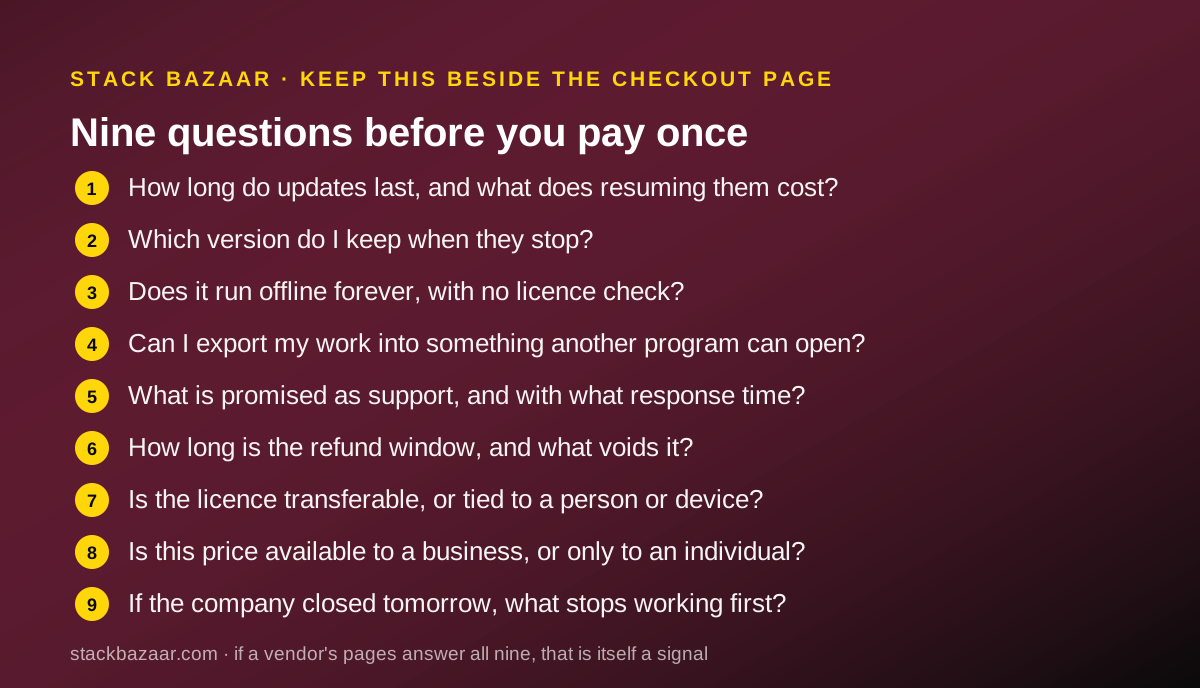
Nine questions, in the order they tend to matter. If a vendor's pages answer all nine, that is itself a strong signal about the vendor.
- How long do updates last, and what does resuming them cost?
- Which version do I keep when they stop?
- Does it run offline forever, with no licence check?
- Can I export my work into something another program can open?
- What is promised as support, in words, with or without a response time?
- How long is the refund window, and what exactly voids it?
- Is the licence transferable, and is it tied to a person or a device?
- Is this price available to a business, or only to an individual?
- If the company closed tomorrow, what stops working first?
Bottom line
A one-time purchase is a good deal when three things are true: the software runs on your machine, your work leaves in a format you can read, and you would be content on the version you eventually freeze at. When all three hold, paying once is usually the cheapest honest arrangement in software.
When any of them fails, the one-time price is not a saving. It is a smaller first payment on a cost you have not finished calculating.
None of that is knowable from a discount. It is knowable from the terms page, the export button and one real task run inside the refund window. We do not publish prices in this guide because prices move, and a stale figure is a lie with a date on it. Our standing rules for that are on the editorial policy page, and what this magazine is for is on about Stack Bazaar.
How we chose
This guide contains no prices, no discounts and no expiry dates. It was written from the structure of one-time software offers rather than from any specific offer, because a figure quoted here would be stale before you read it. Where you need a number, the vendor's own page on the day you buy is the only source worth trusting, and this guide is a list of the things to look for on it.
Frequently asked
Does a lifetime licence mean lifetime updates?
Usually not, and this is the single most expensive assumption in the category. Most one-time licences separate two things: the right to keep running the software, which may genuinely be permanent, and the right to receive new versions, which is normally capped. Read both clauses before you treat the price as final.
Whose lifetime is a lifetime licence?
The product's, not yours. A perpetual licence lasts as long as the vendor keeps the product alive, the operating system keeps running it, and the company keeps existing. None of those is a promise you are buying, and no refund covers a product that is simply discontinued.
What should I check before the refund window closes?
Everything you cannot test from the outside: import your real data, run your actual monthly task end to end, try an export, and contact support once with a genuine question. The refund window is the only period in which your money is still an argument.
Is a one-time purchase always cheaper than a subscription?
No. It is cheaper only if you keep using the software long enough, and only if you can live on the version you end up frozen at. If you need current features indefinitely, budget the upgrade fee each time the update window closes and compare that honestly against the subscription.
Can I sell or transfer a licence I bought once?
Often not. Many licences are tied to a named person or account and explicitly forbid transfer, which means the asset you think you own cannot be resold or passed to a colleague. If transferability matters to you, find the clause before you buy rather than after.
What is the real cost of leaving a tool later?
Export quality and relearning time, neither of which appears on any pricing page. A tool that exports your work into an open format is cheap to leave. One that exports a proprietary archive, or nothing, has a switching cost you pay in hours at the worst possible moment.