 Stack
Scrivener vs Final Draft: which licence is better value
Both are writing tools still sold as a one-time licence, and that is roughly where the resemblance ends. Scrivener is a long-form drafting application whose household licence covers every computer you own on one platform, priced at $59.99 on the Mac App Store. Final Draft 13 is screenwriting software with the industry's expected file format, a two-computer licence at $199.99, and a subscription sold beside it. This comparison reads both vendors' pricing, licensing, trial and refund pages as of October 10, 2026 and sets the terms side by side. It is a documentation comparison; neither application was graded in use.
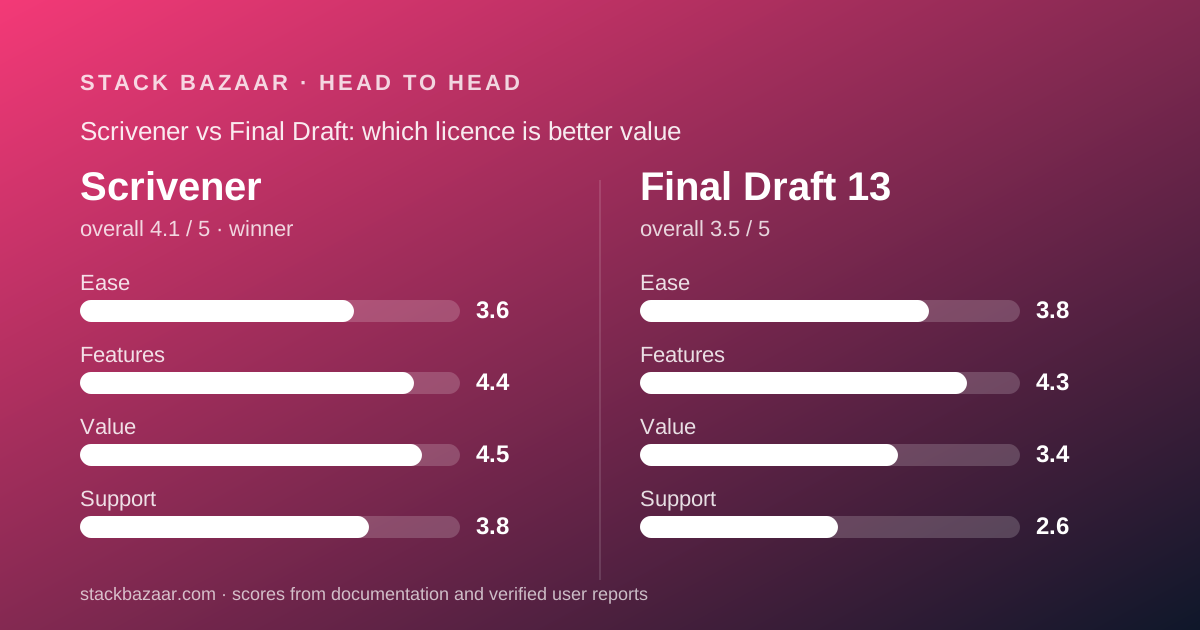
 4.1Scrivener
 3.5Final Draft 13
Specification by specification
| Spec | Scrivener | Final Draft 13 |
|---|---|---|
| One-time price | $59.99 USD (Mac App Store); vendor store shows local currency | $199.99 USD, shown against $249.99 list |
| What the licence covers | Household: all your computers on one platform, plus family in the same house | Two computers signed in at once; install on more |
| Platforms per licence | One (macOS or Windows); bundle sold as two licences | macOS 12+ and Windows 11+ under one licence |
| Minor updates | Free for the life of the major version | Vendor does not publish a policy on the pages read |
| Major version upgrade | Paid, discounted; last transition free or 45% off | Paid; $79.99 or $99.99 depending on which vendor page you read |
| Education price | Offered; did not render on our visit | $99.99 with verification |
| Subscription option | None | Suite at $99.99/year or $16.99/month |
| Free trial | 30 days of actual use, full version | 5-day Suite trial only, converts automatically |
| Refund window | 30 days (vendor store) | 30-day money-back guarantee |
| Mobile | iOS app $23.99, separate | Final Draft Go, separate App Store purchase |
| Payment processor | Paddle | Vendor does not publish |
| Verified reviews (Trustpilot) | 4.3 from 23 reviews, none in last 12 months | 2.2 from 8 reviews, 88% one-star |
| Our ease / features / value / support | 3.6 / 4.4 / 4.5 / 3.8 | 3.8 / 4.3 / 3.4 / 2.6 |
The short answer
Scrivener is the better licence for almost anyone who is not required to deliver screenplay files. Final Draft is the right purchase only when the .fdx format is a condition of the work.
- Scrivener is best for novelists, academics and long-form freelancers who want one purchase to cover every machine in the house and a trial they can run before paying.
- Final Draft is best for screenwriters whose producers, agents or competitions ask for .fdx files, and who will keep the software for three years or more.
- Winner on licence terms: Scrivener. Lower price, wider licence scope, a real trial, and a vendor whose pages agree with each other.
- This is a documentation comparison. Every figure comes from the two vendors' pages as read on October 10, 2026, and nothing here describes either application in use.
Scrivener's household licence covers more computers for less money
The widest gap between the two is what one purchase entitles you to install.
Scrivener's licensing page, checked October 10, 2026, describes a household licence: install on as many computers as you own, provided they run the platform you bought and the only users are you and family members living with you. Buy once, and a desktop, a laptop and a spouse's machine are all covered.
Final Draft's product page, checked the same day, grants activation on two computers. The FAQ softens this: you may install on as many machines as you like but be signed in on only two at once, and a third sign-in lets you sign out of one of the others.
For a solo writer with two machines, both licences suffice. For a household with three or more, or a writer who wants a relative covered, Scrivener's terms are simply broader. The full terms are in our Scrivener review and Final Draft review.
Final Draft covers both operating systems; Scrivener charges per platform
This is the one licensing point where Final Draft is more generous, and it matters to anyone who moves between Mac and Windows.
Final Draft 13's product page lists macOS 12 or later and Windows 11 or later under a single licence, with the two-computer activation applying across both.
Scrivener's licensing page states that one licence does not cover more than one operating system. A Mac licence will not unlock the Windows build. The store sells a Mac+Windows bundle at a discount, delivered as two separate licences, and the overview page shows the two builds at different version numbers: 3.5.2 on macOS and 3.1.6 on Windows.
So a writer with a Mac desktop and a Windows laptop pays once for Final Draft and twice, or for the bundle, for Scrivener. That narrows the price gap for that specific buyer, though on the Mac App Store figure Scrivener's bundle would still have to cost more than $199.99 to close it, and the localised store figure we saw was about 1.6 times a single licence.
Pricing: Scrivener is a third of the price, and the figure is more stable
On the numbers we could verify, Scrivener costs $59.99 USD on the Mac App Store and Final Draft 13 costs $199.99 USD on the vendor's pricing page, both checked October 10, 2026.
Two caveats cut in opposite directions. Scrivener's own store localises prices to the visitor's country, so we could not read its USD figure directly; the Mac App Store price is the one we can stand behind. Final Draft's $199.99 is displayed as Now 20% off a $249.99 list price with no end date printed, so we cannot tell whether it is a promotion or the standing price.
The upgrade story is also cleaner on Scrivener's side. Its upgrade page records that the last major transition was free for buyers after August 20, 2017 and 45% off for earlier ones. Final Draft's upgrade is listed at $79.99 on the pricing page and $99.99 on the upgrade page on the same day, a discrepancy we could not resolve.
Education pricing exists for both. Final Draft publishes $99.99 with verification. Scrivener's educational price did not render on our visit, so we cannot quote it. The general approach to reading figures like these is in how to read a software deal before you pay.
Trials and refunds: Scrivener lets you try first; Final Draft asks you to buy first
This is the difference most likely to cost a careless buyer money.
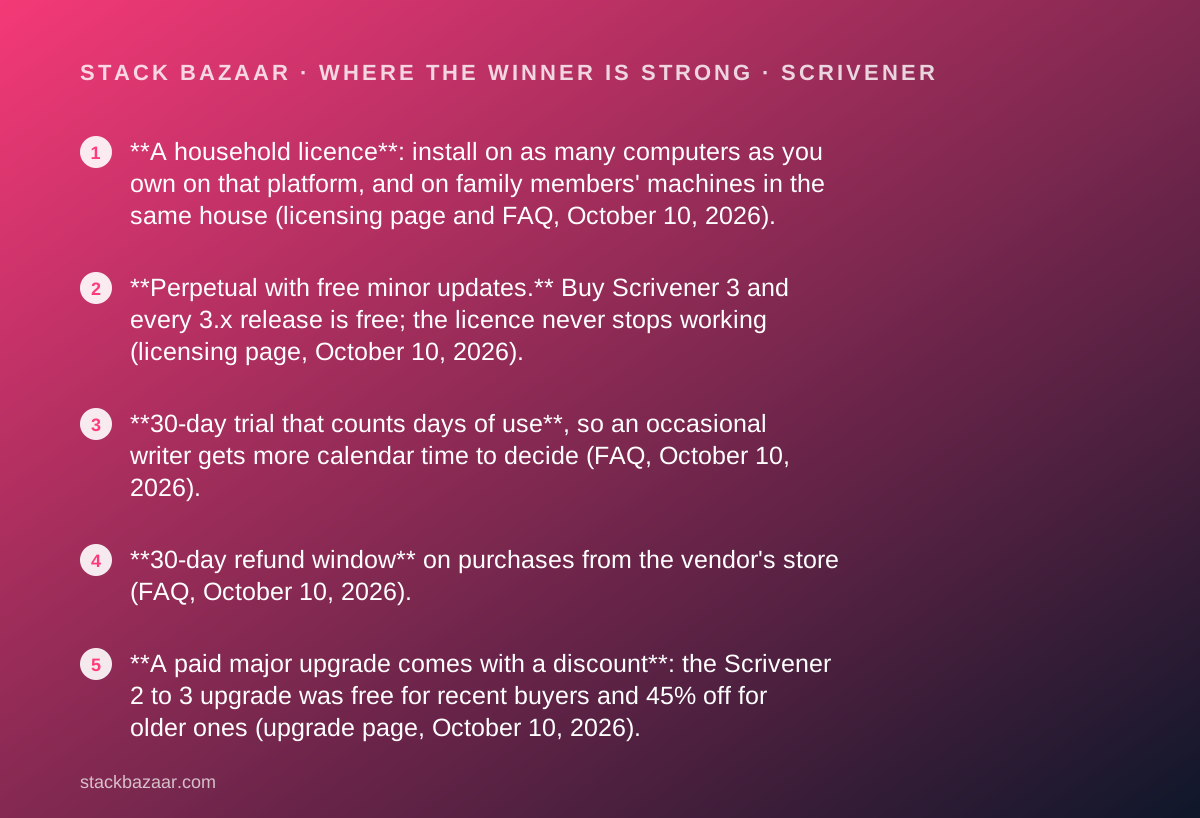
Scrivener's FAQ, checked October 10, 2026, offers a 30-day trial of the full version that counts days of actual use: open it daily and it lasts 30 days, every other day and it lasts 60. Refunds are provided within 30 days of purchase on the vendor's store, and the FAQ expects you to have used the trial first.
Final Draft's only published trial is for the Suite subscription: five days, one computer, converting automatically to the annual or monthly plan chosen at checkout unless cancelled. We found no page describing a trial for the one-time licence. The product, upgrade and education pages do print a 30-day money-back guarantee, which becomes the practical evaluation route.
Both refund windows are 30 days. The difference is that Scrivener's is a backstop behind a real trial, while Final Draft's is the trial. What happens after you pay once explains why that ordering matters more than the window length.
Final Draft has a subscription beside the licence; Scrivener does not
Scrivener's store, checked October 10, 2026, offers no subscription tier at all: standard and educational licences per platform, a bundle, and the iOS app.
Final Draft's pricing page sells the one-time licence next to the Final Draft Suite, which bundles Final Draft 13 with Final Draft Cloud for $99.99 a year or $16.99 a month, and labels the subscription best value.
By our arithmetic from those prices, two years of the annual Suite costs $199.98, within a cent of the one-time licence, and from year three the licence is cheaper. Twelve months of the monthly plan costs $203.88, already more than buying outright.
The presence of the subscription is not a flaw in itself. It is a signal about where the vendor's incentives point, and a buyer of the perpetual licence should expect the next major version to be a paid upgrade, as the pattern in how lifetime software deals actually work predicts.
Features: different jobs, so the comparison is about fit, not depth
The two applications are not substitutes, and our features scores reflect documented scope rather than any judgement of quality in use.
Scrivener is built for long documents: drafting in pieces, research alongside the manuscript, and compiling to output formats. The vendor documents current builds on macOS, Windows and iOS, with a long release history for version 3.
Final Draft is built for scripts, and its central feature is one the vendor does not have to advertise: the .fdx format that production workflows expect. It runs on macOS and Windows, not on iPad or Chromebook per its FAQ, with a separate mobile app.
A novelist who buys Final Draft has paid three times as much for the wrong tool. A screenwriter who buys Scrivener has saved money and may still need to export to a format the recipient accepts. Which of those two situations you are in decides the comparison more than any line in the table.
Support and what verified users report: Scrivener's record is thin; Final Draft's is poor
Neither vendor publishes a phone line, support hours or a response time on the pages we read. Both route licence problems to self-service pages first and email second.
The verified-review samples, both read on Trustpilot on October 10, 2026, are small and point in different directions.
Scrivener's vendor, literatureandlatte.com, had 23 reviews and a TrustScore of 4.3, with none posted in the previous twelve months. Praise centred on support staff and the organisation tools; complaints on the learning curve, formatting and a lagging Windows build.
Final Draft's finaldraft.com had eight reviews and a TrustScore of 2.2, 88% one-star and none above two stars. The complaints were slow or absent support, no phone line, bugs and crashes in version 13, and activation trouble after a new computer purchase. Trustpilot notes the company has not invited reviews.
We could not read G2 or Capterra for either product on the same day, because both sites returned access errors. Eight and 23 reviews are not large samples, and we are reporting them as what they are.
Choose Scrivener if
The licence terms favour Scrivener in the following cases.
- You write prose, research or long-form non-fiction and have no requirement to deliver .fdx files.
- You own more than two computers on one platform, or want a family member's machine covered by the same purchase.
- You want to try before paying, with a full-version trial that counts only the days you use it and a 30-day refund behind it.
- You prefer a vendor with no subscription tier and a published record of free or discounted major upgrades.
Choose Final Draft if
Final Draft is the right purchase in a narrower set of cases, and in those cases it is the right one.
- Your recipients require .fdx files, which is a condition of the work rather than a preference.
- You work across Mac and Windows and want one licence rather than two.
- You qualify for the $99.99 education price, which halves the gap with Scrivener.
- You will keep the software for three years or more, where the one-time licence beats the vendor's own Suite subscription by our arithmetic.
Neither licence is written for a business, and the wording differs
A freelancer trading as a limited company should read one more clause before paying, because both vendors restrict their individual licences in different words.
Scrivener's licence agreement summary, checked October 10, 2026, states that businesses require separate licences for each user and that site licences can be arranged. The household clause is explicitly for you and family members living with you, not for colleagues.
Final Draft's product pages do not print a business restriction on the one-time licence. Instead the pricing page routes studios and production companies to an enterprise sales contact, and the education page restricts its discount to verified students and school staff.
For a sole trader buying with their own money, both licences fit. For a company buying for staff, Scrivener says so plainly and Final Draft leaves you to ask. Neither publishes a per-seat business price on the pages we read.
Frequently asked
The questions buyers most often bring to this pairing, answered from the pages read on October 10, 2026. Where a figure is missing, it is because neither vendor publishes it and we did not guess.
Bottom line
On licence terms Scrivener wins, and not narrowly. It costs a third as much on the figure we can verify, covers every computer in your household on one platform, offers a real trial before a 30-day refund, and has a published record of treating existing owners well at major upgrades.
Final Draft wins only when the file format is mandatory, and then it wins outright, because the alternative is not having the tool the job requires. Its licence is fair: two computers, a 30-day guarantee, discounted upgrades. Its weaknesses are a subscription-first trial, a sale price with no end date, an upgrade price printed two ways, and a small verified-review sample that is uniformly poor on support.
If you are deciding between them, you probably already know which job you are buying for. Both licences are ranked against the developer tools in this cluster in the best pay-once software for freelancers, alongside Sublime Text and TablePlus.
Frequently asked
Which is cheaper, Scrivener or Final Draft?
Scrivener. On October 10, 2026 the Mac App Store listed Scrivener 3 at $59.99 USD and Final Draft's pricing page listed Final Draft 13 at $199.99, shown as 20% off $249.99. Scrivener's own store localises prices, so the USD store figure may differ slightly from the App Store one.
Can I use Scrivener for screenplays instead of Final Draft?
The licence does not stop you, and Scrivener documents export options. Whether a producer or competition accepts the result depends on their requirement for .fdx files, which is Final Draft's format. If .fdx is mandatory, the cheaper licence does not solve the problem; if it is not, Scrivener costs a third as much.
Which licence covers more computers?
Scrivener's. Its licensing page, checked October 10, 2026, describes a household licence covering every computer you own on one platform plus family members' machines in the same house. Final Draft's product page grants sign-in on two computers at once, with installation allowed on more.
Does either one have a free trial?
Scrivener does: 30 days of actual use of the full version, per its FAQ on October 10, 2026. Final Draft's only published trial is a five-day trial of the Suite subscription on one computer that converts automatically; the one-time licence relies on the 30-day money-back guarantee instead.
Will I have to pay again for the next major version?
Probably, for both. Scrivener's licensing page says a major version is a new paid licence with a discount, and its last transition was free or 45% off depending on purchase date. Final Draft lists an upgrade price for owners of any previous version, at $79.99 or $99.99 depending on which vendor page you read on October 10, 2026.
Visit Scrivener
We have no affiliate relationship with this vendor. Link goes to the official site.
Visit Final Draft 13
We have no affiliate relationship with this vendor. Link goes to the official site.