 Stack

Curio 34
A $99.99 licence key with a year of updates, or a $5 a month subscription, and the two cannot be mixed
Scored on the published rubric, from documentation, pricing and verified user reports.
Best for: People who think on a canvas rather than in a folder tree, and who want the option of a licence key instead of a monthly bill.
Verdict
Curio is a visual workspace rather than a filing system, and Zengobi sells it twice over: as a licence key or as a Mac App Store subscription.
Standard is $99.99 and Professional is $119.99 as a one-time licence key, per the pricing page checked October 29, 2026. The same editions cost $5 and $6 a month billed yearly.
This is a documentation review. Grades come from the pricing page, the licence agreement and the vendor's own subscription FAQ, not from running the app.
The catch is stated openly and still easy to miss. The build from Zengobi's website accepts licence keys only; the build from the Mac App Store accepts subscriptions only. Choosing is choosing a download, not just a price.
The second catch is the renewal maths. Standard renewal is listed at $69.99, while the yearly subscription works out at $60 by our arithmetic. The licence only wins if you intend to skip renewals.
Visit Curio 34
We have no affiliate relationship with this vendor. Link goes to the official site.
Where it is strong
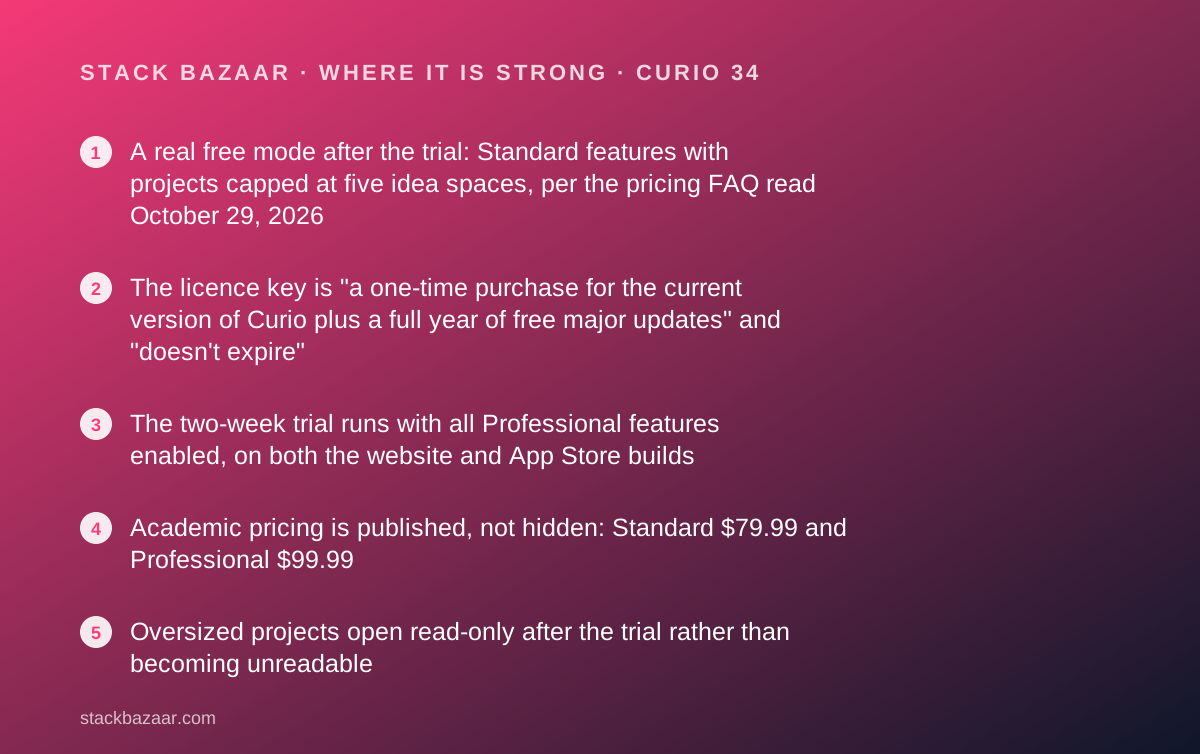
- A real free mode after the trial: Standard features with projects capped at five idea spaces, per the pricing FAQ read October 29, 2026
- The licence key is "a one-time purchase for the current version of Curio plus a full year of free major updates" and "doesn't expire"
- The two-week trial runs with all Professional features enabled, on both the website and App Store builds
- Academic pricing is published, not hidden: Standard $79.99 and Professional $99.99
- Oversized projects open read-only after the trial rather than becoming unreadable
- Curiota, a free menu bar capture app, works with or without a Curio licence
Where it falls short
- Licence keys and subscriptions require different downloads and cannot be swapped without reinstalling
- Standard renewal at $69.99 is more than the $60 a year the subscription costs by our arithmetic
- Beta releases and AppleScript figure actions are listed as licence-key only, so subscribers lose features
- Professional is the only edition with the Curio CLI and MCP server, a $20 gap at purchase
- Curio 34 requires macOS 15 Sequoia or later, so it drops older Macs
- No published support response time was found on the pages read October 29, 2026
At a glance
| Pricing note | "License keys from $79.99 to $119.99. Mac App Store subscriptions from $5/month. Free 2-week trial." per the structured data on the Curio pricing page, checked October 29, 2026 |
|---|---|
| Standard licence key | $99.99, or $79.99 academic, per the pricing page read October 29, 2026 |
| Professional licence key | $119.99, or $99.99 academic, same page and date |
| Subscription, billed yearly | $5 a month Standard with "2 months free!", $6 a month Professional with "3 months free!", from the pricing block embedded in the page |
| Subscription, billed monthly | $6 a month Standard and $8 a month Professional, from the same embedded block |
| Standard renewal | $59.99 from Curio 33, otherwise $69.99; academic $49.99 and $59.99 |
| Professional renewal | $79.99 from Curio 33, otherwise $89.99; academic $69.99 and $79.99 |
| What a licence key buys | "the current version of Curio plus a full year of free major updates", after which it "doesn't expire" |
| Free trial | Two weeks with all Professional features enabled, no purchase required |
| Free mode after the trial | Standard features, up to five idea spaces; larger projects open read-only for viewing, exporting and printing |
| Build restriction | "Curio downloaded from Zengobi only works with license keys, not Mac App Store subscriptions" |
| Operating systems | "Curio 34 runs on macOS 15 Sequoia through macOS 27 Golden Gate on Apple silicon or Intel" |
| Refunds | Handled by Paddle for direct sales and by Apple for App Store sales, per the Zengobi legal page |
| Media warranty | Ninety days from the date of original retail purchase, per the licence agreement |
What Curio is, and what Zengobi actually sells
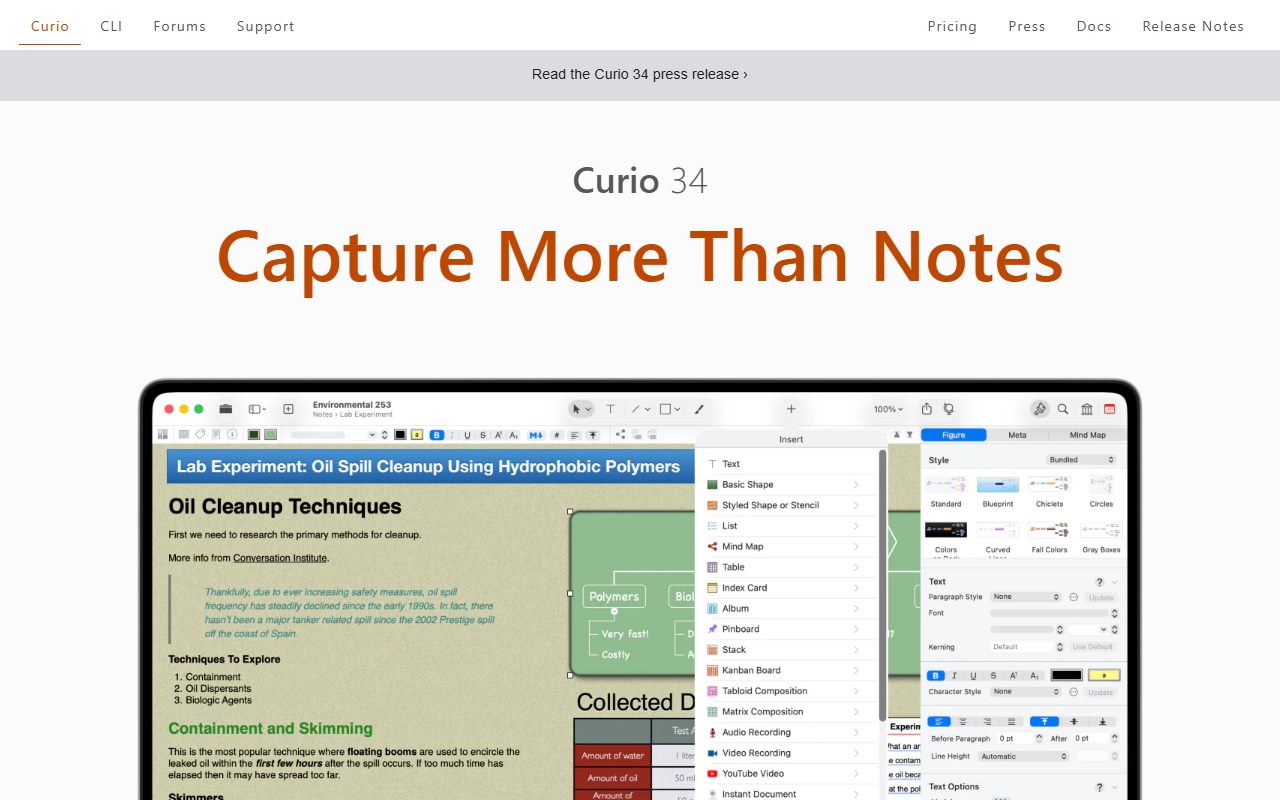
Curio is a project canvas. Each project holds idea spaces, and each idea space holds figures: text, images, files, mind maps, lists, tables and kanban stacks arranged freely.
The vendor describes its customer base by job rather than by feature. Designers gather inspiration and client requirements, writers brainstorm plot and character development, entrepreneurs mind map ideas and plan new companies.
What is being sold is one app through two doors. One door is a perpetual licence key with a year of updates. The other is an Apple-billed subscription.
That split is the most important thing to understand before paying, and it is the reason this review spends more time on the till than on the toolbar.
The two ways to buy, and why they are not interchangeable
The pricing page states the restriction twice, in two different places, which suggests people keep getting caught by it.
"Curio downloaded from Zengobi only works with license keys, not Mac App Store subscriptions." And: "Curio downloaded from the Mac App Store only works with Apple's subscriptions, not license keys."
So the choice is made at download time. Starting a trial from the App Store and later deciding you want a licence key means downloading the website build and starting again.
The vendor's own advice is sensible. Choose a subscription for lower upfront cost and automatic updates; choose a licence key if you want a one-time purchase, control over renewals, academic or volume discounts, beta access, or AppleScript figure actions.
What the licence key costs, and what it buys
Standard is $99.99 and Professional is $119.99, read off the pricing page on October 29, 2026. Academic buyers pay $79.99 and $99.99.
The page defines the purchase precisely: "A license key is a one-time purchase for the current version of Curio plus a full year of free major updates."
After that year the app "doesn't expire" and "simply stops receiving updates until you renew". Renewal is available at any time, with no penalty stated for waiting.
This is the same shape of deal that most serious Mac developers now offer. If the mechanics are unfamiliar, our guide to lifetime software deals sets out what a year of updates is actually worth.
The renewal price is higher than the subscription price
This is the finding that should change a buying decision, and it comes straight off the vendor's own page.
The yearly subscription is listed at $5 a month for Standard. That is $60 a year by our arithmetic, with the page adding "2 months free!" as the reason the yearly rate beats monthly.
Standard renewal is listed at $69.99, or $59.99 if you are coming from Curio 33. So a buyer who renews on time every year pays about the same as a subscriber, and a buyer who lapses and returns pays more.
The licence key therefore pays off in exactly one pattern: buy once, use it for two or three years, renew only when a release you want appears. On that pattern it is clearly the cheaper door.
Monthly billing is the expensive door
The page shows one subscription price at a time, behind a yearly and monthly toggle, so both sets had to be read out of the pricing block embedded in the page itself.
That block lists yearly rates of $5 a month for Standard and $6 for Professional, and monthly rates of $6 and $8.
By our arithmetic, monthly billing costs $72 a year for Standard against $60 yearly, and $96 against $72 for Professional.
So the worst value on offer is Professional billed monthly at $96 a year, against a $119.99 licence that keeps working. Anyone choosing monthly should know they pass the licence price in fifteen months.
Who Curio is best for
Curio suits a particular way of working, and no amount of features will make it suit the other way.
- Designers and art directors assembling moodboards, client requirements and feedback in one place
- Writers plotting structure visually before drafting in something like Scrivener or iA Writer
- Consultants running several client projects where each needs its own board rather than its own folder
- Students mapping a dissertation across idea spaces, who also qualify for the $79.99 academic price
- Anyone who already runs Things or OmniFocus for tasks and wants a thinking surface rather than another list
- Buyers working through our pay-once productivity picks who want the visual option in the set
Who should skip it
Three groups will get more from something else.
- Archivists with thousands of PDFs and emails to search, which wants a database rather than a canvas
- Disciplined annual renewers, for whom the subscription is simply cheaper
- Anyone on macOS Sonoma or earlier, since Curio 34 starts at macOS 15 Sequoia
What the free mode actually allows
Curio's free mode is more generous than most, and it is worth knowing before you pay anything.
The trial lasts two weeks with all Professional features on. After it, the vendor states Curio "continues in free mode (Standard features, up to 5 idea spaces)".
Larger projects are not locked away. They "open read-only for viewing, exporting, and printing", which means nothing you built during the trial becomes hostage to a purchase.
That is the right way to build a trial, and we say so because the opposite is common. Our notes on reading a software deal list the lock-in clauses worth checking first.
Features: what separates Standard from Professional
The $20 gap at purchase buys a specific list, and most of it is automation rather than drawing tools.
Free already includes rich text and Markdown with LaTeX equations, mind maps, lists, tables and kanban stacks, tags, dates, priorities, search, web research through its Sleuth tool, and import and export as PDF and Markdown.
Standard's single addition is the one that matters most: an unlimited number of idea spaces.
Professional adds the Curio CLI with a built-in MCP server for AI clients, smart kanban and query-based collections, table and Markdown table formulas, synced figures and files, Mermaid diagrams and code blocks, and presentation mode with a status shelf.
The AI features are a licence-tier decision, not an add-on
Curio 34's headline is an MCP server, which lets an AI client read and write project data directly.
The vendor lists ChatGPT Desktop, Codex, Claude Desktop and Claude Code as clients, and describes the access as rewriting text, fine-tuning images, running queries, importing and exporting data and setting metadata values.
Those perks are tied to what Zengobi calls sustainers: "customers who either have an active subscription or are still within the one-year update period of their perpetual license".
So an unrenewed licence key keeps the app but loses sustainer perks. If the CLI is why you are buying, the update year stops being optional and the subscription maths changes again.
Ease of use: what the score is built from
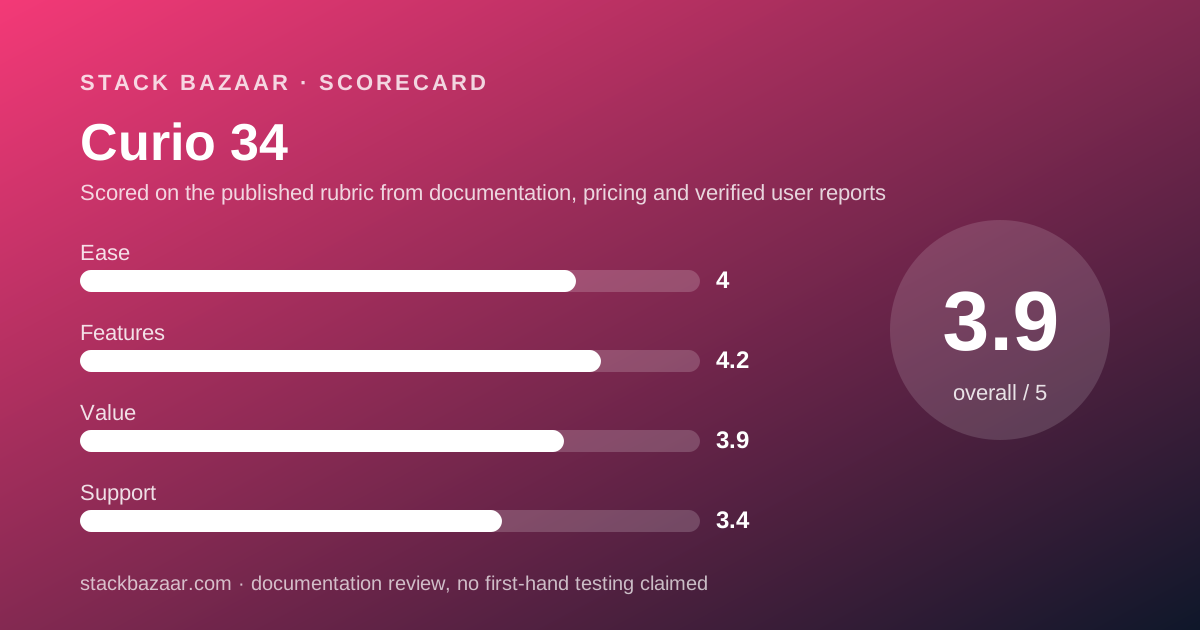
The 4.0 reflects a shallow floor and a deep ceiling. Free mode gives a usable app with no licence, which is the easiest possible on-ramp.
The companion app helps too. Curiota is a free menu bar tool for jotting notes and collecting files, fed by macOS Services, the share button, the print dialog, a bookmarklet or AppleScript.
What costs it points is the purchase path rather than the interface. Two builds, two billing systems, four prices and a renewal table is a lot to resolve before the first click.
We have not graded the interface by using it. This score is a judgement on documented complexity and on how much the vendor explains in public.
Value: what the score is built from
Value scores 3.9, held back by the renewal price rather than by the sticker.
At $99.99 for Standard, a buyer who never renews owns a working app for less than two years of the yearly subscription by our arithmetic.
A buyer who renews annually pays $69.99 against $60, so the licence is the more expensive habit. That inversion is unusual and it is the single most useful number in this review.
Academic pricing improves it: $79.99 for Standard with renewals from $49.99. For a student on a multi-year project, that is the strongest version of this deal.
Support and refunds: what is actually promised
Support is documentation, release notes, a PDF manual and public forums, per the links on the product page read October 29, 2026.
No response time, business hours or ticket system was published on the pages read, which is why support scores 3.4.
Refunds are outsourced and the vendor says so. Its legal page states that Paddle "handles inquiries regarding the specifics of those sales transactions, including returns and refunds" for direct sales, and Apple handles App Store sales.
The licence agreement adds only a ninety-day media warranty with repair or refund as the exclusive remedy. In practice the free mode is the safety net, which is covered further in what happens after you pay once.
Alternatives
The obvious rival is DEVONthink 4, which answers the same question from the opposite direction. It is a local database at $99, $199 or $499 per its pricing page read October 29, 2026.
Choose DEVONthink if the job is finding a sentence in ten thousand documents. Choose Curio if the job is arranging twenty things until they make sense.
BBEdit at $59.99 is the plain-text alternative for people who do not want a canvas or a database at all.
For task management rather than thinking space, our Things against OmniFocus comparison covers the two pay-once options already on this site.
What we could not verify
Three gaps, named so that silence is not read as approval.
No published support response time or staffing detail was found on the product page, the legal page or the licence agreement read October 29, 2026.
No verified user rating with a usable sample size was located. The vendor publishes selected customer quotes on its own page, which is marketing copy rather than a review set.
We have not run the software, so nothing here grades canvas performance, sync behaviour or how well the MCP server works in practice. Everything above comes from Zengobi's published pages on one date, and prices move.
Bottom line
Curio is a good buy at $99.99 for people who will own it for years and renew rarely. On that pattern the licence key is clearly the cheaper door.
It is a worse buy for disciplined annual renewers, because $69.99 a year is more than the $60 subscription by our arithmetic.
Professional at $119.99 earns its $20 only if the CLI, table formulas or presentation mode are on your list.
Start in free mode, build one real project across more than five idea spaces, and see whether the cap bites. If it does, buy the key. If it does not, you have a free tool that will keep working.
Buy it if
- You work on a visual canvas: mind maps, kanban stacks, tables and figures on one page rather than a folder tree
- You want one payment and are willing to skip some renewal years to make the maths work
- You need beta builds or AppleScript figure actions, both listed as licence-key only
- You qualify for academic pricing, which cuts $20 off either edition
Skip it if
- You want a searchable archive of thousands of PDFs and emails; that is a database job, not a canvas job
- You intend to renew every single year, because the subscription is cheaper on that pattern
- You are on macOS Sonoma or older, since Curio 34 starts at Sequoia
Frequently asked
How much does Curio cost?
A Standard licence key is $99.99 and Professional is $119.99, per the pricing page checked October 29, 2026. Academic buyers pay $79.99 and $99.99. Mac App Store subscriptions start at $5 a month billed yearly.
Is the licence key cheaper than the subscription?
Not immediately. The yearly subscription works out at $60 a year for Standard by our arithmetic, against $99.99 once. The licence wins from year two onwards only if you do not renew every year.
Does Curio stop working when the update year ends?
No. The pricing FAQ states a licence key "doesn't expire" and that Curio "simply stops receiving updates until you renew". You can renew at any time to reach the latest release.
Is there a free version of Curio?
Yes, in a limited form. After the two-week trial, Curio continues in free mode with Standard features and projects capped at five idea spaces. Larger projects open read-only for viewing, exporting and printing.
Can I switch from a subscription to a licence key?
Not inside the same app. The website build accepts licence keys only and the App Store build accepts subscriptions only, so switching means downloading the other build and buying on that side.
What is the difference between Standard and Professional?
Standard removes the five idea space cap. Professional adds the Curio CLI with a built-in MCP server, smart kanban and query-based collections, table formulas, synced figures, Mermaid diagrams and presentation mode.
Can I get a refund?
Zengobi's legal page states that Paddle handles returns and refunds for direct sales, and Apple handles them for App Store sales. No specific money-back window was published on the pages read October 29, 2026.
Sources
- Curio product and pricing page (edition prices, renewals, subscription prices, trial, free mode, system requirements) - checked October 29, 2026
- Zengobi legal page (who handles returns and refunds) - checked October 29, 2026
- Curio software licence agreement (media warranty, remedy wording) - checked October 29, 2026
Visit Curio 34
We have no affiliate relationship with this vendor. Link goes to the official site.