 Stack

SuperDuper 4
A one-time Mac cloning licence whose unregistered mode still makes full bootable backups, with scheduling behind the paywall
Scored on the published rubric, from documentation, pricing and verified user reports.
Best for: A Mac owner who wants a bootable duplicate on an external drive, is willing to click the button manually, and will pay once only when scheduling and Smart Update become worth it.
Verdict
This is a documentation review. It rests on Shirt Pocket's own pages read on October 15, 2026: the SuperDuper 4 product page, its store and upgrade panels, the SuperDuper 4 FAQ, and the Classic page. Nobody here has graded the app in use.
On those pages SuperDuper 4 is the only product in this cluster whose free mode does the central job. The product page states that full erase-then-copy backups are free, and the FAQ repeats it: 'full Erase, then copy backups are available for free, including support.'
What a licence buys is automation. Registering unlocks scheduling, Smart Update and unattended copies, which the vendor names explicitly. A paid licence covers all your personal Macs and is labelled 'not a subscription'.
The price is the hard part to report honestly. The store panel's own base price attribute reads $43.95, but the figure rendered to our reading machine was in Vietnamese dong, because Paddle localises by location. Shirt Pocket says so on the panel: 'Prices outside the US are estimates.'
The other caution is scale. This is a one-developer operation, and the FAQ says support comes from the author directly.
Visit SuperDuper 4
We have no affiliate relationship with this vendor. Link goes to the official site.
Where it is strong
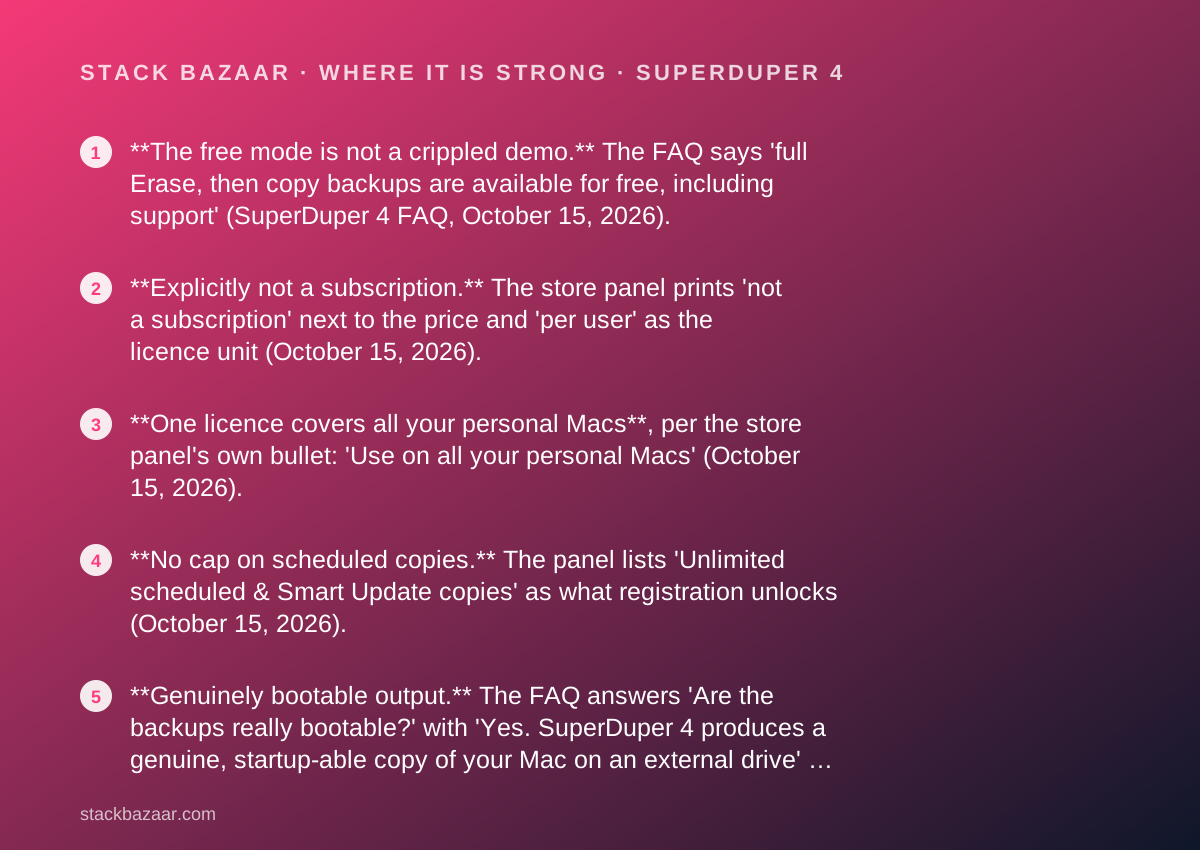
- **The free mode is not a crippled demo.** The FAQ says 'full Erase, then copy backups are available for free, including support' (SuperDuper 4 FAQ, October 15, 2026).
- **Explicitly not a subscription.** The store panel prints 'not a subscription' next to the price and 'per user' as the licence unit (October 15, 2026).
- **One licence covers all your personal Macs**, per the store panel's own bullet: 'Use on all your personal Macs' (October 15, 2026).
- **No cap on scheduled copies.** The panel lists 'Unlimited scheduled & Smart Update copies' as what registration unlocks (October 15, 2026).
- **Genuinely bootable output.** The FAQ answers 'Are the backups really bootable?' with 'Yes. SuperDuper 4 produces a genuine, startup-able copy of your Mac on an external drive' (October 15, 2026).
- **Published upgrade terms with a date in them**: 'SuperDuper 4 is free for qualifying recent purchases. Other SuperDuper 3 customers who purchased after July 31, 2020 receive an upgrade discount of up to 30%, based on purchase date' (upgrade panel, October 15, 2026).
- **Old Macs are not abandoned.** The FAQ says SuperDuper Classic 'supports macOS all the way back to Jaguar (10.2)' (October 15, 2026).
Where it falls short
- **The price you see depends on where you are.** The panel says 'Prices outside the US are estimates; your exact local price and taxes are confirmed at checkout', and the rendered figure for us was not in dollars (October 15, 2026).
- **No refund window is printed.** We looked at the product page, the store panel, the FAQ and the Classic page on October 15, 2026 and could not find a refund or money-back statement anywhere on shirt-pocket.com.
- **Version 4 is a paid upgrade.** The FAQ answers 'Is SuperDuper! 4 a paid upgrade?' with 'Yes', and sends buyers to the store to discover the figure (October 15, 2026).
- **Version 4 requires macOS 14 Sonoma or later**, which rules out a working older Mac unless you also keep Classic (FAQ, October 15, 2026).
- **Support is one person.** The FAQ says email 'and you'll receive support from me, directly: the actual author of SuperDuper' - fast, but a single point of failure (October 15, 2026).
- **APFS Time Machine volumes cannot be copied at all**, which the FAQ attributes to Apple features third parties cannot replicate (October 15, 2026).
At a glance
| Starting price | Free for full erase-then-copy backups; the store panel's base price attribute reads $43.95 for a full licence (store panel, October 15, 2026) |
|---|---|
| Pricing note | Base price attribute on the Shirt Pocket store panel reads $43.95; the same panel rendered 1,288,733 Vietnamese dong to our reading machine, because Paddle localises (store panel, checked October 15, 2026) |
| Price we actually saw rendered | 1,288,733 Vietnamese dong, localised by Paddle from our reading machine's location on October 15, 2026; we did not convert it |
| Licence scope | Per user, covering all your personal Macs; labelled 'not a subscription' on the store panel |
| What registration unlocks | Scheduling, Smart Update and unattended copies, plus unlimited scheduled and Smart Update copies |
| Trial | No fixed trial period published; the free unregistered mode performs full erase-then-copy backups indefinitely instead |
| Refund window | Not published on shirt-pocket.com as of October 15, 2026; we could not find it on the product page, store panel, FAQ or Classic page |
| Upgrade policy | Free for qualifying recent purchases; SuperDuper 3 buyers after July 31, 2020 get up to 30% off based on purchase date |
| System requirement | macOS 14 Sonoma or later, native on Apple silicon and Intel; SuperDuper Classic goes back to macOS 10.2 |
| Latest release noted | SuperDuper 4.0.9, announced on the Shirt Pocket blog on October 1, 2026, with a security update posted October 5, 2026 |
| Seller of record | Paddle; the panel reads 'Secure checkout by Paddle - price localized automatically' |
The honest headline is a question mark on the price
We cannot print a single confident dollar figure for a SuperDuper 4 licence, and the reason is worth more to a buyer than the number would be.
Shirt Pocket sells through Paddle, which localises prices by location. The store panel on the product page carries its own base price attribute, and that attribute reads $43.95.
The figure actually rendered on screen to our reading machine was 1,288,733 Vietnamese dong. We did not convert it, and we are not going to, because a conversion would be our arithmetic presented as the vendor's price.
Shirt Pocket flags this itself, twice. The panel says 'Prices outside the US are estimates; your exact local price and taxes are confirmed at checkout', and underneath, 'Prices are shown in your local currency where available, including VAT.'
This is the exact trap described in how to read a software deal before you pay: the price on a deal page is not always a price, and sometimes it is not even a currency you expected.
What SuperDuper actually is
It is a drive duplicator with a scheduler attached, built around one idea: a backup you can boot from is better than a backup you have to restore.
The FAQ states the output plainly. Asked 'Are the backups really bootable?', Shirt Pocket answers 'Yes. SuperDuper 4 produces a genuine, startup-able copy of your Mac on an external drive', and recommends a fast external SSD.
The signature feature is Smart Update, which the vendor describes as bringing the backup 'into an exact match of the source in minutes - copying only what changed and removing what's no longer there'.
Version 4 adds Turbo Smart Update, which the FAQ says engages automatically when supported and shows a Turbo badge. Copy Scripts have been renamed Copy Rules, a model the vendor says 'reads in plain English' and previews its effect against real data.
There is Shortcuts support for creating, deleting, running and querying copy jobs, and version 4 can write directly to folders on a network drive.
What the free mode includes, as of October 2026
This is the part that separates SuperDuper from everything else in this cluster, and it is stated in two places on the vendor's own site.
- Full erase-then-copy backups, free, with support included (FAQ, October 15, 2026).
- The product page says the same in a single line: free to use for 'full, erase backups'.
- The macOS requirement applies either way: macOS 14 Sonoma and later.
- Not included free: scheduling, Smart Update, unattended copies.
- Not included free: the 'many other features' the FAQ says registration unlocks without listing them.
- So an unregistered copy is a usable manual backup tool, not a trial that expires.
What sits behind the paywall
Automation, essentially. The store panel is specific about what a licence turns on, which is more than most vendors manage.
Its three bullets read: 'Unlimited scheduled & Smart Update copies', 'Use on all your personal Macs', and 'Warm, fuzzy feeling knowing you're supporting indie development'.
The FAQ adds the same list in prose: 'Registering unlocks scheduling, Smart Update, and unattended copies, among many other features.'
Scheduling is not a small thing for a backup tool. The FAQ says you can schedule copies for any time, including overnight, and SuperDuper will wake the Mac to run them, then optionally notify you, eject the drives, or run a Shortcut.
A free unregistered copy, by contrast, requires a human to remember. That is the real difference being sold.
How the pricing is structured, so far as it can be read
There is one licence, sold per user, and no visible tier ladder.
The panel offers three tabs: Buy, Upgrade, Recover. There is no business plan, no seat count, no volume table on the pages we read. For a fleet, there is nothing published to quote.
The upgrade terms are published and specific: 'SuperDuper 4 is free for qualifying recent purchases. Other SuperDuper 3 customers who purchased after July 31, 2020 receive an upgrade discount of up to 30%, based on purchase date.'
That is a date-sliding discount rather than a flat one, so an existing owner cannot work out their own price without entering a serial number into the eligibility form.
For how this pattern plays out across pay-once software generally, see what happens after you pay once and how lifetime software deals actually work.
Who it is best for
The free tier changes who should look at this, because the entry cost of trying it is zero and unlimited in time.
- Anyone who wants a bootable duplicate and is happy to start the copy by hand.
- A Mac owner with more than one personal machine, since the licence covers all of them.
- Someone who wants to live with the app for a month before paying, with no trial clock running.
- A user who prefers an app written and supported by one identifiable person.
- Anyone whose main worry is restore speed rather than file history, since a clone restores by copying back.
- A reader who already runs Time Machine and wants a second, different mechanism.
Who should skip it
Three groups, and the first is the one most likely to be bitten.
- Buyers who insist on a published refund policy, because we could not find one.
- Owners of Macs older than Sonoma, who need SuperDuper Classic instead.
- Anyone buying for a company, since nothing on the pages we read addresses commercial or fleet licensing.
Refunds: the gap in the paperwork
We looked, and we did not find. This section says so rather than guessing.
On October 15, 2026 we read the SuperDuper 4 product page including its full store panel, the SuperDuper 4 FAQ, and the Classic page. We also tried a FAQ path that returned 'File not found.'
None of them carried a refund window, a returns clause, or a money-back guarantee. Checkout is handled by Paddle as merchant of record, so the practical answer probably lives in Paddle's terms rather than Shirt Pocket's.
We are not going to state what those terms are without reading them, and we are not going to claim Shirt Pocket has no refund policy. What we can say is that a buyer cannot find one on the vendor's site.
For contrast, Econ Technologies prints 'Satisfaction Guaranteed' and a 30-day window on its store policy page, and Bombich publishes a 30-day window with a possible 15% processing fee. Both read the same day.
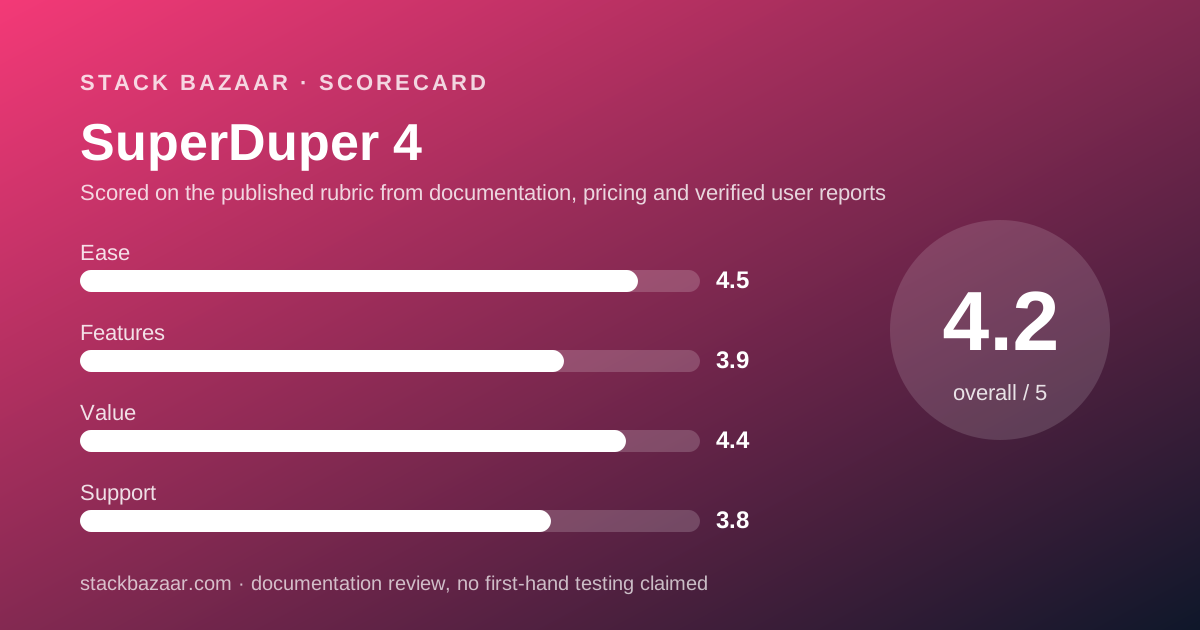
Value: what the 4.4 is built from
The free tier does most of the work here. A backup tool whose core function costs nothing, with support included, sets a floor under the value score that few paid competitors reach.
The licence then buys automation at a base figure of $43.95 by the panel's own attribute, covering every personal Mac you own. On two machines that is roughly $22 each by our arithmetic.
What holds it back from higher is the paperwork, not the price. No published refund window, no printed US-dollar price on the rendered page, and a paid version jump that the FAQ confirms without quoting a figure.
Among pay-once tools we have graded, the ones that score better on value do so by removing uncertainty rather than lowering price, as with Sublime Text and Affinity by Canva.
Ease of use and features: what those scores are built from
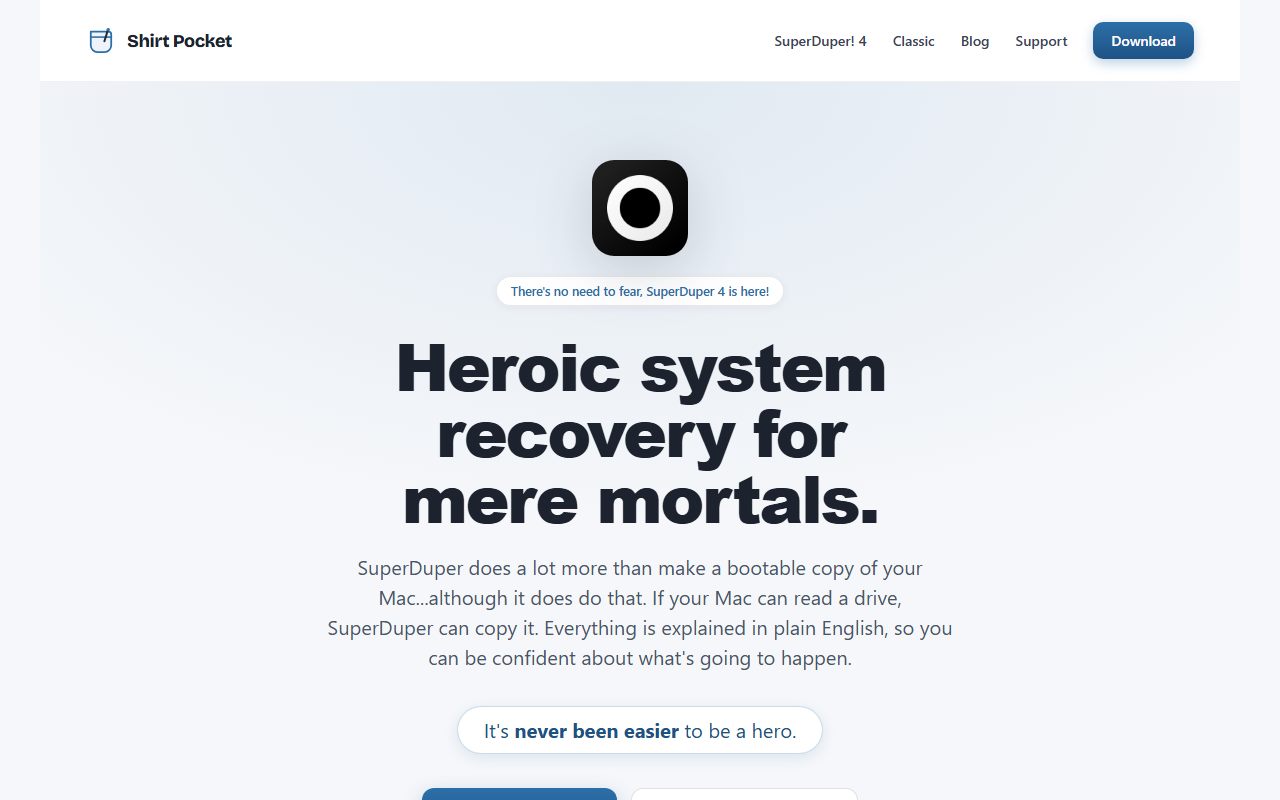
Ease is the highest of the four scores and it is the vendor's stated design goal. The product page's tagline is 'Heroic system recovery for mere mortals'.
It also claims 'Everything is explained in plain English, so you can be confident about what's going to happen.'
The Copy Rules rename supports that claim in a concrete way: the FAQ says old Copy Scripts are imported automatically on first launch, so nothing breaks.
Features scores lowest of the four, and deliberately. Set against Carbon Copy Cloner's published list of snapshot retention rules, filter previews, three-level verification and cloud-only file handling, SuperDuper's documented surface is narrower.
It does not advertise snapshots at all. Its network story is 'can write directly to folders on a network drive', offered with the caveat that network backups should be a second line of defence rather than a first.
We did not measure copy speed. Turbo Smart Update is described as 'extremely fast' by the vendor, and that is a vendor claim, reported as one.
Support: fast in theory, thin by construction
The FAQ answers the support question in the first person, which tells you the whole structure: 'Send an email to support@shirt-pocket.com and you'll receive support from me, directly: the actual author of SuperDuper.'
There is also a User's Guide and a long-running blog, which is where releases are announced. The index we read listed SuperDuper 4.0.9 on October 1, 2026 and a security update on October 5, 2026.
That cadence is a genuine signal. Two posts in the first week of October is active maintenance, not a parked product.
The risk is the obvious one. There is no help desk, no phone line, no stated response time, and no second person. The score reflects a support model that is excellent when it answers and unavailable when it cannot.
What we could not verify
Four items, listed rather than filled in.
The US dollar price as a rendered figure. We read it only as a base price attribute in the page's own markup, not as text on screen, because our location changed what was displayed.
The refund policy, as set out above.
Any public user rating. SuperDuper is sold direct, not through the Mac App Store, so there is no aggregated buyer score to cite. The product page mentions Macworld Eddy awards for 2005 and 2006, which are two decades old and not a current signal.
The upgrade price for an individual existing owner, which the panel computes only after a serial number is entered.
Alternatives
Choose Carbon Copy Cloner if you want depth: snapshot retention controls, filter previews, verification levels and a published 30-day trial, at $49.99 USD plus tax for a household.
Choose ChronoSync if free updates for life matter more than a free tier, and you only need one Mac covered per key.
Choose Arq if you would rather rent storage than own a drive. Arq 7 is $59.99 per computer with your own cloud storage.
Arq Premium is $69.99 a year for five computers with 1 TB included, plus $0.00699 per GB per month beyond that (arqbackup.com, October 15, 2026).
The wider licence patterns here match the pay-once tools already in our catalogue: Scrivener, Final Draft 13, TablePlus, iA Writer and OmniFocus 4. The ranking that ties them together is the best pay-once software for freelancers.
Bottom line
SuperDuper 4 is the easiest recommendation in this cluster to start and the hardest to price.
Start free. The erase-then-copy mode is the real product, supported, with no clock on it. If after a month of manual copies you find yourself forgetting to run them, that is the moment the licence is worth money.
When you reach the checkout, read the currency symbol before the digits. Ours was not dollars, and the panel says so in advance.
And ask about refunds before you pay, because the site does not tell you.
Sources
Every figure above was read on October 15, 2026 from the pages below. Where the vendor's rendered price and its own base price attribute disagreed, both are printed rather than one being chosen.
- shirt-pocket.com SuperDuper 4 product page, including the Buy, Upgrade and Recover panels.
- shirt-pocket.com SuperDuper 4 FAQ.
- shirt-pocket.com SuperDuper Classic page.
- Shirt Pocket blog index, October 2026 posts.
- arqbackup.com pricing page, used only for the alternatives comparison.
- econtechnologies.com store policy and bombich.com sales policy, used only for the refund contrast.
Buy it if
- You want scheduled, unattended backups. That is precisely what the free mode does not do and the licence does.
- You want Smart Update. The vendor describes it as bringing a backup 'into an exact match of the source in minutes - copying only what changed'.
- You run several personal Macs. The licence is per user across your own machines, so a second Mac costs nothing extra.
- You want to try the real thing before paying. Erase-then-copy backups work unregistered, so the evaluation is not time-boxed.
Skip it if
- You need a printed refund policy. We could not find one, and a buyer who wants that protection should prefer a vendor that publishes it.
- Your Mac is older than Sonoma. Version 4 requires macOS 14 or later; Classic is the fallback and a different purchase.
- You want a company behind the product. Support is the author, personally, which is a strength until it is not.
Frequently asked
Is SuperDuper free?
Partly, and the free part is useful. The FAQ says 'full Erase, then copy backups are available for free, including support'. What a licence adds is scheduling, Smart Update and unattended copies, named on the store panel as of October 15, 2026.
How much does a SuperDuper 4 licence cost?
The store panel's own base price attribute reads $43.95. The figure rendered to our machine was 1,288,733 Vietnamese dong, because Paddle localises by location. The panel warns that prices outside the United States are estimates confirmed at checkout.
Is SuperDuper a subscription?
No. The store panel prints 'not a subscription' directly beside the price, and lists the unit as 'per user'. Version jumps are separate purchases: the FAQ answers 'Is SuperDuper! 4 a paid upgrade?' with a plain yes.
Can I use one licence on several Macs?
Yes, for your own machines. The store panel bullet reads 'Use on all your personal Macs'. It does not extend to a workplace fleet, and the panel gives no business or volume tier as of October 15, 2026.
Does SuperDuper work with Time Machine?
Alongside it, with one hard limit. The FAQ says SuperDuper 4 tells you whether it will preserve, replace or copy Time Machine history, but that APFS Time Machine volumes 'cannot be copied at all' because of Apple features third parties cannot replicate.
What macOS versions does SuperDuper 4 support?
macOS 14 Sonoma or later, running natively on both Apple silicon and Intel Macs, per the FAQ checked October 15, 2026. For an older machine the vendor points to SuperDuper Classic, which it says supports macOS back to 10.2 Jaguar.
Can I get a refund if I change my mind?
We do not know. We could not find a refund window, returns clause or money-back statement on the Shirt Pocket product page, store panel, FAQ or Classic page as of October 15, 2026. Checkout runs through Paddle, so ask before paying.
Sources
- Shirt Pocket SuperDuper 4 product page, including the store panel ('not a subscription', 'Use on all your personal Macs', base price attribute $43.95) and upgrade terms - checked October 15, 2026
- SuperDuper 4 FAQ (free erase-then-copy backups, paid upgrade, macOS 14 Sonoma or later, bootable backups, Time Machine limits, support from the author) - checked October 15, 2026
- SuperDuper Classic page (licence recovery for the older edition) - checked October 15, 2026
- Shirt Pocket blog index, showing SuperDuper 4.0.9 on October 1, 2026 and a security update on October 5, 2026 - checked October 15, 2026
- Arq pricing page, used as the subscription counterweight in the alternatives section (Arq 7 $59.99 per computer, Arq Premium $69.99 a year) - checked October 15, 2026
Update history
- October 15, 2026 - First published. Price attribute, localised rendered price, free-tier scope, upgrade terms and system requirements read from Shirt Pocket pages on October 15, 2026.
Visit SuperDuper 4
We have no affiliate relationship with this vendor. Link goes to the official site.