 Stack

Affinity by Canva
The app once sold as Affinity Photo is now one free desktop app with Pixel, Vector and Layout studios, gated behind a free Canva account
Scored on the published rubric, from documentation, pricing and verified user reports.
Best for: A photographer or designer who wants RAW development, retouching and layout in one desktop app and is willing to hold a Canva account to get it for nothing.
Verdict
This is a documentation review. It rests on the affinity.studio homepage, the Get Affinity page and its FAQ, the photo editing page, the September 2026 release post, and the legacy affinity.serif.com V2 page, all read on October 14, 2026. Nobody here has graded the app in use.
The headline is the price. Affinity Photo as a separate paid product is gone. In its place is one app called Affinity, owned by Canva, and the Get Affinity page prints the price as "$0, free". The FAQ says every tool in the Pixel, Vector and Layout studios is usable with no restrictions or payment needed.
For a magazine about paying once, that is the most extreme outcome possible: the purchase price fell below a one-time licence. The vendor also commits in writing to free updates with new features, and the September 15, 2026 release post lists over 60 of them.
The costs are not money. A Canva account is mandatory, the app is desktop only with iPad still unreleased, the new .af format cannot be opened by the V1 and V2 apps people already paid for, and the AI tools sit behind a Canva premium plan.
Visit Affinity by Canva
We have no affiliate relationship with this vendor. Link goes to the official site.
Where it is strong
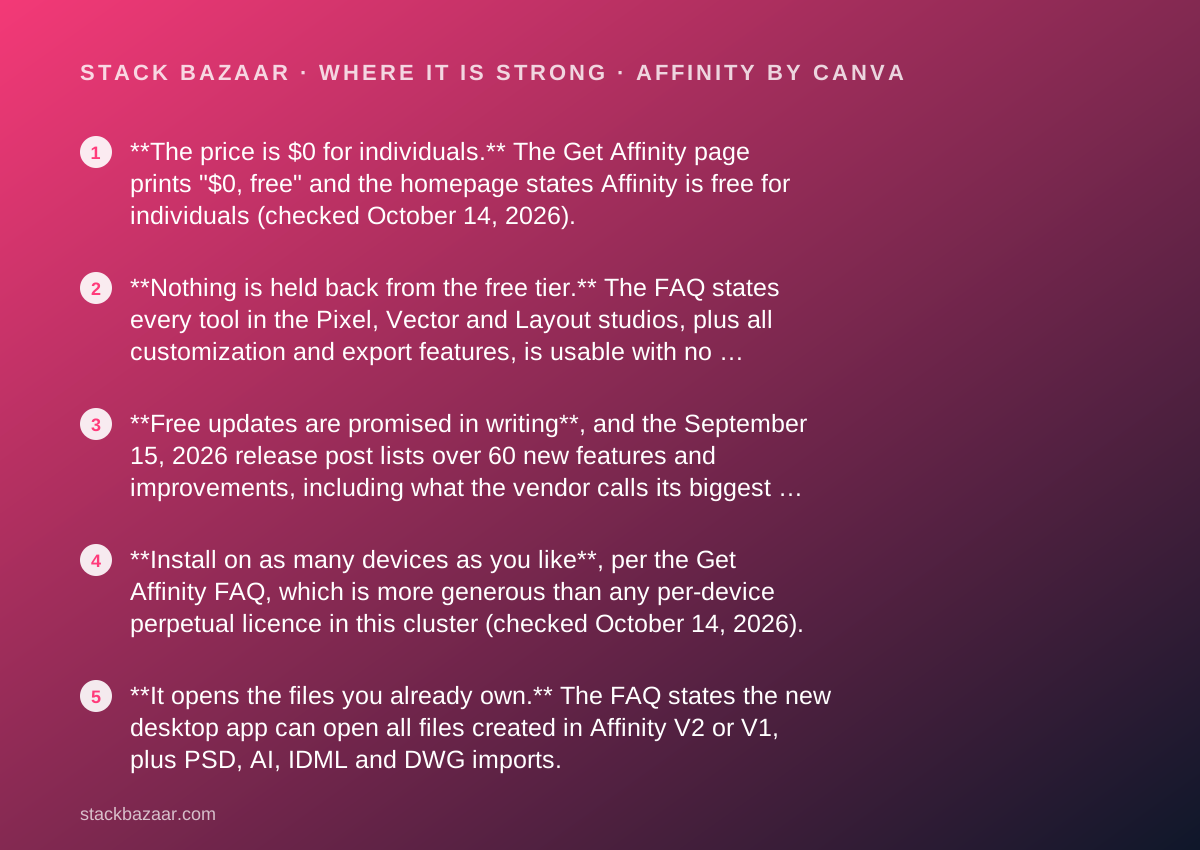
- **The price is $0 for individuals.** The Get Affinity page prints "$0, free" and the homepage states Affinity is free for individuals (checked October 14, 2026).
- **Nothing is held back from the free tier.** The FAQ states every tool in the Pixel, Vector and Layout studios, plus all customization and export features, is usable with no restrictions or payment needed.
- **Free updates are promised in writing**, and the September 15, 2026 release post lists over 60 new features and improvements, including what the vendor calls its biggest photo editing update yet.
- **Install on as many devices as you like**, per the Get Affinity FAQ, which is more generous than any per-device perpetual licence in this cluster (checked October 14, 2026).
- **It opens the files you already own.** The FAQ states the new desktop app can open all files created in Affinity V2 or V1, plus PSD, AI, IDML and DWG imports.
- **No permanent internet requirement.** Activation needs a connection once, after which the vendor states there is no requirement to be online, even with extended offline periods.
Where it falls short
- **A Canva account is compulsory.** The FAQ answers "Do I need a Canva account to use Affinity?" with a flat yes, so the price of free is an account with Canva.
- **Desktop only.** The Get Affinity page states Affinity is desktop-only for macOS and Windows, and the iPad version has no release date on the pages we read.
- **The AI tools are not free.** Generative Fill, Generative Expand and Generate Image or Vector require a Canva premium plan (Pro, Business, Enterprise or Education), per the FAQ.
- **It breaks backwards file compatibility.** The vendor states V1 and V2 apps cannot open files created or saved in the new app, so a V2 iPad workflow cannot be kept alongside it.
- **The paid V2 apps are frozen.** Serif states V2 licences remain valid and activation servers stay online, but that those apps will not receive future updates.
- **No verified rating source to read.** The app is not sold through a store with public ratings, and the only user voices on the vendor's pages are vendor-selected testimonials.
At a glance
| Starting price | $0 for individuals, printed as "$0, free" on the Get Affinity page (October 14, 2026) |
|---|---|
| Pricing note | Listed as "$0, free" on the Get Affinity page, with the homepage stating Affinity is free for individuals (both checked October 14, 2026) |
| Licence scope | Free for individuals; install on as many devices as you like, per the Get Affinity FAQ |
| Account required | Yes, a Canva account; free Canva accounts unlock every Pixel, Vector and Layout tool |
| What costs money | Canva premium plans (Pro, Business, Enterprise, Education) unlock Canva AI tools inside Affinity |
| Platforms | macOS and Windows desktop; iPadOS listed as coming soon with no date; optimized for Apple silicon |
| Photo tools listed | RAW development with lens profiles and noise reduction, retouching, HDR Merge, Focus Merge, astrophotography stacking, macros, batch processing, unlimited layers |
| File import | Opens Affinity V1 and V2 files; imports PSD, AI, IDML, DWG and other formats, per the FAQ |
| File export limit | Affinity V1 and V2 cannot open files created or saved in the new app |
| Offline use | Online once to download and activate; no requirement to be online afterwards, per the FAQ |
| Languages | English, French, German, Italian, Spanish, Portuguese, Japanese, Chinese, Bahasa Indonesian, Turkish |
| Organization option | SSO through Canva Enterprise or Canva Districts, by contacting Canva sales |
| Update policy | Free updates and new features promised; last major release dated September 15, 2026 |
Why a free app opens a pay-once cluster
Affinity is in a magazine about paying once because it is the most violent possible version of the same story: a paid licence that stopped being paid.
Until the relaunch, Affinity Photo was a separate app with its own price on affinity.serif.com. On October 14, 2026 that domain issues a 301 redirect to affinity.studio, where there is one app, one download, and a price printed as "$0, free".
That is not a sale, a bundle or a lifetime deal. It is a product category collapsing, and it changes the arithmetic of every photo editor a reader is about to buy.
The questions we put to any licence are the ones in how lifetime software deals actually work: what the money covers, how long updates last, what the next version costs, and what breaks if the vendor changes its mind. A free app does not escape those questions. It just moves the price from dollars to conditions.
Everything below comes from Canva's and Serif's own pages, read on October 14, 2026. None of it describes what a week of editing in the app feels like.
What Affinity is now
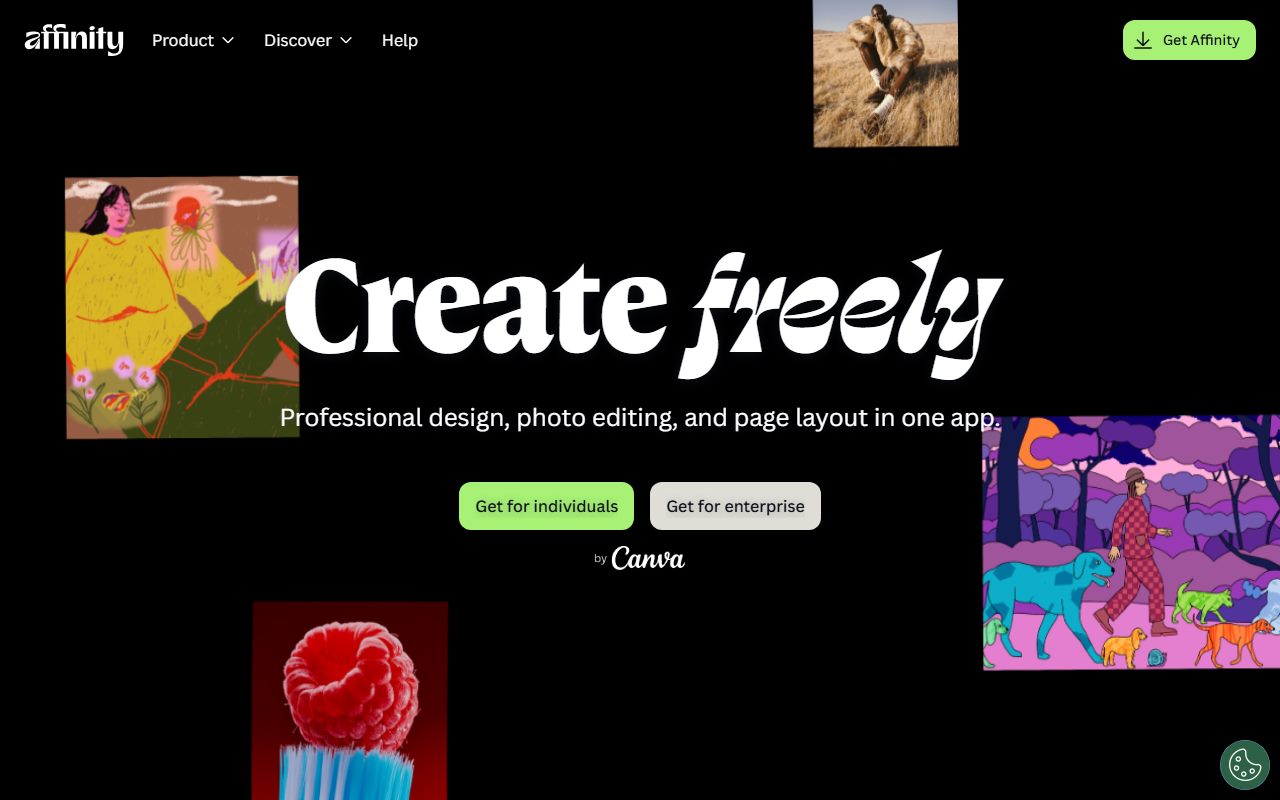
Affinity is a single desktop application for macOS and Windows that combines what used to be three products. The homepage describes it as professional design, photo editing and page layout in one app.
Inside, the vendor organises the tools into what it calls studios: Pixel, Vector and Layout. The Get Affinity FAQ tells a reader who only wants one discipline to stay in one studio and treat the rest as a bonus.
The owner is Canva. The footer, the enterprise links and the sign-in flow all route to Canva, and the V2 page describes the product as Affinity by Canva. The app is still built on the Serif lineage, and the FAQ confirms it opens every file made in V1 and V2.
That shape matters for a pay-once reader. This is a local desktop app with an account check at activation, not a hosted editor behind a login, which is the distinction drawn in what happens after you pay once.
What the price actually is, as of October 2026
The Get Affinity page states the price in two characters and a word. Here is the full set of terms we could read on it.
- The price is printed as "$0, free" and the homepage says Affinity is free for individuals.
- A Canva account is required; the FAQ answers "Do I need a Canva account to use Affinity?" with yes.
- A free Canva account is enough for every Pixel, Vector and Layout tool; no premium plan is needed for editing.
- You can install Affinity on as many devices as you like, per the FAQ.
- The app is desktop only for macOS and Windows, with iPadOS listed as coming soon and no date given.
- Organisations can get SSO through Canva Enterprise or Canva Districts by contacting Canva sales.
What a Canva premium plan adds, and what it does not
There is exactly one paid door in the product, and it is the AI tools.
The FAQ states that a Canva premium plan unlocks Canva's AI features inside Affinity through Canva AI Studio, and names Generative Fill, Generative Expand and Generate Image or Vector among them. The qualifying plans listed are Pro, Business, Enterprise and Education.
The same FAQ is explicit about the other direction: you do not need Canva Pro or any premium plan to use Affinity's vector, layout and pixel tools. Asked whether AI tools can be accessed without a premium account, the answer is no.
For a reader who came here to stop paying monthly, that split is the whole decision. The editing app is free forever on the vendor's own wording. The generative features are a subscription, and they are the kind of recurring line item how to read a software deal before you pay exists to make visible before you commit.
The photo toolkit the vendor lists
The photo editing page names the capabilities in plain language, and they are the ones a RAW photographer checks first.
- RAW development with lens profiles and noise reduction.
- Retouching, HDR, batch processing, recordable macros and unlimited layers, described on the page as completely free.
- HDR Merge, Focus Merge and astrophotography stacking, grouped by the vendor as stacks, macros and batch features.
- PSD import with layer fidelity, plus AI, IDML and DWG imports with structure and layers preserved.
- Nine new colour, sharpening and detail adjustments plus Scene Decomposition, added in the September 15, 2026 release.
- In-app scripting that runs across vector, pixel and layout work in one document, also from the September 2026 release.
Who it is best for
The licence shape, not the feature list, decides who this suits.
- A photographer who wants RAW development, retouching and HDR merging without a monthly bill and without a perpetual purchase either.
- A designer who moves between photo work, vector work and page layout and wants one document format instead of three exports.
- Anyone with a drawer full of Affinity V1 or V2 files who wants them to keep opening in something that still gets updates.
- A two or three machine household or studio, since the FAQ allows installation on as many devices as you like.
- A reader comparing against a $383.90 perpetual licence who wants to know what zero dollars now buys before signing anything.
Who should skip it
Three groups should read the conditions before celebrating the price.
- Anyone unwilling to hold a Canva account. There is no documented account-free download or activation path on the pages we read.
- iPad-first editors. The vendor states the app is desktop only, lists iPadOS as coming soon, and gives no date.
- Buyers who want the generative AI tools included. Those require a Canva premium plan, which is a subscription by any other name.
What owners of the paid V2 apps actually lose
This is the part of the story a deals magazine owes its readers, because people paid real money for V2 licences.
Serif's V2 page states that if you already own Affinity V2 apps you can still use them, that your V2 licence remains valid, and that Serif will continue to keep activation servers online. It then states plainly that these apps will not receive future updates.
So the licence survives and the software stops moving. Add-ons bought from the Serif Affinity store remain yours and can be linked to a Canva account, per the same page.
The sharper cost is file direction. The FAQ states the new desktop app opens all V1 and V2 files, but that V1 and V2 cannot open files created or saved in the new app. The vendor spells out the consequence for iPad users: you cannot work on new Affinity on the desktop and V2 on iPad across the same files.
That is the pattern described in what happens after you pay once. The licence you bought keeps working. The ecosystem around it moves on without you, and at some point the file format decides for you.
Value: what the score is built from
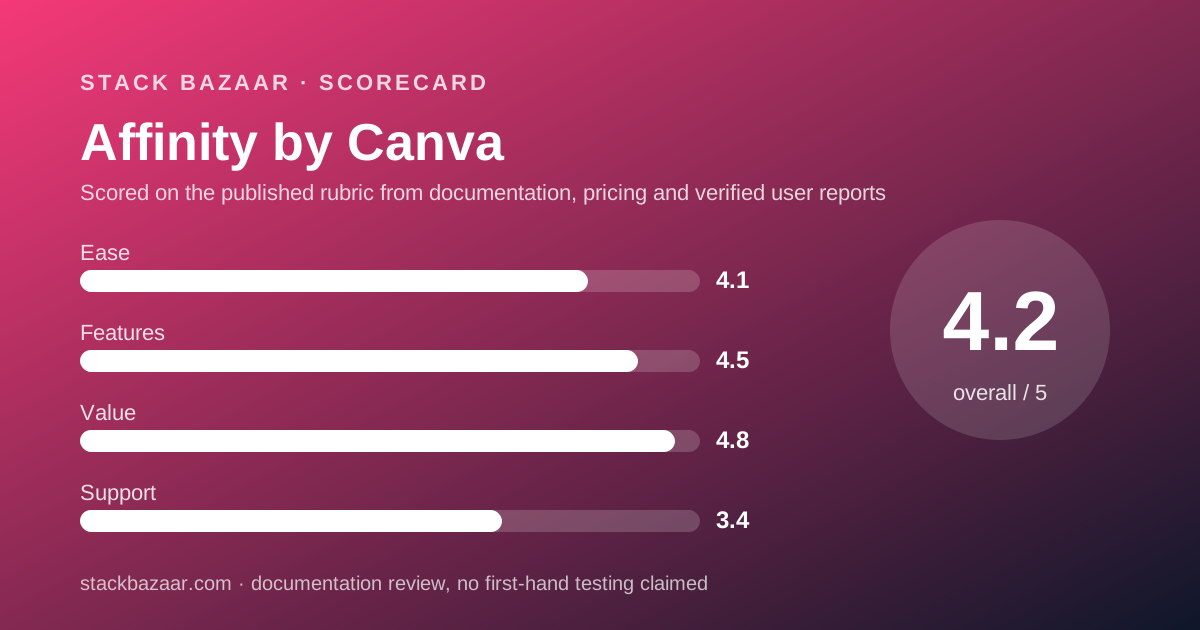
A 4.8, and the only reason it is not a 5.0 is the account requirement.
The arithmetic is unanswerable. A professional RAW developer, retoucher and page layout tool at $0 beats every price in this cluster. Sublime Text is $99, TablePlus is $99 per device with one year of updates, and the serious photo rival in this lot asks $383.90 for a perpetual licence.
The vendor also commits to free updates with new features, and backs that with a dated release: September 15, 2026, over 60 features and improvements, including the biggest photo editing update it claims to have shipped.
The deduction is for the conditions. Free here means free with a Canva account, on desktop, with generative features sold separately. A reader should price those conditions honestly rather than treat $0 as the end of the conversation.
Ease of use and features: what the scores are built from
The features score is high and the ease score is lower, and both are readings of documentation rather than results.
Features get a 4.5 because the published list is wide: RAW development with lens profiles, HDR Merge, Focus Merge, astrophotography stacking, macros, batch processing, unlimited layers, in-app scripting, and import from PSD, AI, IDML and DWG. Three disciplines live in one document format.
Ease gets a 4.1 for a specific reason. Merging three apps into one window with customizable studios is a larger surface to learn than a single-purpose editor, and the vendor itself anticipates this by telling single-discipline users to stay inside one studio.
We have not graded either in practice. These are scores for a published feature set and a documented interface model, not for speed or comfort at a desk.
Support: what is actually promised
Support is scored on written commitments, and the commitments here are documentation plus two different help estates.
The new site carries a Help Center, release notes and learning resources. The legacy affinity.serif.com site continues to host V1 and V2 product help, Quickstart guides, video tutorials and keyboard shortcuts, plus account, order history and download management.
No phone line, chat window or response-time commitment appeared on the pages we read, and a free product rarely carries one.
The 3.4 reflects that split estate. A V2 owner has to know which of two websites answers their question, and the enterprise route goes through Canva sales rather than Affinity support.
What verified users report
Nothing we can verify, and that is worth stating rather than hiding.
Affinity is downloaded from the vendor rather than from a store that publishes ratings, so there is no App Store average to quote the way there is for OmniFocus or iA Writer.
The only user voices on the pages we read are testimonials on the photo editing page, attributed to a portrait photographer and a macro photographer. Those are vendor-selected quotes on a vendor page, and we do not treat them as evidence.
G2, Capterra and Trustpilot were not opened for this review. The verified-user picture is therefore blank, and any confident claim about satisfaction levels in this product today is not coming from the sources listed at the bottom of this page.
Alternatives
Choose Pixelmator Pro if you are Mac-only, want a $49.99 one-time purchase you own outright rather than a free app tied to an account, and can live without a Windows version.
Choose Capture One Pro if you shoot tethered, need published support for over 550 cameras, and would rather pay $383.90 once to a company whose entire business is photography software.
Stay on Affinity V2 only if you need the V2 iPad apps in your workflow, since the vendor states the new .af files cannot be opened there. Accept that V2 will not receive future updates.
If what you actually produce is text rather than images, the pay-once writing tools are a different cluster: Scrivener, iA Writer and Final Draft, compared directly in Scrivener vs Final Draft and ranked in the best pay-once software for freelancers.
What we could not verify
Four gaps, stated rather than filled.
Canva's newsroom post on the all-new Affinity returned a 403 to our fetcher and an empty page to a headless browser on October 14, 2026, so the announcement wording and the official relaunch date are not quoted here.
Serif no longer lists a price for the V2 apps on the page we read, so we do not quote what Affinity Photo 2 used to cost.
There is no published verified-rating source for the new app, so the satisfaction picture is empty rather than positive.
And the vendor gives no release date for the iPad version, so a reader planning an iPad workflow is planning on an unannounced schedule.
Bottom line
On its published terms, the app formerly sold as Affinity Photo now costs $0 for individuals, includes every Pixel, Vector and Layout tool with no restrictions, installs on as many devices as you like, and is promised free updates, with a dated 60-plus feature release on September 15, 2026 to back that up.
The price is paid in conditions instead of dollars: a compulsory Canva account, desktop only with no iPad date, generative AI behind a Canva premium plan, and a file format that closes the door back to the V1 and V2 apps people bought.
Download it before you buy anything else in this category. Then price the paid alternatives against zero rather than against each other.
Sources
Every figure and quotation above was read on October 14, 2026 from the following pages.
- Affinity homepage: affinity.studio
- Get Affinity page and FAQ: affinity.studio/get-affinity
- Affinity photo editing page: affinity.studio/photo-editing-software
- What's New in Affinity, published 15 September 2026: affinity.studio/blog/affinity-update-september-2026
- Affinity V2 support and account page: affinity.serif.com/v2
- Canva newsroom post on the all-new Affinity (403 to our fetcher, empty in a headless browser, not read)
Buy it if
- You want professional RAW development and retouching for nothing and can accept a vendor account as the cost of entry.
- You work across photo, vector and layout and are tired of exporting between three separate applications.
- You own V1 or V2 files and want an app that still opens them while getting new features.
- You need more than one machine covered. The FAQ allows installation on as many devices as you like, where perpetual rivals here cap activations.
Skip it if
- You will not hold a Canva account. There is no documented way to download or activate the app without one.
- Your editing happens on an iPad. The vendor states the app is desktop only and gives no release date for iPadOS.
- You need the generative AI tools without a subscription. Those sit behind a Canva premium plan, which is exactly the recurring bill a pay-once buyer is avoiding.
Frequently asked
Is Affinity Photo still a one-time purchase?
No. As of October 14, 2026 affinity.serif.com redirects to affinity.studio, where the app is a single product called Affinity and the Get Affinity page prints the price as "$0, free". The separate paid Affinity Photo licence is no longer the offer.
Is Affinity really free, or is it a limited version?
The Get Affinity FAQ, checked October 14, 2026, states you can use every tool in the Pixel, Vector and Layout studios, plus all customization and export features, as much as you want, with no restrictions or payment needed, and that the app will receive free updates.
Do I need a Canva account to use Affinity?
Yes. The Get Affinity FAQ answers that question with a plain yes and states that your Canva account gives access to Affinity and other Canva products. A free Canva account is enough; no premium plan is required for the editing tools.
What happens to my Affinity Photo 2 licence?
Serif states your Affinity V2 licence remains valid and that it will keep activation servers online, but that those apps will not receive future updates. Existing Affinity store add-ons stay yours and can be linked to a Canva account (checked October 14, 2026).
Is there an Affinity version for iPad?
Not yet. The Get Affinity page states Affinity is desktop-only for macOS and Windows and lists iPadOS as coming soon. The FAQ gives no release date and recommends continuing to run the V2 iPad apps independently in the meantime.
Which Affinity features need a paid Canva plan?
The AI tools. The FAQ names Generative Fill, Generative Expand and Generate Image or Vector, unlocked through Canva AI Studio, and states these are only available to accounts on a Canva premium plan: Pro, Business, Enterprise or Education.
Can I still open my old Affinity files?
Yes, in one direction. The FAQ states the new desktop app opens all files created in Affinity V2 or V1. It also states V1 and V2 cannot open files created or saved in the new app, so moving forward is permanent.
Do I need to be online to use Affinity?
Only to start. The FAQ states you need to be online to download and activate your licence with your free Canva account, after which there is no requirement to be online, even with extended offline periods. Help, lessons, stock and Canva integrations still need a connection.
Sources
- Affinity homepage (free for individuals, platform list, Canva premium AI note) - checked October 14, 2026
- Get Affinity page and FAQ ("$0, free", Canva account required, devices, offline, V2 policy) - checked October 14, 2026
- Affinity photo editing page (RAW development, HDR Merge, Focus Merge, stacking, macros) - checked October 14, 2026
- What's New in Affinity: Blend Tool, Scripting, and over 60 updates (published 15 September 2026) - checked October 14, 2026
- Affinity V2 support page on affinity.serif.com (V2 licences valid, no future updates, add-ons transferable) - checked October 14, 2026
- Canva newsroom post on the all-new Affinity (returned 403 to our fetcher and an empty page to a headless browser; not read) - checked October 14, 2026
Update history
- October 14, 2026 - First published. Price and licence terms read from affinity.studio and the legacy affinity.serif.com V2 page after affinity.serif.com began redirecting to affinity.studio.
Visit Affinity by Canva
We have no affiliate relationship with this vendor. Link goes to the official site.