 Stack
DaVinci Resolve Studio 21
One payment, currently listed at $236, for an edit, colour, VFX, audio and now photo suite with a free version underneath it
Scored on the published rubric, from documentation, pricing and verified user reports.
Best for: Editors and photographers who want one paid licence to cover cutting, grading, visual effects, audio post and now stills, on Mac, Windows or Linux.
Verdict
This is a documentation review. It rests on the Blackmagic Design product page for DaVinci Resolve, the DaVinci Resolve Studio page, the tech specs page and its software section, and two threads in Blackmagic's own support forum, all read on October 22, 2026. Nobody here has graded the software in use.
The price is the easiest part. The product page prints "Was $295 Now $236" with a "Save 20%" badge, and the buy button points at a US electronic delivery path. No expiry date appears next to that badge, so we are not putting a clock on it.
What the payment covers is unusually wide. Version 21 adds a Photo page with RAW support for Canon, Fujifilm, Nikon and Sony files, which means one licence now spans video editing, colour, Fusion effects, Fairlight audio and stills.
Two questions a pay-once buyer will ask are not answered on those pages: how many machines one activation covers, and whether version 22 will be free for version 21 owners. Both are discussed in Blackmagic's own forum, which is a user report rather than a published policy.
Visit DaVinci Resolve Studio 21
We have no affiliate relationship with this vendor. Link goes to the official site.
Where it is strong
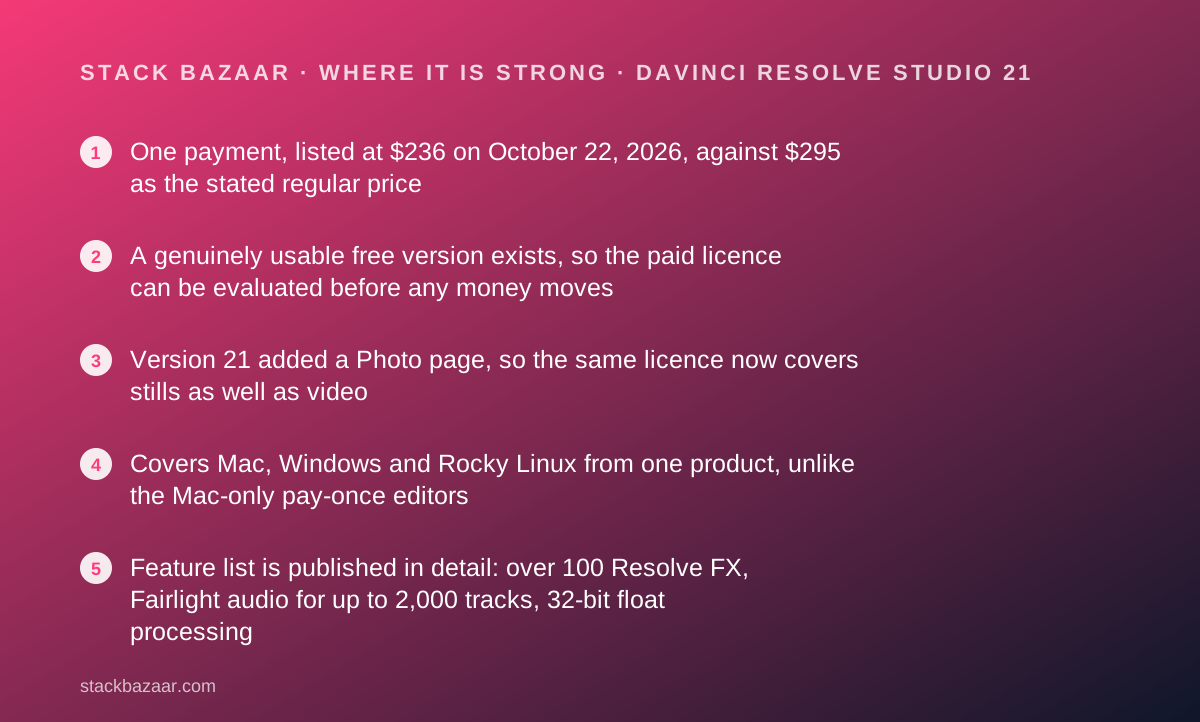
- One payment, listed at $236 on October 22, 2026, against $295 as the stated regular price
- A genuinely usable free version exists, so the paid licence can be evaluated before any money moves
- Version 21 added a Photo page, so the same licence now covers stills as well as video
- Covers Mac, Windows and Rocky Linux from one product, unlike the Mac-only pay-once editors
- Feature list is published in detail: over 100 Resolve FX, Fairlight audio for up to 2,000 tracks, 32-bit float processing
Where it falls short
- The pages we read do not state how many computers one Studio activation key covers
- No published statement about whether the next major version is a free upgrade for Studio owners
- Learning cost is real: the interface is split across cut, edit, Fusion, colour, Fairlight, media, photo and deliver pages
- The "Save 20%" badge carries no end date, so the $236 figure could change without notice
- Hardware is where the money goes next, with panels and keyboards priced from $349 upward on the same page
At a glance
| One-time price | $236, shown as "Was $295 Now $236" with a "Save 20%" badge on the US product page (October 22, 2026) |
|---|---|
| Pricing note | "Was $295 Now $236" with a "Save 20%" badge on the Blackmagic Design product page, checked October 22, 2026; no end date is printed beside it |
| Free version | DaVinci Resolve 21, free, with "virtually all 8-bit video formats at up to 60fps in resolutions as high as Ultra HD 3840 x 2160" |
| What Studio adds | DaVinci AI Neural Engine, dozens of additional Resolve FX, temporal and AI spatial noise reduction, text based editing, magic mask, film grain, optical blur, 10-bit video to 120fps and resolutions beyond 4K |
| New in version 21 | Photo page, over 100 new motion graphic effects, 50 new features, IntelliSearch, CineFocus, facial refinement tools, Krokodove toolset in Fusion |
| Photo page RAW support | Native RAW files from Canon, Fujifilm, Nikon and Sony cameras, with camera tethering and Albums |
| Audio | Fairlight Audio Core for up to 2,000 tracks, Voice Isolation, Music Remixer, 5.1, 7.1 and 5th order ambisonics |
| Operating systems | Mac 13.0 Ventura and Mac 14.0 Sonoma or later, Windows 10 Creators Update, Windows 11, Rocky Linux 8.6 |
| Collaboration | Multi-user collaboration is listed in the free version; Blackmagic Cloud hosts projects and media remotely |
| Activation count | Not published on the product page, Studio page or tech specs page read October 22, 2026 |
| Upgrade policy | Not published on those pages; discussed by users in Blackmagic's own forum without a quoted policy |
| Hardware add-ons | DaVinci Speed Editor listed at "Was $435 Now $349" on the same page |
What DaVinci Resolve Studio actually is
DaVinci Resolve is one application with eight workspaces, and Studio is the paid version of it. Blackmagic calls those workspaces pages, and switching between them takes a click.
The pages are media, cut, edit, Fusion, colour, Fairlight, photo and deliver. In Blackmagic's description, editing happens on the cut and edit pages, visual effects on Fusion, grading on colour, audio post on Fairlight, and import and export on media and deliver.
That structure explains both the appeal and the learning cost. One purchase replaces what other vendors sell as four products, and the price of that is an interface with four personalities.
The second structural fact is the free version. Blackmagic ships a free DaVinci Resolve 21 alongside Studio, which makes this the only product in our pay-once catalogue you can fully evaluate before paying anything.
What the price actually is, as of October 2026
The product page prints two numbers next to each other: "Was $295" and "Now $236", under a badge reading "Save 20%". The buy button points at a US electronic delivery path, and the page also offers country-specific versions.
No end date appears beside that badge. We looked for one, because a deals magazine should only print a countdown when the vendor prints a deadline, and there is none here.
So the honest statement is this: $236 is what the US page asked on October 22, 2026, and $295 is the regular price Blackmagic states itself. The 20% figure is the vendor's own, not our arithmetic.
There is no subscription tier. There is no seat count, no renewal and no trial period, because the free version does the job a trial would do.
For the mechanics of why that structure is unusual, our guide to what happens after you pay once sets out the questions that matter after the invoice clears.
What the paid licence adds over the free version
Blackmagic draws the line in two sentences, and they are worth reading literally.
The free version "works with virtually all 8-bit video formats at up to 60fps in resolutions as high as Ultra HD 3840 x 2160", and it "includes multi-user collaboration and HDR grading". Those last two are items most vendors would reserve for a paid tier.
Studio "includes everything in the free version plus the DaVinci AI Neural Engine, dozens of additional Resolve FX, temporal and AI spatial noise reduction, text based editing, magic mask, film grain, optical blur and more".
It also "supports 10-bit video up to 120 frames per second and resolutions beyond 4K".
The tech specs page phrases the same split differently, listing automatic AI region tracking, stereoscopic tools, more Resolve FX filters, more Fairlight FX audio plugins and advanced HDR grading.
For most buyers the deciding item is the 10-bit, high-frame-rate support rather than any single effect. If your camera files are 10-bit, the free version is a trial, not a destination.
Version 21 pulled stills into the same licence
The most important change for a pay-once buyer is not an effect. It is a new page.
Blackmagic's own summary states that version 21 "introduces the Photo page, bringing Hollywood's advanced color tools to still photos for colorists and photographers", alongside over 100 new motion graphic effects and 50 new features.
The Photo page description lists native RAW files from Canon, Fujifilm, Nikon and Sony cameras, reframing and cropping at source resolution, Albums for media management, camera tethering for live capture, and collaboration through Blackmagic Cloud.
That changes the comparison set. A $236 licence that grades stills and video is competing with image editors as well as editing software, including the free Affinity by Canva and the $49.99 Pixelmator Pro.
The release notes also list new AI tools: IntelliSearch for content searching, CineFocus for focal point adjustment, and facial refinement tools. Fusion gained the Krokodove toolset with over 70 new graphics, and Fairlight gained a folder function for track management.
Who it is best for
This licence rewards a specific kind of buyer.
- Editors who have outgrown the free version's 8-bit and 60fps ceiling
- Photographers who grade and want the colour page applied to RAW stills
- Windows and Linux users, who are shut out of most pay-once creative apps
- One-person studios who would otherwise rent an editor, a grader and a DAW separately
- Anyone who wants the spend to stop, in the pattern described in best pay-once software for freelancers
- Buyers who want to try before paying, which the free version makes possible
Who should skip it
Three groups should not pay this.
- Anyone whose files are 8-bit and under Ultra HD, since the free version already covers that
- Buyers who need a written upgrade promise, which these pages do not provide
- People editing only stills, where a cheaper dedicated image editor is the better fit
Value: what the score is built from
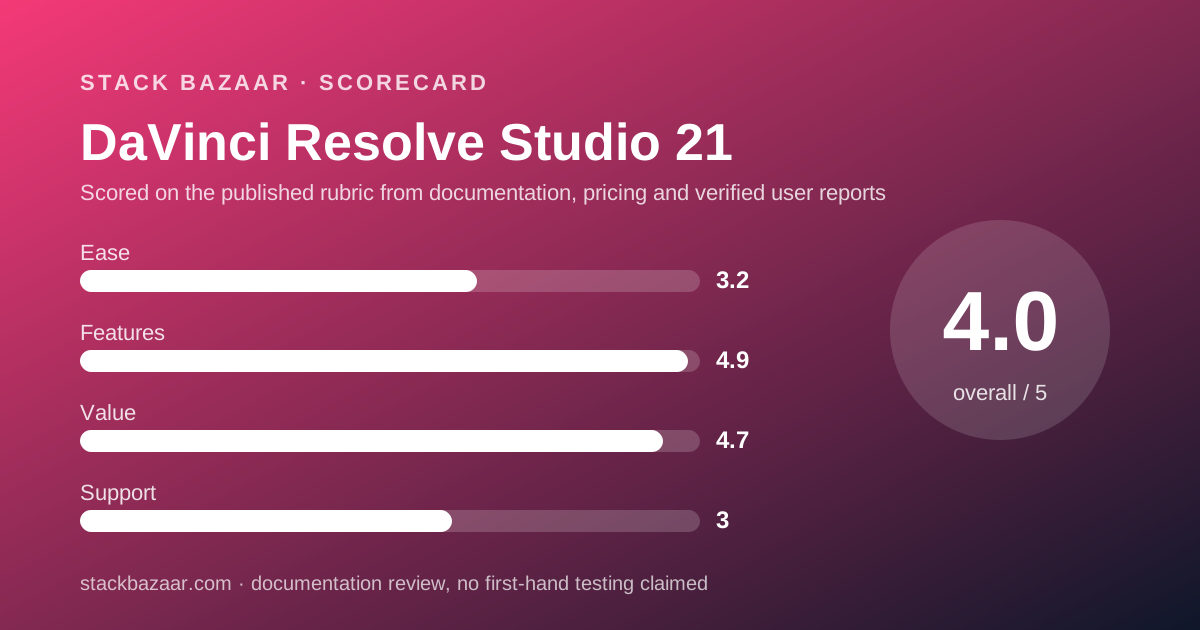
Value scores 4.7 out of 5, the second highest of the four pillars.
The case is simple. $236 once, for a product whose free sibling is already usable, with no renewal date in sight and no seat count described anywhere on the pages we read.
The open question is the denominator. A pay-once price is only as good as the number of years it covers, and Blackmagic does not publish that number here.
Our guide to how lifetime software deals actually work explains why that silence is the single biggest variable in any one-time price.
For contrast inside our own catalogue, ChronoSync states free updates for life in writing, while Carbon Copy Cloner says plainly that major upgrades are paid. Both are clearer than this page, and both are cheaper products.
The half point comes off for that gap, not for the price.
Ease of use: what the score is built from
Ease scores 3.2, the weakest pillar, and the vendor's own description is the reason.
Blackmagic presents the software as eight pages with different layouts, workflows and vocabularies. The cut page is described as "action based so every click does something", while the edit page is described as a traditional non-linear editor with dual monitor design.
Fusion uses node-based compositing, which Blackmagic says is "faster and easier to create sophisticated effects" than a layer-based approach. That claim is probably true for experienced compositors and is the opposite of beginner-friendly.
The mitigating fact is the price of failure. Because the free version exists, a buyer can discover whether this interface suits them before paying $236, which no other product in this cluster allows.
Hardware is the other half of the ease story, and it costs money. The same page lists the DaVinci Speed Editor at "Was $435 Now $349", with colour panels and Fairlight consoles above that.
Features: what the score is built from
Features score 4.9, the highest grade in this cluster, because the published list is far longer than its rivals.
On effects, Blackmagic states Studio "features over 100 GPU and CPU accelerated Resolve FX" and that version 21 adds UltraSharpen for sharpening moving images and fixing slight focus errors.
On audio, Fairlight is described as a digital audio workstation inside the editor, with "up to 2,000 tracks at a time with realtime effects, EQ, and dynamics processing", AI effects including Voice Isolation and Music Remixer, and mixing to 5.1, 7.1 and 5th order ambisonics.
On colour, the page claims 32-bit float processing, patented YRGB colour science and a wide gamut colour space for HDR workflows.
On interchange, Blackmagic says the software "works with all major file formats and post production software, making it easy to move files between DaVinci Resolve, Final Cut Pro, Media Composer, and Premiere Pro". That matters if you are leaving a subscription rather than starting fresh.
Support and licence terms: what is actually promised
Support scores 3.0, and the reason is what the pages do not say.
On the product page, the Studio page and the tech specs page, read on October 22, 2026, we found no statement of how many computers one activation key covers, and no statement about whether the next major version is free for existing Studio owners.
Those are not minor details. They are the two questions that decide whether $236 is a one-time cost or an entry fee, and we could not answer either from Blackmagic's own published pages.
What exists instead is discussion. Blackmagic hosts a public support forum, and threads there debate both points, with posts describing an activation key allowing two active machines and others arguing about whether future versions will stay free.
That is community reporting on the vendor's own site, and it is reported here as exactly that. Before paying, ask the seller in writing. The same advice applies to every one-time licence, as set out in how to read a software deal before you pay.
Alternatives
Two alternatives matter, and one of them is Blackmagic's own free build.
Choose the free DaVinci Resolve 21 if your footage is 8-bit at up to 60fps and Ultra HD, because Blackmagic itself says that is what the free version handles. Otherwise choose Studio if you need 10-bit, high frame rates or the Neural Engine tools.
Choose Affinity by Canva if the job is purely stills and the budget is zero, since its page still printed "$0, free" on October 22, 2026. Otherwise choose Resolve Studio if the same payment has to cover video as well.
Final Cut Pro is the obvious paid rival on the Mac, at $299.99 as a one-time App Store purchase. It is Mac-only, it carries a written update statement that Blackmagic does not match, and it does not grade stills.
If you are assembling a pay-once toolkit rather than picking one app, our reviews of TablePlus and Sublime Text cover the same licence questions on the developer side, and the best pay-once Mac backup apps covers the part of the stack that protects the work.
Bottom line
At $236, with $295 as the stated regular price, DaVinci Resolve Studio 21 is the widest pay-once purchase in this market. One licence, three operating systems, and a feature list that now reaches from still RAW files to 3D audio.
The free version removes most of the risk from the decision, which is rare enough to be worth saying twice. Install it, work a real project, and only pay when a Studio-only feature blocks you.
What keeps this short of a flawless recommendation is paperwork, not software. Blackmagic does not publish the activation count or the upgrade policy on the pages that sell the product, so the length of the deal is the one thing a buyer cannot check.
Buy it if
- You want one payment to cover video and stills, which version 21 now does with the Photo page
- You work across Mac, Windows or Linux, where most pay-once creative apps are Mac-only
- You have already used the free version and hit a wall at 8-bit, 60fps or Ultra HD
- You need 10-bit video up to 120 frames per second, which is listed as Studio only
Skip it if
- You need a written upgrade guarantee before paying, which these pages do not give
- You want a one-afternoon learning curve, since the software is organised as eight separate pages
- Your work is only stills, where a $49.99 image editor covers the job for a fifth of the price
Frequently asked
How much does DaVinci Resolve Studio cost?
The US product page printed "Was $295 Now $236" with a "Save 20%" badge on October 22, 2026. It is one payment, not a subscription, and the buy button leads to a US electronic delivery page.
Is DaVinci Resolve free?
The non-Studio version is. Blackmagic states the free version "works with virtually all 8-bit video formats at up to 60fps in resolutions as high as Ultra HD 3840 x 2160" and that it includes multi-user collaboration and HDR grading.
What does the paid Studio version add?
Blackmagic lists the DaVinci AI Neural Engine, dozens of extra Resolve FX, temporal and AI spatial noise reduction, text based editing, magic mask, film grain and optical blur, plus 10-bit video up to 120fps and resolutions beyond 4K.
Does the licence include future versions?
We could not read an answer. The product page, Studio page and tech specs page carry no upgrade statement as of October 22, 2026. Threads in Blackmagic's own forum debate the question, which is user discussion rather than policy.
How many computers does one licence cover?
Not published on the pages we read. Forum posts on Blackmagic's site say an activation key allows two active machines with the ability to deactivate and move, but that is a user report and should be confirmed with the seller before buying.
Does the sale price expire?
No end date is printed beside the "Save 20%" badge. Treat $236 as the figure on October 22, 2026 and $295 as the stated regular price, and check the page again before paying.
Can it replace a photo editor?
Partly, and this is new. Version 21 introduced a Photo page with native RAW support for Canon, Fujifilm, Nikon and Sony files, Albums for organisation and camera tethering, inside the same licence.
Sources
- DaVinci Resolve product page (price, free versus Studio wording, version 21 feature list, hardware prices) - checked October 22, 2026
- DaVinci Resolve Studio page - checked October 22, 2026
- DaVinci Resolve tech specs page, software section (operating systems, product descriptions, sale badges) - checked October 22, 2026
- Blackmagic support forum thread on Studio updates (user discussion, not vendor policy) - checked October 22, 2026
- Blackmagic support forum thread on using Studio on two computers (user discussion, not vendor policy) - checked October 22, 2026
Visit DaVinci Resolve Studio 21
We have no affiliate relationship with this vendor. Link goes to the official site.