 Stack

Alfred Powerpack
The paid upgrade to a free Mac launcher, sold at £34 for a version 5 licence or £59 with free lifetime upgrades
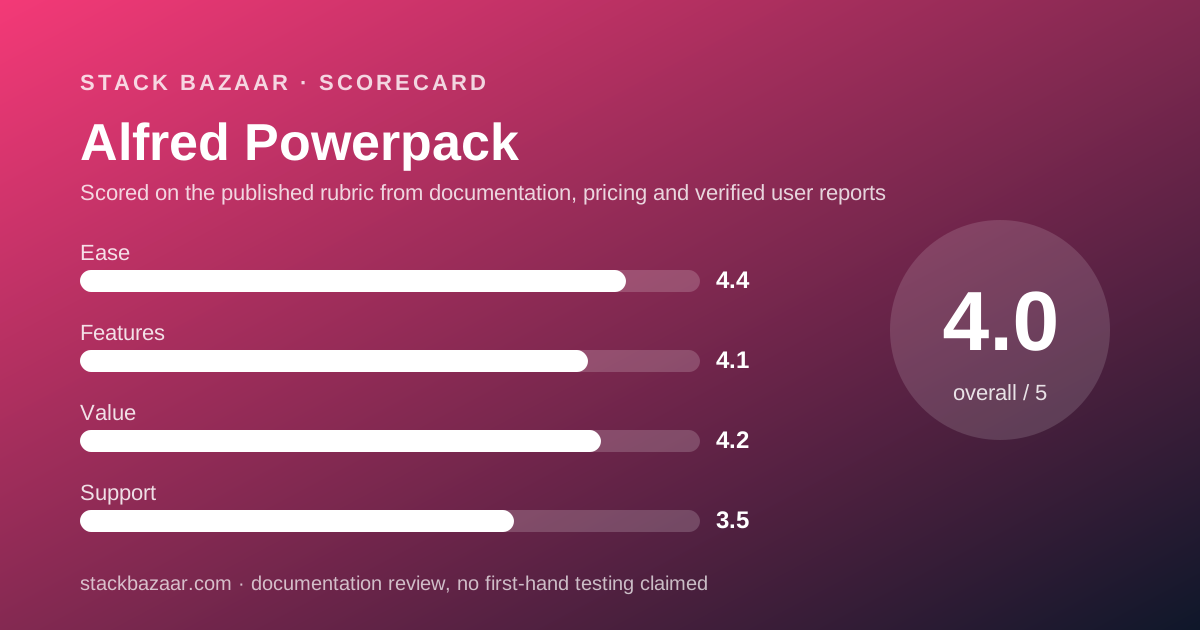
Scored on the published rubric, from documentation, pricing and verified user reports.
Best for: A Mac user who already lives in a launcher and wants clipboard history, snippets and workflows on a licence they own, with the option to pay more once and stop paying for upgrades.
Verdict
This is a documentation review. It rests on the Alfred Powerpack page and the Alfred terms and conditions page, both read on October 27, 2026. Nobody here has graded the app in use.
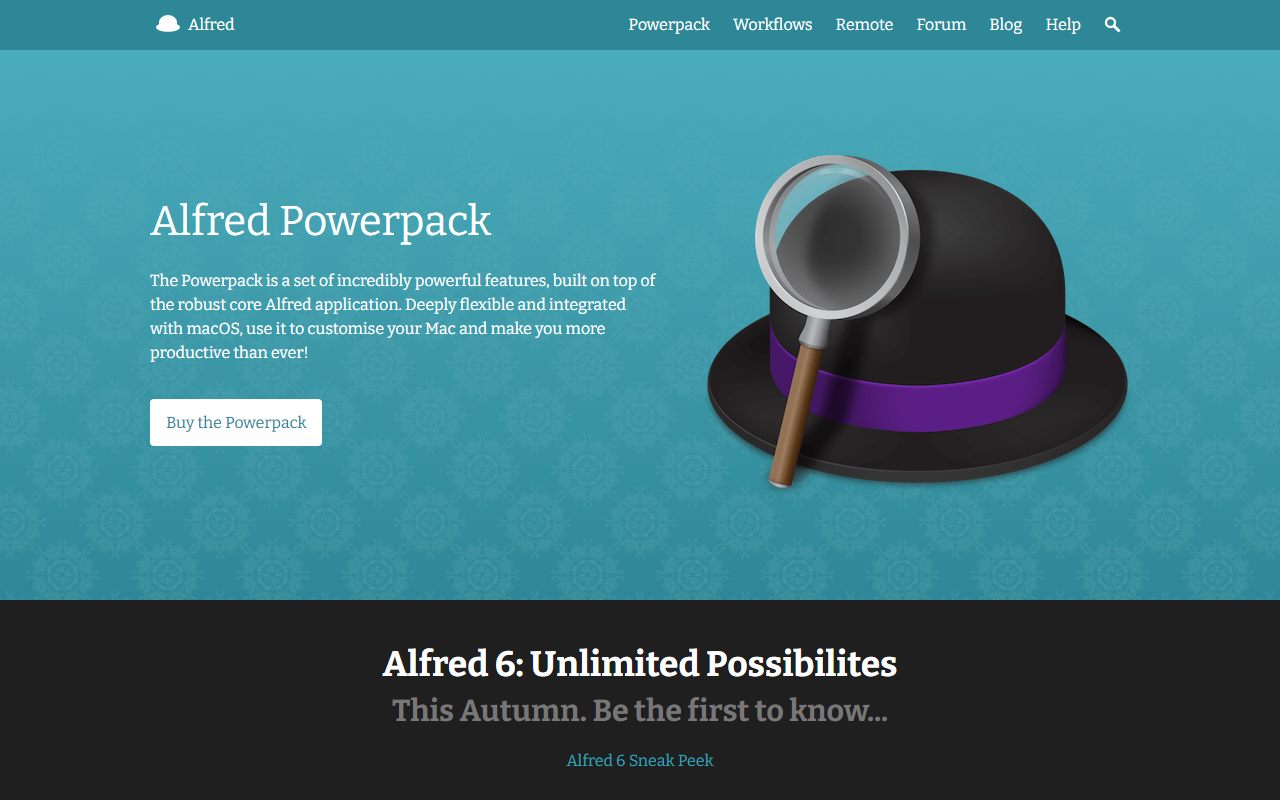
Alfred is unusual among the deals on this site because the base product is free. The terms page states that the Alfred core is freely available to use without time limits. The Powerpack is the paid layer on top of it.
That layer is sold in two forms. A Single Licence is £34 and is labelled a single user version 5 licence. Mega Supporter is £59, single user, and adds free lifetime upgrades.
The page also carries a live offer: buy now and get a free upgrade to Alfred 6, which the site says is arriving this autumn. No expiry date for that offer is printed anywhere on the page.
Two honest cautions. Every price we could read is in pounds sterling, and the terms rule out refunds on compatibility grounds precisely because the free core app is there to be tried first.
Visit Alfred Powerpack
We have no affiliate relationship with this vendor. Link goes to the official site.
Where it is strong
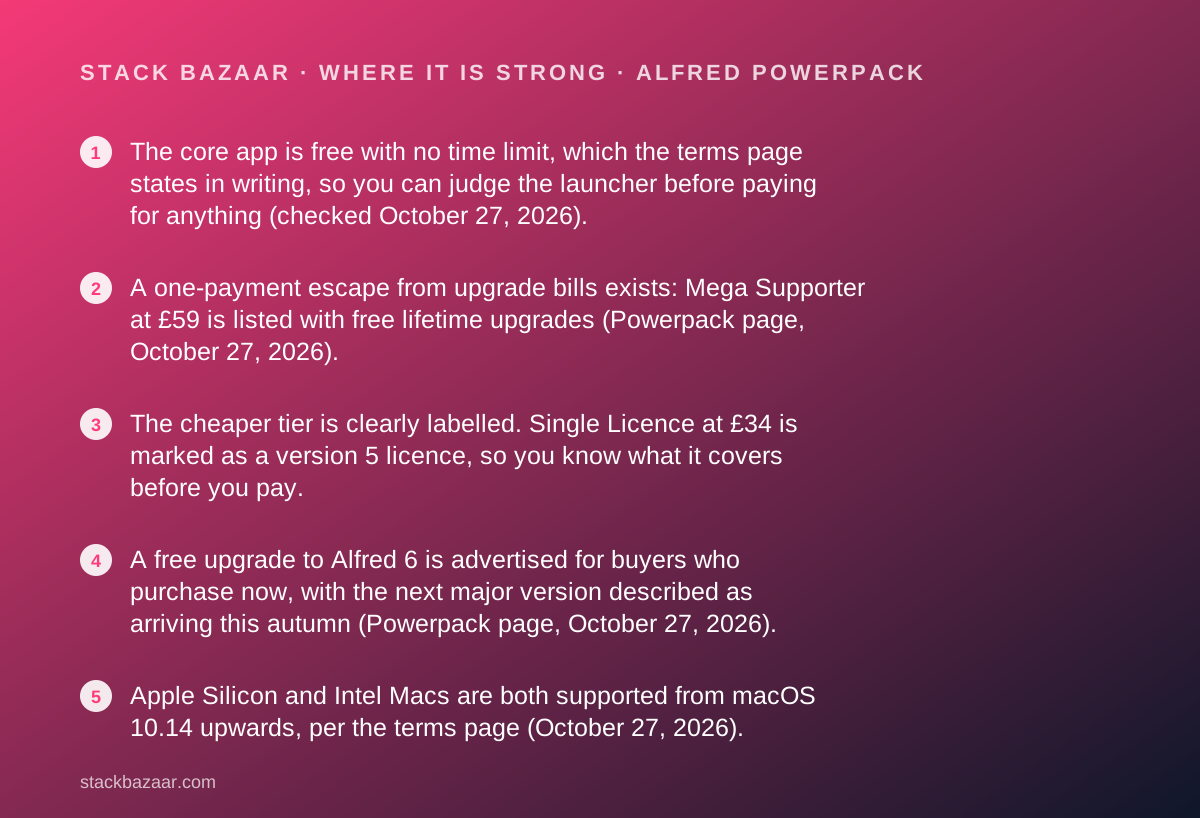
- The core app is free with no time limit, which the terms page states in writing, so you can judge the launcher before paying for anything (checked October 27, 2026).
- A one-payment escape from upgrade bills exists: Mega Supporter at £59 is listed with free lifetime upgrades (Powerpack page, October 27, 2026).
- The cheaper tier is clearly labelled. Single Licence at £34 is marked as a version 5 licence, so you know what it covers before you pay.
- A free upgrade to Alfred 6 is advertised for buyers who purchase now, with the next major version described as arriving this autumn (Powerpack page, October 27, 2026).
- Apple Silicon and Intel Macs are both supported from macOS 10.14 upwards, per the terms page (October 27, 2026).
- Workflows are shareable and there is a public gallery and forum for them, so the paid layer has a community library attached rather than a closed feature list.
Where it falls short
- Prices are printed in pounds sterling only. No dollar figure appeared on the Powerpack page on October 27, 2026, and we do not convert currencies in reviews.
- The advertised free upgrade to Alfred 6 carries no printed expiry date, so there is nothing on the page to hold the vendor to if the offer closes.
- The terms page states the vendor cannot offer a refund for Powerpack purchases on grounds of non-compatibility, because the core app is free to try first.
- The £34 tier is tied to version 5. If Alfred 7 eventually ships, the cheaper licence is the one that will need paying for again.
- A Legendary+ tier is named on the Powerpack page with no price printed next to it, so the top of the range is not readable.
- The upgrade price for owners of older Powerpack licences is offered as a link rather than a figure, so existing customers cannot see their cost on the page.
At a glance
| Core app price | Free, with no time limit, per the terms page (October 27, 2026) |
|---|---|
| Pricing note | Single Licence £34 and Mega Supporter £59, both single user, listed in pounds sterling on the Powerpack page (checked October 27, 2026); no dollar price is printed |
| Single Licence | £34, single user, labelled a version 5 licence (Powerpack page, October 27, 2026) |
| Mega Supporter | £59, single user, listed with free lifetime upgrades (Powerpack page, October 27, 2026) |
| Dollar price | Not printed on the Powerpack page read October 27, 2026 |
| Current offer | A free upgrade to Alfred 6 for buyers who purchase now; no expiry date printed |
| Next version | Alfred 6, described on the page as arriving this autumn |
| Upgrade path | Owners of older licences are offered an upgrade to Alfred 5; no price printed on the page |
| Refund terms | No refund for non-compatibility, because the core app is free to use without time limits (terms page, October 27, 2026) |
| Platform | macOS 10.14 or later, Intel and Apple Silicon (terms page, October 27, 2026) |
| Companion app | Alfred Remote for iPad, sold separately |
| Subscription option | None listed on the Powerpack page |
The product is free; the deal is the layer on top
Alfred is a keyboard launcher for macOS. You press a hotkey, type a few letters and open an app, find a file or run a search.
That part costs nothing. The terms page states that the Alfred core is freely available to use without time limits, and it uses that fact later to explain its refund position (read October 27, 2026).
The Powerpack is the paid layer. It is what turns the launcher into a clipboard manager, a snippet expander, a file actioner and a workflow engine.
Two prices are printed for it. A Single Licence is £34, labelled single user version 5 licence. Mega Supporter is £59, single user, with free lifetime upgrades.
That structure is rare and worth naming clearly. Most pay-once deals ask you to buy before you can judge. This one hands you the base product first and charges for depth.
£34 buys a version; £59 buys the end of upgrade bills
The gap between the two tiers is not a feature gap. Both are described as single user licences, and the page does not list features behind one and not the other.
What differs is time. The £34 tier is marked as a version 5 licence. The £59 tier is marked with free lifetime upgrades.
So £25 more, by the editors' arithmetic, is the price of never reading an upgrade email again. Whether that is worth it depends on how long you expect to keep using a launcher.
There is a complication in the buyer's favour right now. The same page advertises a free upgrade to Alfred 6 for anyone who purchases now, which narrows the practical gap between the tiers for this version jump only.
The clause-by-clause way to think about this trade is set out in what happens after you pay once, which is the piece to read before choosing a tier.
An offer with no printed deadline is an offer to verify at checkout
The Powerpack page carries a banner-level promise: buy now and get a free upgrade to Alfred 6. The site separately describes Alfred 6 as arriving this autumn and links a sneak peek post.
We could not find an expiry date for that offer anywhere on the page read on October 27, 2026. It is not that the page says the offer runs forever; it simply does not print a date.
That is not an accusation. Small vendors often run an upgrade grace period without pinning a date to it, and it usually ends quietly when the new version ships.
It does change what a careful buyer should do. Check that the free-upgrade line is still displayed on the payment screen itself, and keep the receipt.
This is the single most common trap in the deals this site covers, and it is why how to read a software deal before you pay puts the payment screen, not the marketing page, at the centre of the checklist.
Who the Powerpack is best for
The free core app does the filtering here, which makes this an easier recommendation to scope than most.
- The existing free Alfred user who has already built the hotkey habit and keeps hitting a locked feature.
- The heavy copy-and-paste worker who wants clipboard history and snippet expansion in the tool they already open fifty times a day.
- The writer with repeated boilerplate, who would otherwise keep a scratch file open beside iA Writer to paste from.
- The tinkerer who will import community workflows from the public gallery rather than build their own.
- The sterling buyer, since £34 and £59 are the only currencies printed.
- The long-horizon owner who prefers to pay £59 once and stop thinking about versions.
Features: what the paid layer actually unlocks
Everything below is a vendor claim from the Powerpack page, read on October 27, 2026, and is reported as a claim rather than as verified behaviour.
The page lists clipboard history for text, images and file paths, with search and browse; snippets with keyword auto-expansion and a snippets viewer; and extended search filters for file types and locations.
It also lists workflows built from Workflow Objects and Automation Tasks, a Text View object with Markdown and image support, a thumbnail Grid View, file actions such as move, copy and email, custom themes, terminal and shell command execution, a contacts viewer, a Music app mini player and 1Password bookmark search.
Settings sync is handled by pointing Alfred at a file sync service you already pay for, rather than by a vendor cloud. That is a design choice with a privacy upside and a setup cost.
The features score of 4.1 reflects breadth within one lane. This is deep launcher tooling, not the general automation surface of a macro engine.
Ease of use: the highest of the four scores, and why
Ease scores 4.4 here, the strongest of the four pillars, and the reason is structural rather than cosmetic.
The free core app is the onboarding. By the time anyone considers paying, they already know the hotkey, the search box and the result list. The Powerpack adds features to a learned interface.
The workflow editor is the part that gets hard, and the vendor says as much implicitly by describing a higher-performance and more accessible editor as an improvement in version 5.
Importing a community workflow from the public gallery is the easy path, and the page pushes people towards it. Building one from objects is a project.
So the honest shape is this: nine tenths of the Powerpack is immediately usable, and the last tenth is a hobby. That is a better ratio than most tools in the best pay-once productivity apps.
Value: strong, with one currency-shaped hole
On the published terms the value case is good. A free base app, a £34 entry price and a £59 ceiling that ends upgrade costs is a cleaner ladder than most perpetual licences offer.
It is also a small amount of money against rented alternatives. Our review of OmniFocus records a $99.99 yearly subscription option as of October 10, 2026, which is a yearly bill rather than a one-off.
The hole is the currency. Sterling prices mean most readers of this site cannot see what they will pay, and a conversion by us would be our number rather than the vendor's offer.
We do not publish converted prices for that reason. The figure your card is charged depends on the rate your bank applies on the day, plus any tax collected at checkout.
If you are comparing total cost of ownership across several tools, the best pay-once software for freelancers lays out the same arithmetic across a wider shortlist.
Support and the refund clause you should read twice
Support scores 3.5, and the deduction is about what is promised in writing rather than about the quality of the community.
The site links a support section, getting-started material, tutorials, a labs page and a public forum. No response time or support window is printed on the pages we read.
The refund clause is the part to read carefully. The terms page states that because the Alfred core is freely available to use without time limits, the vendor cannot offer a refund for Powerpack purchases on the basis of non-compatibility with either your Mac or yourself.
That is internally consistent rather than unfair. The free app is the trial, and the terms treat it as one.
The practical consequence is simple: do your evaluating before you pay, not after. The same page recommends checking compatibility first, and lists support for macOS 10.14 upwards on Intel and Apple Silicon.
The parts of the price list that are not readable
Three figures a buyer would want are missing from the Powerpack page as read on October 27, 2026.
- The upgrade price for older licences. Owners of a previous Powerpack are offered an upgrade to Alfred 5 through a link, with no figure printed beside it.
- The Legendary+ tier. It is named on the page as a way to support the project further, with no price shown.
- Any non-sterling price. No dollar or euro figure appeared on the page, so the final charge is set by your bank and by checkout tax.
- An expiry date for the Alfred 6 free-upgrade offer. The offer is displayed; the deadline is not.
Alternatives on this site
The Powerpack competes less with other launchers than with the question of whether you want to automate at all.
Choose Things if what you really want is somewhere to put the tasks you keep rediscovering, rather than a faster way to open things.
Choose Sublime Text if the repetition you want to kill is in text and code, where a fast editor with its own command palette covers much of the same ground.
Choose the free Alfred core alone if you only ever use the launcher. There is no shame in that, and the terms page confirms it never expires.
And read how lifetime software deals actually work before buying the £59 tier, because lifetime in software means the life of the product, not the life of the buyer.
Bottom line
Alfred Powerpack is the rare software deal you can evaluate for free and at your own pace, because the vendor gives away the part that creates the habit.
The two printed prices, £34 for a version 5 licence and £59 with free lifetime upgrades, were both readable on the Powerpack page on October 27, 2026. The gap between them is upgrade coverage, not features.
The advertised free upgrade to Alfred 6 makes the moment reasonable, but it carries no printed deadline, so verify it on the payment screen rather than trusting the marketing page.
The refund terms are restrictive and openly explained. Treat the free core app as the trial it is meant to be.
For the wider shortlist, the best pay-once productivity apps covers the licences we rate highest, and what happens after you pay once explains which clauses decide whether a one-off purchase stays good.
Buy it if
- You already use the free Alfred daily. The Powerpack is an upgrade to a habit, not a new habit, and the free core proves the habit first.
- You want the upgrade treadmill to end. Mega Supporter at £59 is listed with free lifetime upgrades, which is the only tier that closes that question.
- You pay in pounds. The listed prices are sterling, so British buyers see their real cost and nobody else does.
- Clipboard history and snippets are the features you want. Both sit behind the Powerpack, and both are everyday tools rather than occasional ones.
Skip it if
- You want a printed refund promise. The terms page rules out compatibility refunds and points to the free core app instead.
- You need a dollar price before deciding. None is printed, and a converted figure would be our arithmetic rather than the vendor's offer.
- You do not use a launcher at all. Install the free core app first; if the habit does not stick, no tier of the Powerpack will fix that.
Frequently asked
Is Alfred free, or do I have to buy the Powerpack?
The core app is free. The Alfred terms page, checked October 27, 2026, states that the Alfred core is freely available to use without time limits. The Powerpack is a paid add-on that unlocks clipboard history, snippets, workflows and the other features listed on its own page.
How much does the Alfred Powerpack cost?
Two prices are printed on the Powerpack page as of October 27, 2026: a Single Licence at £34, labelled a single user version 5 licence, and Mega Supporter at £59, single user, with free lifetime upgrades. No dollar price appears on that page.
What is the difference between Single Licence and Mega Supporter?
Scope of upgrades. Single Licence at £34 is marked as a version 5 licence. Mega Supporter at £59 is listed with free lifetime upgrades, so it covers future major versions as well (Powerpack page, October 27, 2026).
Will I get Alfred 6 free if I buy now?
The Powerpack page advertises exactly that: buy now and get a free upgrade to Alfred 6, which the site describes as arriving this autumn. No expiry date for the offer is printed, so confirm it is still shown at the payment step before paying.
Can I get a refund on the Alfred Powerpack?
Not on compatibility grounds. The terms page, checked October 27, 2026, states the vendor cannot offer a refund for Powerpack purchases on the basis of non-compatibility with your Mac or yourself, because the core app is free to use without time limits first.
What Macs does Alfred support?
The terms page states that Alfred offers support for macOS 10.14 and later on both Intel and Apple Silicon Macs, and recommends checking compatibility before buying (checked October 27, 2026).
Is the Alfred Powerpack a subscription?
No subscription is listed. The Powerpack page shows two one-off licence prices and no recurring plan as of October 27, 2026. Mega Supporter is the tier that explicitly includes free lifetime upgrades.
Sources
- Alfred Powerpack features and pricing - checked October 27, 2026
- Alfred terms and conditions - checked October 27, 2026
Visit Alfred Powerpack
We have no affiliate relationship with this vendor. Link goes to the official site.