 Stack

Able2Extract Professional 21
A $199.95 lifetime licence for a PDF converter that runs offline on Windows, macOS and Linux
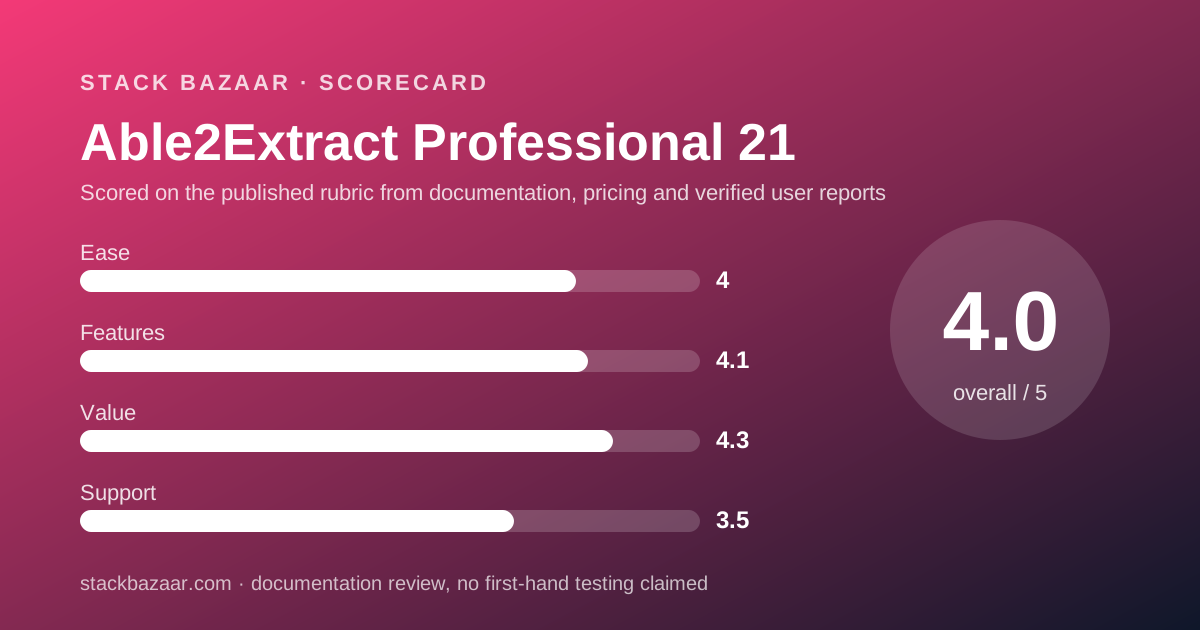
Scored on the published rubric, from documentation, pricing and verified user reports.
Best for: Accountants, analysts and anyone whose main PDF job is getting tables out of statements and reports into Excel, offline, on any of three operating systems.
Verdict
Able2Extract Professional is the rare PDF tool that still says the word lifetime on its own store page and then prints a refund window beside it. $199.95 buys a single-user licence with full usage rights and a one-time payment, and the same page offers a $49.95 thirty-day licence with "No automatic renewal" for anyone with one job to finish. This documentation review is built from the Investintech product page, the store page, the published FAQ and the vendor's own Adobe comparison panel, all read on November 4, 2026, with no testing of our own. The strong part is scope for the money: Windows, macOS and Linux builds, fully offline operation, OCR in twelve languages, batch conversion, AutoCAD output and a document comparison tool. The weak part is the word lifetime itself. The licence is sold as version 21, the FAQ invites existing owners to "upgrade your license", and no upgrade price appears anywhere we could read.
Visit Able2Extract Professional 21
We have no affiliate relationship with this vendor. Link goes to the official site.
Where it is strong
- $199.95 USD once, described on the store page as "a lifetime, single-user license with full usage rights"
- A $49.95 thirty-day licence exists for one-off jobs, with "No automatic renewal" stated on the same page
- "you can return it within 14 days for a full refund" on the lifetime licence, with no handling fee mentioned
- Windows, macOS and Linux builds from one product page, which almost nothing else in this category offers
- Fully offline: the FAQ states there is no web version and calls it "a fully offline desktop application"
- OCR covers twelve languages, including Italian, Portuguese, Dutch, Greek, Danish, Norwegian, Finnish and Swedish
Where it falls short
- The licence is sold as version 21 and the FAQ offers an upgrade path, but no upgrade price is published
- No free tier at all: the FAQ says plainly "there is no free version of Able2Extract Professional"
- The free trial is 7 days, shorter than the 14-day trials offered by larger rivals
- Premium support is a separate $39.95 per year per licence, so the base price buys standard support only
- The vendor's own free online tools are capped at "one file conversion per day"
- Interface language is limited to six languages, fewer than its OCR language list
At a glance
| Pricing note | The store page lists "Able2Extract Professional 21 (Full License)" at "$199.95", described as "a lifetime, single-user license with full usage rights. One-time payment", beside "Able2Extract Professional 21 (30-day License)" at "$49.95" with "No automatic renewal", both read on November 4, 2026 |
|---|---|
| Lifetime licence | $199.95 USD, one-time payment, single user, per the Investintech store page read November 4, 2026 |
| Short-term licence | $49.95 USD for a 30-day single-user licence, "No automatic renewal" |
| Refund window | "If you're not completely satisfied with lifetime Able2Extract Professional license, you can return it within 14 days for a full refund" |
| Free trial | 7 days, per the product FAQ; "there is no free version" |
| Premium support add-on | Software Advantage Program at "$39.95 per year for each license", giving priority phone and email support |
| Current version | Version 21, per the FAQ answer "What is the latest version of Able2Extract?" |
| Platforms | Windows, macOS and Linux, stated on the product page beside the price |
| Delivery | Licence key by email after purchase; a physical CD is optional and adds "$10 per CD" |
| Interface languages | English, Spanish, German, French, Italian and Portuguese |
| OCR languages | English, Spanish, French and German, plus Italian, Portuguese, Dutch, Greek, Danish, Norwegian, Finnish and Swedish |
| Output formats | Word, Excel, CSV, TSV, PowerPoint, Publisher, HTML, AutoCAD DWG and DXF, ODT, ODS, ODP, and JPG, BMP, PNG, TIFF, GIF and WebP |
| Underlying engine | The FAQ states the product is "powered by Apryse's industry-leading PDF technology" |
| Encryption supported | 256-bit password protection, with separate owner and user passwords |
| Public rating shown | "4.6/5 rating on Capterra", displayed on the product page with Gartner's standard disclaimer |
| Vendor comparison claim | "With a one-time payment of $199.95, you avoid Adobe's $240 yearly subscription, saving $280 in just two years" |
What Able2Extract actually is
Able2Extract Professional is a desktop PDF converter with an editor attached, not an editor with a converter attached. The order matters.
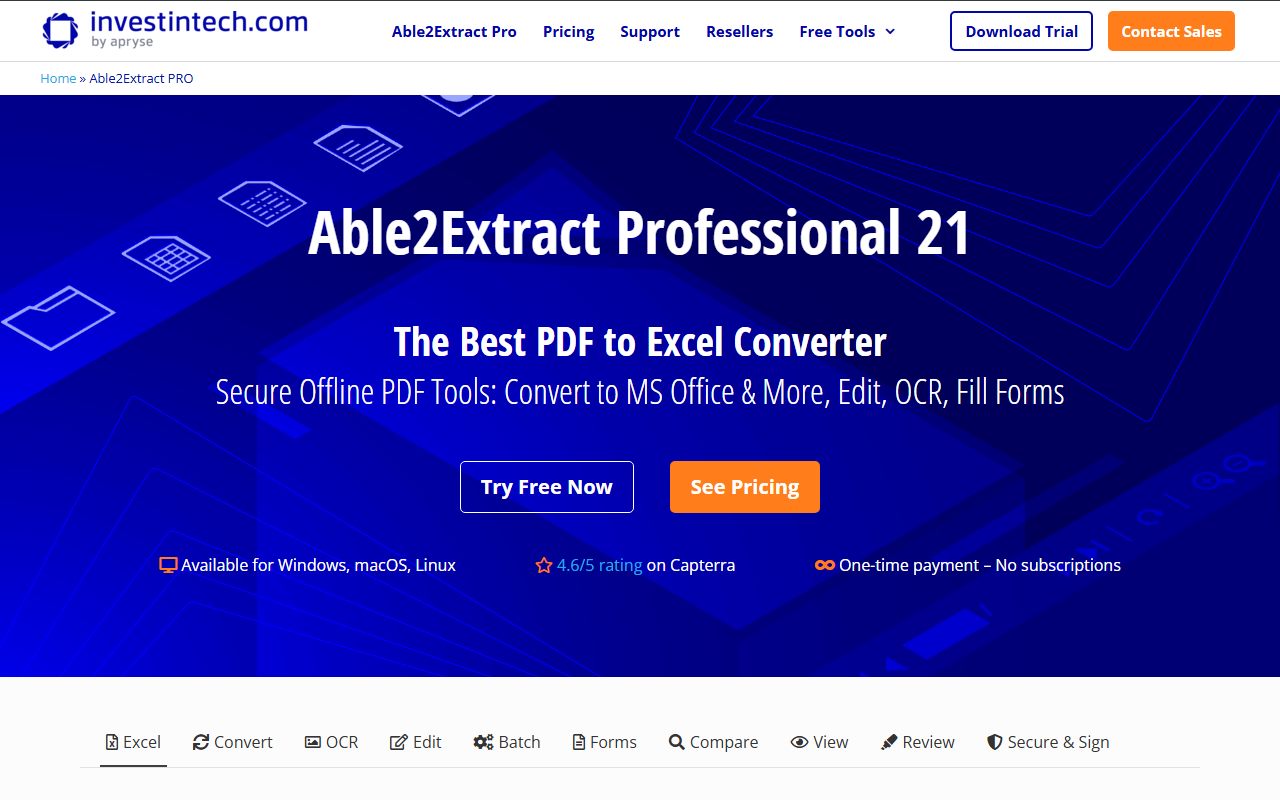
The product page leads with "The Best PDF to Excel Converter", and the deepest part of the feature list is table extraction.
Everything else, the editing, the forms, the annotation, the redaction, sits around that core. It is competent rather than exhaustive.
The vendor is Investintech.com, and the FAQ states the product is "powered by Apryse's industry-leading PDF technology", which is the engine several other PDF products license.
So the question is not whether it can edit a PDF. It is whether your weekly job is turning PDF tables into spreadsheets.
What the $199.95 actually buys
The store page is unusually blunt for this category, and the wording is worth quoting rather than summarising.
The full licence reads: "Able2Extract Professional 21 (Full License) ... This is a lifetime, single-user license with full usage rights. One-time payment. License key sent by email after purchase." The price shown is $199.95.
Beside it sits a second option most vendors do not offer. "Able2Extract Professional 21 (30-day License) ... This is a 30-day, single-user license with full usage rights. No automatic renewal." That one is $49.95.
A thirty-day licence with the renewal switched off is an honest product. It covers the person with one pile of statements to convert and no reason to own the tool afterwards.
Delivery is electronic by default. A physical CD can be added, at "$10 per CD", with a separate shipping choice for USA and Canada or the rest of the world.
That is the kind of detail that tells you how long a product has been on sale, a theme we picked at in what happens after you pay once.
The refund window is the strongest line on the page
One sentence carries more weight here than any feature list.
The store page states: "If you're not completely satisfied with lifetime Able2Extract Professional license, you can return it within 14 days for a full refund."
Full refund. No handling fee, no restocking charge, no percentage deduction appears anywhere on that page.
That is a meaningfully better position than several pay-once vendors in this price band, and it offsets the short trial.
It also matters because the trial is only 7 days, per the FAQ. Fourteen days of ownership is the real evaluation period here, and it starts after you pay.
Who Able2Extract is best for
The fit is narrow and well defined, which is a compliment at this price.
- Accountants and bookkeepers converting bank, card and vendor statements into Excel every month
- Analysts pulling tables out of annual reports and regulatory filings without retyping them
- Engineers and drafters who need PDF drawings back as DWG or DXF for CAD work
- Anyone on Linux who has been priced out of commercial PDF tooling entirely
- Teams whose documents must stay on the machine, since the product is offline by design
- Buyers assembling a one-payment toolchain, as in our pay-once picks for freelancers
Who should skip it
Three groups, and none of the reasons involve conversion quality.
- Anyone who mainly needs to edit and sign PDFs rather than take them apart
- Anyone who needs a phone, tablet or browser version, which the FAQ rules out
- Anyone who wants a long free trial before paying, because seven days is what is offered
The table extraction is where the money goes
The feature list for Excel output is deeper than the rest of the product put together, and it is worth reading before deciding.
Custom conversion lets you draw the column and row structure by hand, with a preview panel before the file is written.
Saved templates reuse that structure on documents of the same shape, which the vendor pitches at monthly invoices and transaction records.
Named Table Structures handle documents where the table shifts shape between pages. Smart Templates are described as AI-powered and trained to locate the right table regardless of size or position.
Master Templates take it to batch: separate the PDFs into categories, and the program picks the matching template for each one automatically.
Find Similar searches a document for one table structure and converts only the instances that match. For anyone who has rebuilt a spreadsheet by hand, that list reads like a worked problem.
Features: what else is in the box
Beyond Excel, the output list is wider than the price suggests.
Conversion targets include Word, PowerPoint, Publisher, HTML, CSV and TSV, the OpenDocument trio of ODT, ODS and ODP, and AutoCAD DWG and DXF with vector graphics retained.
Image output covers JPG, BMP, PNG, TIFF, GIF and WebP, with DPI, resolution, JPEG quality and GIF animation speed exposed as settings.
OCR handles image-only PDFs in twelve languages and claims to correct skewed and grainy scans. Batch OCR runs the same job across folders.
Editing covers text, images and vector shapes, Bates numbering, page insert, merge, split, resize and metadata. Two features are marked New: repair of corrupt PDFs, and compression with font subsetting.
Security covers 256-bit encryption with separate owner and user passwords, permission levels, redaction, watermarks, and validation of existing digital signatures.
There is also a document comparison tool that works on "any two printable documents" regardless of format, which is a different job from the file and folder comparison in Beyond Compare.
Value: what the score is built from
The value score rests on the price, the platform count and the refund, and is held back by one unpublished number.
$199.95 once, on three operating systems, with a 14-day full refund, is a strong position in a market that has mostly moved to annual billing.
The vendor makes its own case with arithmetic, and we checked it. The panel says a one-time $199.95 avoids "Adobe's $240 yearly subscription, saving $280 in just two years".
Two years of $240 is $480, and $480 less $199.95 is $280.05, so the vendor's figure holds. The $240 Adobe price is Able2Extract's claim, not a number we read on Adobe's site.
What is missing is the upgrade price. The FAQ tells existing users to "upgrade your license" for version 21 features, and names no figure.
Lifetime means version 21, not forever
This is the line to read carefully before treating the purchase as permanent.
The store page says lifetime. The product named on that same line is "Able2Extract Professional 21".
The FAQ then says the latest version is 21, and offers existing users a link to upgrade their licence, which only makes sense if older licences do not reach new major versions.
So the promise is a licence that never expires for the version you buy, not a licence that collects every future release.
That is the normal shape of a perpetual licence, and it is defensible. What is not published is the cost of moving from 21 to 22, which leaves a real number out of the buyer's sum.
We keep hitting this gap across the category, and it is the first thing to check in how lifetime software deals actually work.
Support: standard included, priority sold separately
The base licence includes standard support. Priority support is a subscription on top of a one-time purchase, which is worth knowing before you buy.
The vendor describes the Software Advantage Program as "an optional premium support plan available to Able2Extract Professional users for $39.95 per year for each license".
Its stated benefit is placement: "SAP users are always at the front of" the queue, with priority phone and email handling.
No response time is published for either tier on the pages we read. So the difference between standard and priority is ordering, not a service level.
At $39.95 a year per licence, five years of priority support costs almost as much as the licence itself. That is a judgement call rather than a flaw.
What verified users report
The product page shows a "4.6/5 rating on Capterra" with Gartner's standard disclaimer attached, and quotes three reviewers by job title rather than name.
We treat that as a vendor-selected sample, not evidence. The quotes are chosen by the seller, and the page says so in the Gartner notice.
The rating figure itself is checkable at source, and the disclaimer printed beneath it is the correct one: reviews "constitute the subjective opinions of individual end-users".
What we did not find on the vendor's pages is a count of how many reviews produce that 4.6, so the figure has no sample size attached where it is displayed.
Alternatives
Two comparisons worth making, and neither is another PDF converter.
Choose TablePlus if the data you need is already in a database rather than locked inside a PDF. It is a different problem with a cleaner answer.
Choose DEVONthink if the task is filing, searching and OCRing a growing document library rather than converting single files. Our ranking for that work is the best pay-once apps for notes and research.
If the real need is a plain-text workflow where the PDF is only the final export, iA Writer and BBEdit are the cheaper one-time buys.
What we could not verify
Three things, named rather than guessed.
The upgrade price from version 21 to the next major version is not published on either page we read.
The number of reviews behind the 4.6 Capterra figure is not shown where the figure is shown.
And the OCR accuracy claims, the Smart Template training claims and the "poorest document scans" claim are all vendor descriptions on a vendor page. We ran no tests, so we are reporting them as claims and nothing more.
Bottom line
Able2Extract Professional is a specialist sold at a generalist price, and the specialism is worth the money if it matches your week.
$199.95 once buys PDF-to-Excel conversion with hand-drawn table structures, batch templates, twelve-language OCR, CAD output and a full 14-day refund, on Windows, macOS and Linux, offline.
It is not the broadest PDF editor you can buy for $200, and it does not pretend to be. The front of its own page says converter.
Two numbers to settle at checkout: the upgrade cost to the next version, and whether you want priority support at $39.95 a year. Then read the licence wording against the checks in how to read a software deal before you pay.
Buy it if
- Your recurring job is extracting tables from PDF statements and reports into Excel or CSV
- You work on Linux, or across all three desktop operating systems, and want one licence that covers them
- The documents must never leave your machine, because the product is offline by design
- You want a stated full refund inside 14 days rather than a trial and nothing else
Skip it if
- You want a broad PDF editor first and a converter second, because editing here is lighter than conversion
- You need mobile or browser access, which the FAQ rules out entirely
- You want a free tier to fall back on, because there is none and the trial is only 7 days
- You need a published upgrade price before committing to a version-numbered lifetime licence
Frequently asked
How much does Able2Extract Professional cost?
$199.95 USD for the lifetime single-user licence and $49.95 for a 30-day licence, both read on the store page on November 4, 2026. A physical CD adds $10. Premium support is a separate $39.95 per year per licence.
Is Able2Extract really a lifetime licence?
The store page says so: "a lifetime, single-user license with full usage rights. One-time payment." The licence is sold as version 21, and the FAQ invites existing owners to upgrade, so lifetime here means that version rather than every future version.
Can I get a refund?
Yes, within 14 days. The store page states that if you are not completely satisfied with the lifetime licence "you can return it within 14 days for a full refund". No handling fee or restocking deduction is mentioned on that page.
Does Able2Extract have a free version?
No. The FAQ states "there is no free version of Able2Extract Professional", and offers a 7-day trial instead. The vendor's free online converters are separate and capped at one file conversion per day.
Does it run on Linux?
Yes. The product page lists Windows, macOS and Linux beside the price, and the FAQ repeats all three. That makes it one of very few paid PDF converters with a Linux desktop build.
Does it work offline?
Yes, and the FAQ is explicit: "It is a fully offline desktop application available as a downloadable program for Windows, macOS, and Linux." There is no web version and no account requirement stated for conversion.
What does the $39.95 Software Advantage Program add?
Priority support. The vendor describes it as "an optional premium support plan available to Able2Extract Professional users for $39.95 per year for each license", with priority phone and email handling. Standard support comes with the licence.
Sources
- Able2Extract Professional product page (version 21, platform list, OCR languages, feature descriptions, Capterra rating, Adobe comparison panel) - checked November 4, 2026
- Able2Extract Professional store page ($199.95 lifetime licence, $49.95 30-day licence, CD surcharge, 14-day full refund) - checked November 4, 2026
Visit Able2Extract Professional 21
We have no affiliate relationship with this vendor. Link goes to the official site.