 Stack
Carbon Copy Cloner vs SuperDuper (2026)
Both clone a Mac to an external drive, both are sold once rather than rented, and both were read on October 15, 2026 from their vendors' own pages. The split is simple. Carbon Copy Cloner 7 asks $49.99 USD plus local taxes and covers every Mac in a household, but Bombich states in writing that major upgrades are paid. SuperDuper 4 does full erase-then-copy backups free forever, charges only to unlock scheduling and Smart Update, and does not publish a refund policy we could find. This comparison is built from documentation, store panels and support articles. No testing of our own took place.
 4.3Carbon Copy Cloner 7
 4.2SuperDuper 4
Specification by specification
| Spec | Carbon Copy Cloner 7 | SuperDuper 4 |
|---|---|---|
| Price, one-time | $49.99 USD plus applicable local taxes (Bombich pricing article, Oct 15, 2026) | Store panel base price attribute reads $43.95; rendered price was localised (store panel, Oct 15, 2026) |
| What the price covers | Every Mac you own or control, personal non-commercial use | All your personal Macs, licensed per user |
| Free tier | None; a 30-day trial instead | Yes, full erase-then-copy backups free, support included |
| Trial | 30 days, complete feature set, no features disabled | No fixed trial clock published; the free mode is open-ended |
| Refund window | 30 days, case by case, minimum 15% processing fee possible | Not published on the vendor's site as of Oct 15, 2026 |
| Major upgrades | Paid; 25% off for v5 owners, 50% off for v6 owners; free v7 if v6 bought from Jan 1, 2024 | Paid; free for qualifying recent purchases, up to 30% off for v3 buyers after July 31, 2020 |
| Point releases | Stated free to licensed users (e.g. 7.0 to 7.1) | Not stated; 4.0.9 shipped Oct 1, 2026 and a security update Oct 5, 2026 |
| macOS requirement | macOS Ventura or greater; page says fully qualified on macOS Golden Gate | macOS 14 Sonoma or later; Classic goes back to macOS 10.2 |
| Snapshots | Yes, with search, permanent tags, notes, max age and usage-based retention | Not advertised on the pages we read |
| Cloud-only file handling | Temporarily downloads iCloud, Google Drive, Dropbox, OneDrive and Box files to copy them | Not advertised on the pages we read |
| Verification | Three levels, including an automated Backup Health Check | Not advertised on the pages we read |
| Network destinations | Documented, alongside mount and unmount automation | Can write directly to folders on a network drive |
| Business or volume licence | Yes: 1+ $49.99 down to 25+ $30.00 per unit; Pro licence from $125.00 | None published on the pages we read |
| Support model | Staffed help desk, Knowledge Base in seven languages | Email answered by the app's author, personally |
| Seller of record | FastSpring | Paddle |
The short answer: CCC for a household, SuperDuper to start at zero
Two sentences decide this for most readers.
- Carbon Copy Cloner 7 is best for a household with more than one Mac, a buyer who wants snapshots and verification, and anyone who will budget for a paid upgrade at version 8.
- SuperDuper 4 is best for a buyer who wants to spend nothing until automation becomes necessary, who runs a handful of personal Macs, and who does not need a printed refund clause.
- Our pick is Carbon Copy Cloner 7, on depth of documented features and clarity of published terms, not on price. It is the narrower win than the price gap suggests.
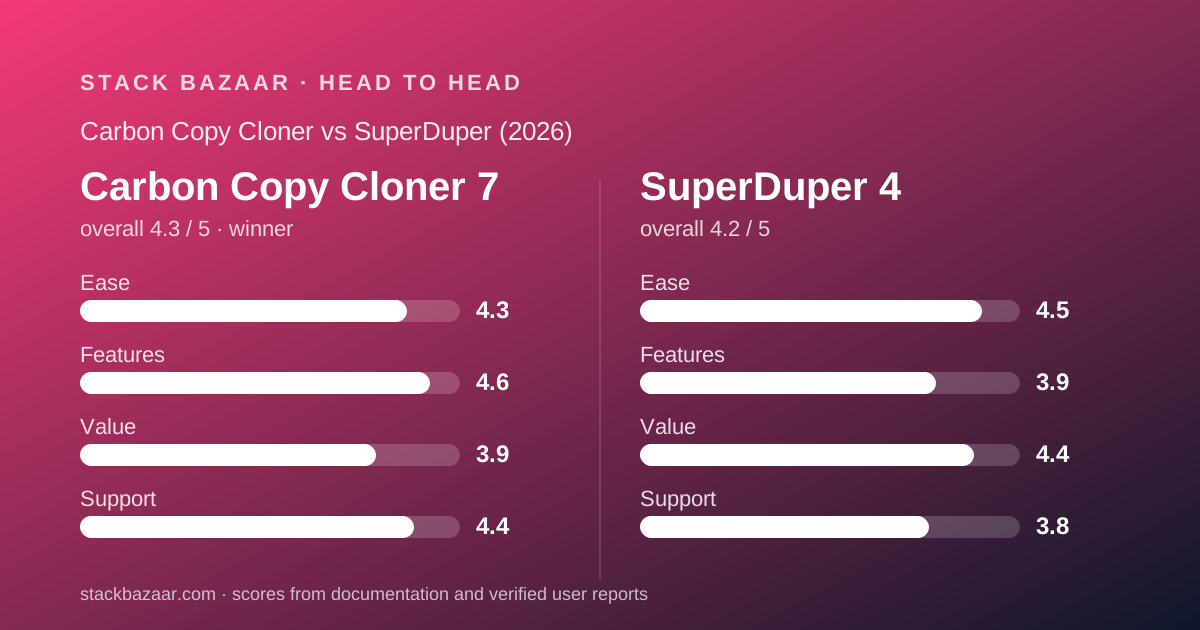
Every figure here was read on one day from the vendors' own pages
No testing took place. This piece was assembled from Bombich Software's product page, FastSpring store panel, corporate store and five Knowledge Base articles, and from Shirt Pocket's product page, store panel, SuperDuper 4 FAQ, Classic page and blog index.
All of them were read on October 15, 2026. Where a vendor's own pages disagreed with each other, both wordings appear below rather than the more convenient one.
That happened twice. Bombich prints the upgrade discount as 'up to 50% off' on the store panel and '25-50% off!' on the product page banner. Shirt Pocket's store panel carries a base price attribute of $43.95 while rendering a different currency entirely.
For how to read deal pages with that kind of drift in them, see how to read a software deal before you pay.
Price: SuperDuper is cheaper on paper and free in practice
On the sticker, SuperDuper wins. Its store panel's own base price attribute reads $43.95 against $49.99 USD plus local taxes for a CCC household licence.
In practice the gap is larger, because SuperDuper's unregistered mode is not a demo. The FAQ states that 'full Erase, then copy backups are available for free, including support.'
A reader who only wants a bootable duplicate, started by hand, can run SuperDuper indefinitely for nothing. Carbon Copy Cloner has no equivalent; after 30 days the trial ends.
But $43.95 is not a number you can rely on seeing. The panel warns that 'Prices outside the US are estimates; your exact local price and taxes are confirmed at checkout', and the figure rendered to our reading machine was in Vietnamese dong.
Bombich's dollar figure comes from a support article that states it as USD outright, which is a firmer thing to quote. Both are detailed in the Carbon Copy Cloner 7 review and the SuperDuper 4 review.
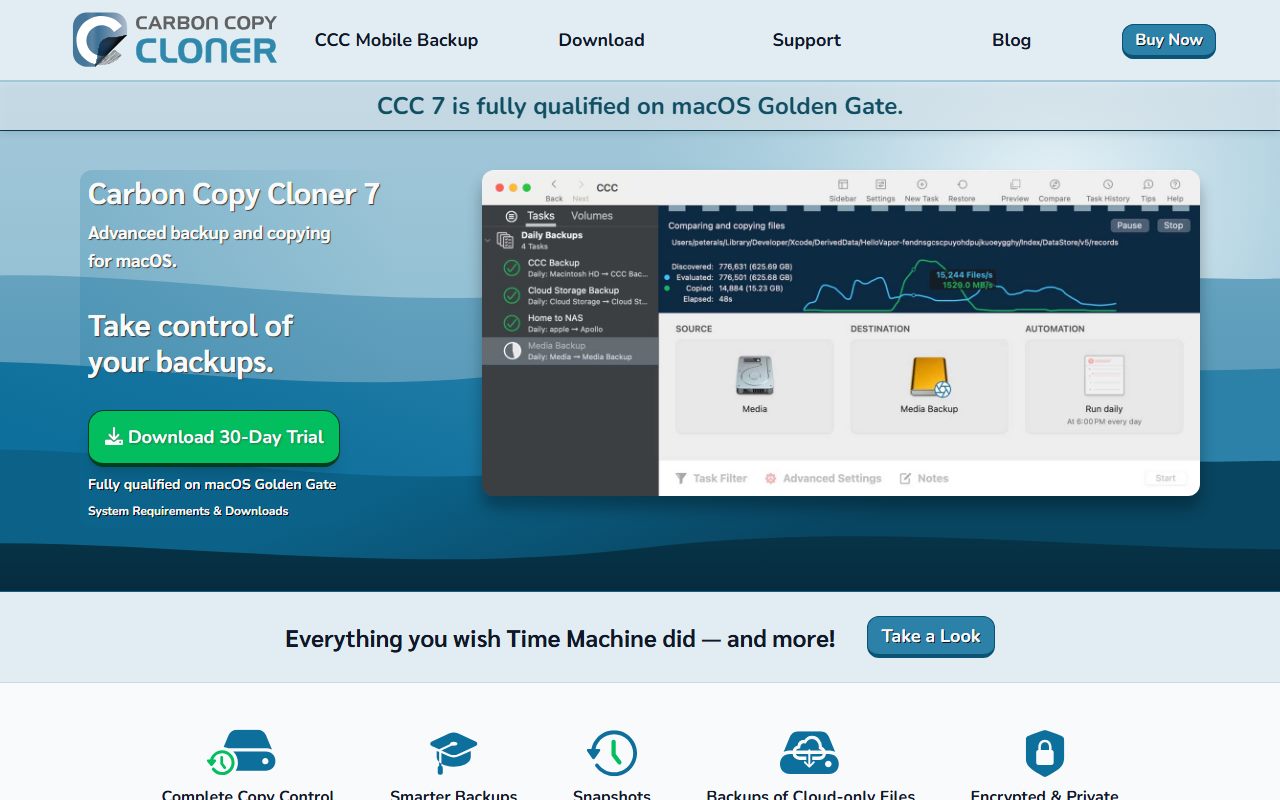
The arithmetic at one, two and four Macs
Because both licences cover a household rather than a machine, the per-Mac cost falls as the house fills up. The numbers below are our arithmetic from the vendors' published figures, not vendor pricing.
For Carbon Copy Cloner, $49.99 USD plus local taxes is the whole bill whether there is one Mac or four. That is $49.99 per Mac at one machine, about $25.00 at two, and about $12.50 at four.
For SuperDuper, taking the store panel's base price attribute of $43.95 at face value, the same ladder runs $43.95 at one Mac, about $21.98 at two, about $10.99 at four.
So SuperDuper stays roughly $6 cheaper at every household size, and free if you never need scheduling.
What the table cannot show is the renewal. Both vendors say the next major version is a paid purchase. If that lands every three years, the honest comparison is not $49.99 against $43.95 but a stream of unknown payments on both sides.
That is the structural problem with pricing a perpetual licence at all, and the reason a free-updates-for-life promise commands a premium elsewhere in the category.
Licence scope: both are generous, CCC's wording is wider
This is closer than the marketing suggests, and both are unusually buyer-friendly.
CCC's Knowledge Base says the licence 'allows you to install and use CCC on any computer that you own or control for personal, noncommercial use'. The store panel phrases it as 'all computers in your household'.
SuperDuper's store panel bullet reads 'Use on all your personal Macs', with the unit given as 'per user'.
In everyday terms both cover a family's machines on one payment. CCC's phrase 'own or control' is broader than 'personal Macs', and CCC adds that a version 7 key is also accepted by CCC 5 and CCC 6, which keeps an older Mac in scope.
Neither covers commercial use in that price. CCC at least publishes where to go next: a corporate store from $49.99 per unit down to $30.00 at 25 seats, plus a Pro technician licence from $125.00. Shirt Pocket publishes nothing comparable.
Terms: CCC publishes more, and some of what it publishes is unflattering
The gap in paperwork is the clearest difference between these two vendors, and it cuts both ways.
CCC's refund clause is specific and partly unwelcome: requests 'are evaluated on a case-by-case basis and may be subject to a minimum 15% processing fee', inside 30 days. On $49.99 that fee is $7.50 by our arithmetic.
SuperDuper publishes no refund terms we could find. We read the product page, the store panel, the FAQ and the Classic page on October 15, 2026, and one FAQ path returned 'File not found.'
An unpublished policy is not the same as no policy, and checkout runs through Paddle as merchant of record. But a buyer who wants that protection in writing can only get it from one of these two.
On upgrades both are honest and both charge. CCC publishes a discount ladder tied to which version you own. Shirt Pocket publishes one tied to when you bought: 'up to 30%, based on purchase date' for SuperDuper 3 buyers after July 31, 2020.
The licence-versus-version trade behind all of this is the subject of what happens after you pay once.
Features: Carbon Copy Cloner documents considerably more
This is where the comparison stops being close.
CCC's product page documents snapshots with file-name search, permanent tags, notes, maximum age and retention limited by total snapshot disk usage. SuperDuper does not advertise snapshots at all on the pages we read.
CCC documents temporary downloads of cloud-only files from iCloud, Google Drive, Dropbox, OneDrive and Box so they can be captured locally. That is a specific answer to a problem most Mac owners now have.
CCC documents three levels of verification, including an automated Backup Health Check and checksum comparison against a last known state.
It also documents filter rules with a visual preview of what will be copied, task chaining, shell scripts before and after tasks, and automatic mounting and unmounting of destinations.
Version 7 adds backup rules tied to network conditions: a task can be limited to ethernet only, to a named Wi-Fi network, or to a set macOS location.
SuperDuper's documented surface is narrower by design. Smart Update, Turbo Smart Update, Copy Rules in plain English, bootable output, Shortcuts support, scheduling that wakes the Mac, and direct writes to network folders.
Neither list was tested here. Both are the vendors' own claims, counted rather than assessed.
Ease of use: SuperDuper is built around being understood
The narrower feature list is also the friendlier one, and Shirt Pocket makes that the pitch.
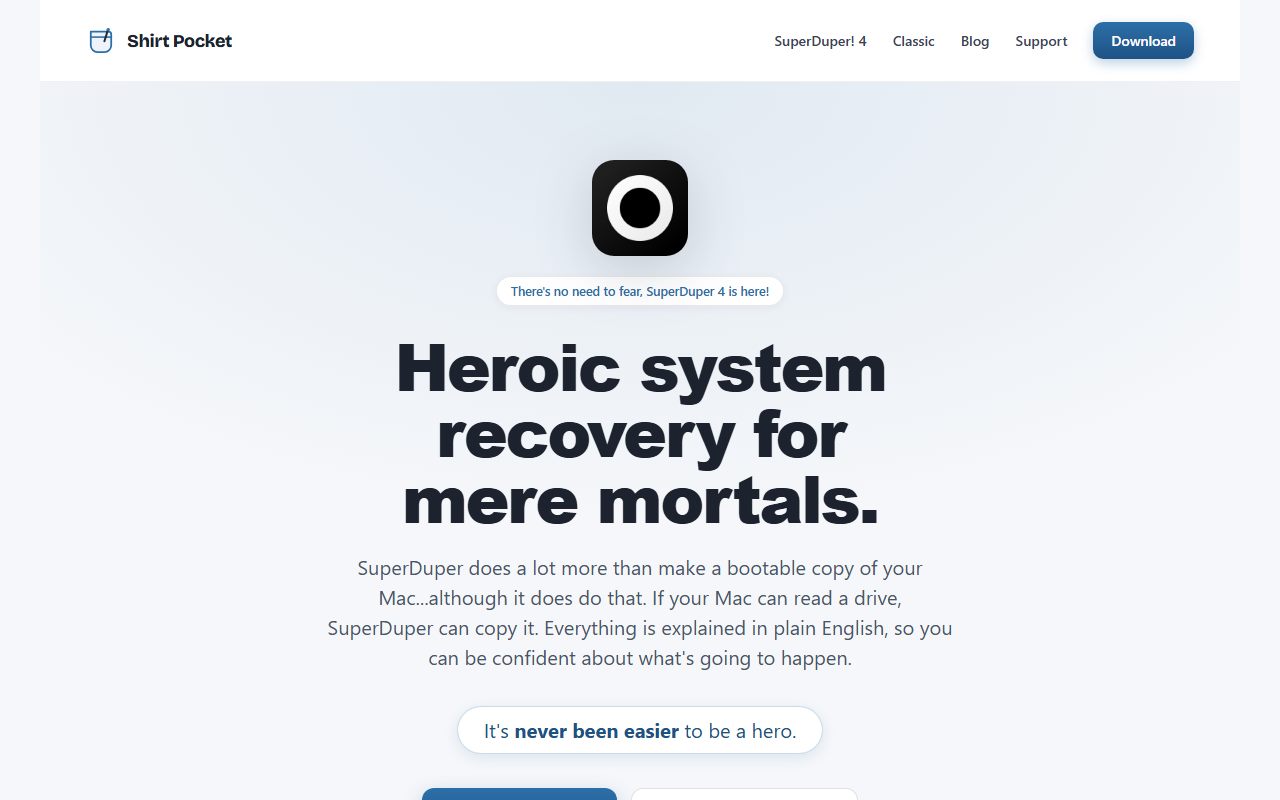
Its tagline is 'Heroic system recovery for mere mortals', and the product page claims 'Everything is explained in plain English, so you can be confident about what's going to happen.'
The Copy Rules rename is the concrete example. The FAQ says rules read in plain English and show what they will do against real data, and that old Copy Scripts import automatically on first launch.
CCC answers the complexity charge with onboarding rather than simplification: a guided setup for the first task, tip-led product tours, and a Backup Volume Setup Assistant that reformats a new disk with snapshot support and optional encryption in a couple of clicks.
That is a different philosophy, not a worse one. A reader who finds backup software intimidating will probably get further with SuperDuper; a reader who wants control will find it in CCC.
Support: a help desk against the author's inbox
Both models work. They fail differently.
Shirt Pocket's FAQ answers the support question in the first person: email 'and you'll receive support from me, directly: the actual author of SuperDuper.' That is the best possible answer, from one person, with no stated response time and no backup.
Bombich claims scale instead: 'You'll get support from real people - not chatbots or AI', a Knowledge Base the product page says is maintained in seven languages, and in-app ticketing through the Help menu.
We cannot grade which answers faster, and we did not try. What is visible is structure. One vendor has a support organisation; the other has a developer who is very good at email.
Activity is healthy on both sides. SuperDuper 4.0.9 shipped on October 1, 2026 with a security update on October 5. CCC 7 is advertised as fully qualified on the current macOS.
What a freelancer has to decide that a household does not
Both household licences are explicitly personal, and that is where a self-employed reader has to stop and read again.
Bombich's wording is the one to notice: the $49.99 licence covers machines you own or control 'for personal, noncommercial use'. A designer backing up paid client files is outside that sentence.
Bombich at least sells the alternative openly. A single corporate seat is the same $49.99, falling to $30.00 per unit at 25 or more, with an optional maintenance subscription that the Knowledge Base says covers paid upgrades at no extra charge.
That maintenance clause is the quiet winner for anyone running a business. It converts the paid-upgrade problem into a known recurring cost rather than a surprise.
Shirt Pocket publishes no business tier on the pages we read. Its panel sells one thing, per user, for personal Macs. A freelancer wanting a clean commercial licence has nothing published to buy.
Neither vendor is doing anything wrong here. One has simply written the commercial case down and the other has not. The same question comes up across the category in the best pay-once software for freelancers.
What neither vendor lets us check
Three gaps apply to both products equally, and they are worth naming.
Neither is sold through the Mac App Store, so there is no public star rating to cite for either one. Bombich publishes an article explaining its choice; Shirt Pocket sells direct through Paddle.
Neither publishes a price for its next major version. Both say the next version will cost money. Neither says how much or when.
And neither performance claim is verifiable here. CCC advertises a 'beast mode' copier; SuperDuper advertises Turbo Smart Update as 'extremely fast'. Both are vendor claims, reported as such.
Choose Carbon Copy Cloner 7 if
The case for the more expensive product rests on documentation, not on brand.
- You want snapshots and verification, both of which SuperDuper does not advertise.
- Your important files live in cloud-synced folders, since CCC documents downloading cloud-only files to capture them.
- You want a refund clause you can read before paying, even one with a 15% processing fee in it.
- You need a business or technician licence, with published per-unit pricing rather than an enquiry form.
- You want a full-feature trial with a defined end, which is 30 days with nothing switched off.
Choose SuperDuper 4 if
The case for the cheaper product is that it may cost nothing at all.
- You will start the backup yourself, because erase-then-copy is free forever, with support included.
- You want to evaluate without a clock, since the free mode does not expire the way a trial does.
- You want the simplest route to a bootable duplicate, explained in plain language.
- You prefer a one-person product and are comfortable with what that means for support.
- You are on macOS 14 or later and do not need an older Mac covered by the same purchase.
Frequently asked
The questions buyers actually type, answered from the pages above.
Bottom line
Carbon Copy Cloner 7 wins this on the strength of what Bombich is willing to put in writing.
That means a 30-day full-feature trial, a household licence in plain terms, a published refund window with its fee disclosed, a volume price list, and a feature set documented in detail.
SuperDuper 4 wins on entry cost, and it wins decisively. A free mode that makes real bootable backups, supported, with no expiry, is a better offer than any trial.
So the practical answer for most readers is not either-or. Install SuperDuper free this week. If you find yourself forgetting to run it, buy the licence that fixes that, whichever vendor you prefer by then.
If you want a third shape entirely, free updates for life against a one-Mac key, that is ChronoSync, reviewed separately.
The wider ranking of pay-once tools is in the best pay-once software for freelancers, and the licence mechanics behind all of it in how lifetime software deals actually work.
Frequently asked
Is SuperDuper cheaper than Carbon Copy Cloner?
On the pages read October 15, 2026, yes. SuperDuper's store panel base price attribute reads $43.95 against $49.99 USD plus taxes for a CCC household licence. SuperDuper is also free for manual erase-then-copy backups, so the real gap can be the whole price.
Which one covers more Macs for one payment?
Carbon Copy Cloner, marginally. Its licence covers 'any computer that you own or control' for personal non-commercial use, and a version 7 key also works with CCC 5 and 6. SuperDuper covers 'all your personal Macs' but has no older-version provision published.
Do either of them include free upgrades forever?
No. Both state that major versions are paid purchases. CCC offers 25% off to version 5 owners and 50% to version 6 owners. SuperDuper offers up to 30% off to version 3 buyers who purchased after July 31, 2020, scaled by purchase date.
Can I get a refund from either vendor?
From Bombich, within 30 days, case by case, with a possible minimum 15% processing fee. From Shirt Pocket we could not find any refund statement on its product page, store panel, FAQ or Classic page as of October 15, 2026.
Which is better for an older Mac?
Both have an answer and they differ. CCC 7 requires macOS Ventura or later, but a version 7 key also licenses CCC 5 and 6 for older machines. SuperDuper 4 requires macOS 14 Sonoma, with SuperDuper Classic covering back to macOS 10.2 as a separate product.
Can I run both at once?
Nothing in either vendor's documentation forbids it, and running two different mechanisms is what Shirt Pocket's own backup guidance recommends. Give each tool its own destination volume rather than pointing both at the same drive.
Visit Carbon Copy Cloner 7
We have no affiliate relationship with this vendor. Link goes to the official site.
Visit SuperDuper 4
We have no affiliate relationship with this vendor. Link goes to the official site.